WordPress security attacks are real, but you don’t need to be a security expert to reduce the main risks.
Failed-login alerts, unfamiliar admins, strange redirects, or sudden slowdowns may indicate an attempted or successful attack. Common entry points include weak accounts, outdated plugins, unsafe custom code, and exposed request surfaces that a WordPress firewall can help filter—not necessarily WordPress core itself.
This guide explains how to spot warning signs, distinguish attacks from confirmed compromises, and take the right first step without panic.
TL;DR: WordPress attacks target different layers, so use updates, protected accounts, request filtering, monitoring, scanning, and tested backups together. A capable WordPress security plugin can combine several of these protections, but it is not a substitute for secure accounts, maintained software, or incident response. If you see suspicious users, content, redirects, files, or outages, preserve evidence and investigate calmly before deleting anything; a blocked request is not proof of compromise.
What counts as a WordPress attack?
A WordPress attack is an attempt to gain access, change data, run code, deceive a user, or disrupt a site. A vulnerability is the weakness that makes the attempt possible. A compromise means the attacker gained unauthorized access or control. Malware is one possible result, not a name for every attack.
The most useful question is where the attacker is acting:
- An account or session: to sign in or act as a trusted user.
- A visitor’s browser: to affect people who load the site.
- The content or database: to change, expose, or add information.
- The server or hosting account: to run code or keep access.
- The site’s availability: to make the site slow or unreachable.
The list below combines attack techniques, vulnerability classes, and post-compromise patterns because real incidents can move between them. An unsafe plugin, for example, can enable an injection attack, create a backdoor, or add a redirect. The order helps you decide what to recognize and investigate first; it is not a claim about which attack happens most often.
WordPress attacks at a glance
Use a symptom as a starting point, not proof of the cause.
| Attack or pattern | Main target | What you may notice | First defensive priority |
|---|---|---|---|
| Credential abuse | Accounts | Failed logins, lockouts, or unknown users | Protect accounts and review access |
| Unsafe extensions and backdoors | Site code and persistence points | New files, changes, or reinfection | Patch, remove, and investigate persistence |
| Cross-site scripting (XSS) | Visitor browsers | Unexpected scripts, redirects, or account actions | Patch the affected component |
| SQL injection | Database | Changed content, exposed data, or unusual database activity | Patch code and investigate records |
| Spam injection and SEO poisoning | Search and content | Unknown pages, links, warnings, or redirects | Check files and database persistence |
| RCE, uploads, and web shells | Server | Defacement, unknown files, or broad changes | Limit damage safely and get help |
| Phishing | Visitors, staff, or site identity | Fake login, payment, or email requests | Warn people and secure affected paths |
| CSRF | Logged-in actions | Unapproved settings, profiles, or transactions | Patch and review account activity |
| Session or cookie theft | Active sessions | Activity without a password change | Revoke sessions and rotate access |
| SSRF | Server-side connections | Unexpected outbound requests or data access | Patch the responsible integration |
| DDoS, DoS, and XML-RPC abuse | Availability | Slowness, outages, or traffic spikes | Use edge controls and rate limits |
| XXE and unsafe XML parsing | XML components | Data disclosure or parser errors | Patch or remove the unsafe parser |
1. Brute-force attacks and credential abuse
Credential abuse tries to enter an account with guessed, reused, or stolen login details. Brute-force attacks automate password guesses. Credential stuffing uses usernames and passwords exposed elsewhere. The target might be an administrator, editor, store manager, or member, and no software bug is required.
Failed-login alerts, repeated lockouts, unfamiliar successful logins, new users, changed passwords, or unexpected content can point to credential abuse. A high number of failed requests shows that someone is trying to log in; it does not prove that anyone got in.
How to protect your WordPress site
Protect privileged accounts with unique passwords and set up two-factor authentication in WordPress or use passkeys. Add rate limiting, remove unused accounts, limit administrator access, and review successful logins. Hiding the login URL may reduce noise, but it is not a primary defense for other authentication paths.
An unknown administrator or unexpected successful login deserves faster attention than a long list of blocked attempts. Review the account and active sessions promptly, then look for changes made through it.
2. Unsafe plugins, themes, and persistent backdoors
An unsafe or unmaintained extension can provide the opening, while a backdoor lets an attacker return after the original weakness is closed. WordPress sites also depend on themes, custom code, APIs, hosting, credentials, and server configuration. Maintaining WordPress core does not make an abandoned plugin safe.
Pirated or modified extensions and themes can carry unwanted code even when their names look familiar. Persistence may appear as a modified legitimate file, an unknown administrator, a hidden database setting, a scheduled task, or a malicious extension. A site can become infected again after a superficial cleanup because the entry point or a second access path remains.
How to protect your WordPress site
Keep core, plugins, themes, libraries, and custom code maintained, and regularly check for vulnerable WordPress plugins that require immediate attention. Download extensions from trusted sources, and remove components the site does not need instead of leaving them inactive. Keep a tested backup before important changes and track security advisories for components that matter to the site.
After a compromise, audit likely persistence points as one connected problem. Check files, database settings, users, scheduled tasks, and configuration instead of assuming that updating one plugin removed the attacker.
3. Cross-site scripting (XSS)
Cross-site scripting puts malicious script into a trusted page so a visitor’s browser executes it. The script may change what the visitor sees, redirect them, access data available to the page, or trigger actions through their session.
XSS can harm visitors, customers, and administrators even when the owner can still log in. A vulnerable comment, form, widget, plugin output, or stored database value can make the script appear repeatedly.
How to protect your WordPress site
Patch the affected component and fix the unsafe input or output path. Appropriate browser and security headers can reduce the impact of some script attacks, but they do not make vulnerable server-side code safe.
If a page injects an unexpected script, investigate the files and database values that generate it instead of deleting only the visible text.
4. SQL injection
SQL injection abuses unsafe input handling so an attacker can influence a database query. Depending on the affected code and database permissions, the attacker may read, change, or delete records.
The impact can reach beyond a damaged page. A WordPress database can contain content, settings, user information, orders, and other site data. The site may look normal while an attacker has changed an option, added persistence, or extracted information.
How to protect your WordPress site
Identify and patch the responsible plugin, theme, or custom code. Developers must use safe query construction and validate input. Site owners should preserve relevant logs, review unexpected database changes, scan both files and the database, and rotate exposed credentials.
Escalate promptly when customer, payment, or personal data may be involved. Do not run copied SQL commands as a cleanup shortcut.
5. Spam injection and SEO poisoning
Spam injection adds unwanted links, pages, keywords, or metadata. SEO poisoning uses those changes to manipulate search visibility or redirect visitors. A malicious redirect may appear only to search visitors, mobile users, or people arriving from a particular referrer, so a normal browser visit may look fine.
Warning signs include unfamiliar pages in search results, search-engine warnings, strange links in old posts, redirects on selected URLs, changed indexed titles, or a sudden drop in trusted traffic. The cause may be in files, database content, scheduled tasks, or user accounts rather than one visible post.
How to protect your WordPress site
Do not clean only the pages you can see. Preserve relevant evidence, review new and changed users, inspect files and database content, look for scheduled persistence, and scan the site. Restore from a trusted backup only after checking that it predates the compromise and that the entry point has been addressed. Otherwise, the same redirect or spam can return.
6. Remote code execution, malicious uploads, and web shells
Remote code execution, or RCE, lets an attacker make the server run code, while a web shell can preserve that access. Vulnerable plugin code, insecure deserialization, and unrestricted file uploads are possible paths. This is a high-severity cluster because server-level code execution can affect much more than one page.
Possible signs include defacement, unknown files, new processes, changed configuration, broad content changes, or a site that becomes infected again after a superficial cleanup. Deleting one suspicious file is not a reliable fix if an administrator, scheduled task, database setting, or modified legitimate file remains.
How to protect your WordPress site
Coordinate a safe, reversible step with the host to limit damage and preserve evidence. Rotate credentials from a clean device, identify persistence, and use professional cleanup when the scope is unclear. Restore only from a trusted backup, and patch the entry point before returning the site to normal service.
Do not experiment with file deletion or server edits while the scope is unknown.
7. Phishing and deceptive WordPress content
Phishing uses a trusted-looking site, page, message, or domain to trick someone into revealing credentials, payment details, or other information. A compromised WordPress site may host a fake login or payment page. An owner, employee, or customer may also receive an imitation message without the WordPress site itself being changed.
The victim may be a visitor rather than the person who manages WordPress. Look for unexpected login or checkout pages, deceptive forms, suspicious emails sent from the site, and content that asks for information users would not normally provide.
Deceptive mail can point to a compromised form, account, server, or related mail configuration.
How to protect your WordPress site
Remove deceptive content as part of an investigation, not as the only response. Warn affected people when there is a credible risk, secure the real site and mail paths, rotate exposed credentials, and check whether customer or staff data was accessed.
A clean homepage does not prove that a phishing page is gone; check alternate URLs, user accounts, files, database content, and mail settings where relevant.
8. Cross-site request forgery (CSRF)
Cross-site request forgery tricks a logged-in user’s browser into sending an unwanted request to a site where that user is already authenticated. A vulnerable action could change a setting, profile, piece of content, or transaction when the user visits a malicious page elsewhere.
CSRF is different from XSS; XSS runs a script in the trusted site’s context; CSRF abuses the authority already attached to a user’s session. The two can appear in the same attack chain, but their fixes are not identical.
How to protect your WordPress site
Patch the vulnerable component and use request protections such as nonces and appropriate origin checks where the application supports them. Review unexpected actions and account changes.
Store owners and membership-site operators should investigate unexplained profile, order, permission, or setting changes even if no password was changed.
9. Session hijacking and cookie theft
Session hijacking lets an attacker act as an authenticated user by obtaining or abusing the user’s active session token. Cookie theft is one way to obtain that token. The attacker may not need to know the password.
Signs include activity the user did not perform, an active session from an unfamiliar device or location, changed settings, or an unexpected logout. A password reset may not end every existing session, depending on how the application handles sessions.
How to protect your WordPress site
Use HTTPS throughout the site, secure cookie settings, sensible session expiry, and multi-factor authentication. Revoke active sessions where possible, rotate credentials from a clean device, review administrator activity, and investigate the device and site conditions that exposed the token.
Multi-factor authentication protects a password, but it does not make an already stolen active session safe.
10. SSRF: making the server request something unsafe
Server-side request forgery, or SSRF, occurs when vulnerable server-side functionality can be made to fetch an attacker-chosen address. The risk is greatest in plugins, themes, or integrations that retrieve remote content, process URLs, or connect to other services. The server may be able to reach internal services that are not public on the internet.
SSRF is an application or component risk, not a generic WordPress core behavior. The correct response is to identify the feature making the request rather than disabling unrelated WordPress functions blindly.
How to protect your WordPress site
Patch or remove the responsible component, restrict outbound requests to what the feature needs, and monitor unexpected server-side traffic. If the site can access internal services or cloud resources, involve the host or an incident-response specialist before assuming that a plugin update alone closes the exposure.
11. DDoS, denial of service, and XML-RPC abuse
Denial-of-service attacks try to make a site or service slow or unavailable. Distributed denial-of-service attacks use many sources, making it harder to block one address at a time. Slowness, timeouts, outages, resource exhaustion, and sudden traffic spikes are common signs.
XML-RPC is a separate WordPress request surface. Some legitimate integrations use it, but it can also be abused for repeated authentication attempts or resource-heavy requests.
A compromised site may additionally be used as part of a botnet, which is different from an attack whose main goal is to take the site offline.
How to protect your WordPress site
Disable XML-RPC when the site genuinely does not need it. Otherwise, protect and rate-limit it after checking which integrations depend on it. Edge or CDN mitigation can absorb or filter traffic before it reaches the origin server, while application-level rate limits protect specific paths.
Neither layer repairs a vulnerable plugin, stops a stolen administrator account, or cleans malware. If you want an additional WordPress-specific request-filtering layer, MalCare’s WordPress firewall is one option to evaluate, but it should sit alongside updates, account security, scanning, monitoring, backups, and incident response.
12. XXE and unsafe XML parsing
XML external entity, or XXE, attacks abuse unsafe XML parsing to disclose data, access resources, or perform unintended processing. This is usually a component-specific risk tied to a plugin, theme, integration, or library that parses XML.
An XML parser problem can expose information without changing the visible site, so an intact homepage is not proof that the component is safe.
How to protect your WordPress site
Update or remove the unsafe component and restrict XML features the application does not need. Involve the host or developer when the integration handles internal or sensitive data.
How can you tell whether a WordPress site is under attack?
A blocked-request count or failed-login count proves attempted or detected traffic, not a successful compromise. Investigate promptly when you see:
- an unknown administrator or unexpected successful login;
- new or changed content, settings, files, or scheduled tasks;
- redirects, fake pages, unfamiliar links, or search-engine warnings;
- suspicious emails sent from the site or a form that no longer behaves normally;
- unexplained slowness, resource spikes, timeouts, or outages;
- malware or browser warnings; or
- a site that becomes infected again after cleanup.
One symptom can have an innocent explanation. Several related changes, especially an unknown privileged user or persistent redirect, deserve investigation even when the homepage looks normal.
What should you do first if you suspect a compromise?
Preserve evidence and limit damage safely before making destructive changes. Do not start by deleting every unfamiliar file. That can destroy evidence, remove a legitimate component, or leave the persistence mechanism behind.
- Record the change. Note what changed, when it changed, which users or URLs are involved, and which alerts or logs are relevant. Keep a copy before editing.
- Limit damage safely. Coordinate with the host or a qualified administrator to restrict harmful traffic, affected accounts, or public access without destroying evidence.
- Protect clean access. From a trusted device, rotate WordPress, hosting, database, deployment, and related email credentials that may be exposed. Revoke active sessions and review privileged users.
- Scan the whole site. Check files, the database, users, scheduled tasks, and configuration. A clean homepage or one deleted post is not a complete scan.
- Close the entry point. Patch or remove the vulnerable plugin, theme, custom code, account, or hosting path so the site is not reinfected.
- Use a trusted recovery path. Validate backups before restoring them. If customer data, payments, administrator access, or repeated reinfection is involved, contact the host and an incident-response professional.
If you are unsure whether a file or account is legitimate, preserve it and ask the host or a qualified security professional before deleting it.
What security controls reduce WordPress attack risk?
Layered controls reduce different risks. No firewall, scanner, patch, backup, or authentication method is a complete defense by itself.
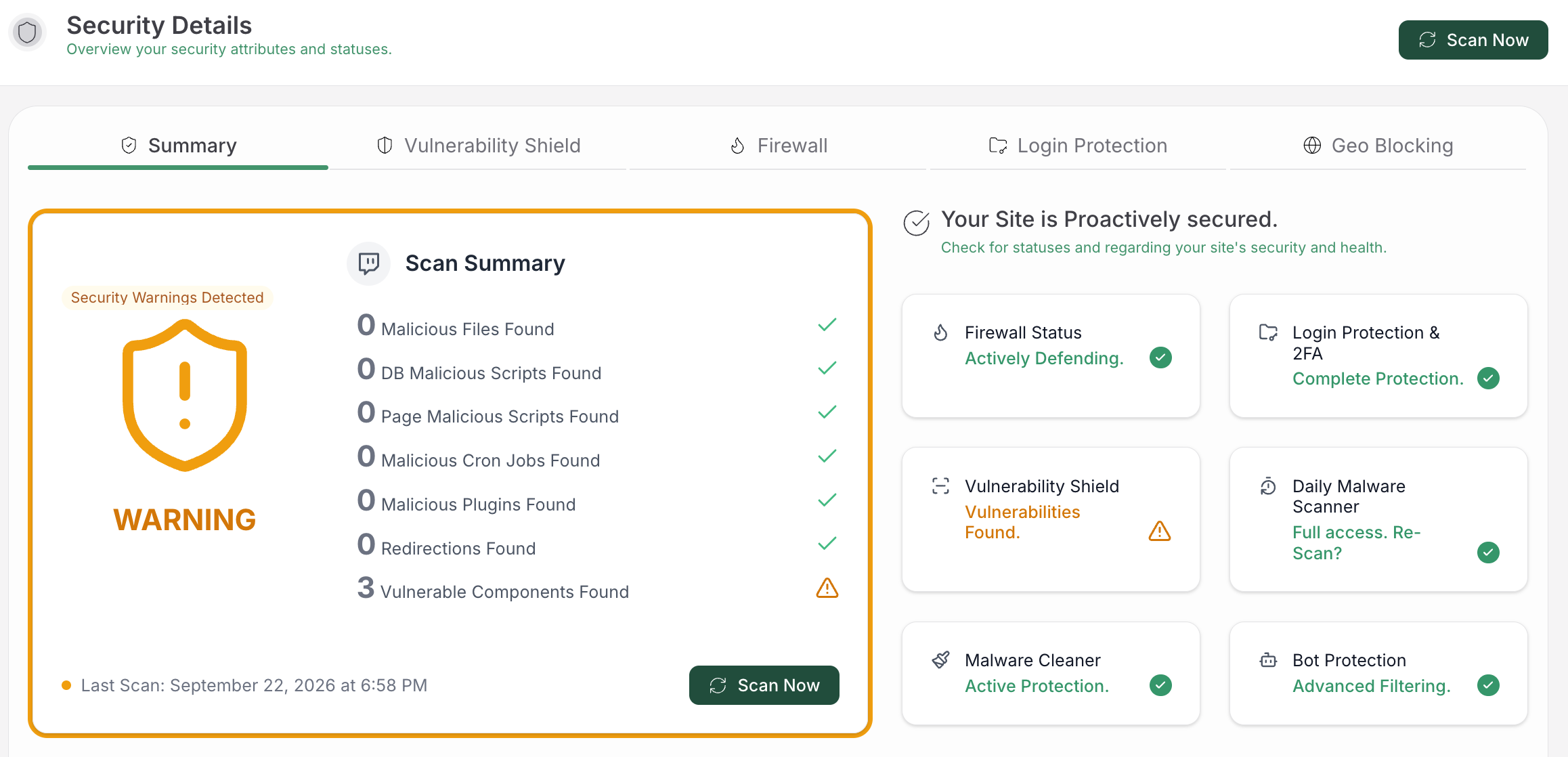
- Maintain software: Keep WordPress core, plugins, themes, libraries, and custom code updated, and remove components the site does not need.
- Protect accounts: Use unique passwords, multi-factor authentication or passkeys, least privilege, and regular account reviews.
- Filter exposed requests: Rate-limit login, XML-RPC, forms, APIs, and other public surfaces where appropriate.
- Watch for changes: Conduct a regular WordPress security audit covering files, users, settings, content, accounts, and administrator activity.
- Scan for compromise: Check file and database content for malware, unexpected changes, and persistence.
- Keep recoverable backups: Store backups separately from the site and test that they can be restored.
- Secure connected systems: Protect hosting, deployment, database, and email accounts linked to the site.
A WordPress firewall can add request filtering and compensating protection during a patch window. It does not replace updates, account security, scanning, monitoring, backups, or incident response.
Are small WordPress sites targeted?
Yes. Automated campaigns look for reachable weaknesses and reusable infrastructure, not only large audiences. A small site may still be useful for spam, redirects, malware delivery, credential theft, or botnet activity.
Site size is not a security control. A small business site needs the same basic priorities as a larger one: maintained software, protected accounts, limited permissions, backups, monitoring, and a recovery plan. The controls can be simpler, but they should not be absent.
FAQs
Does WordPress get hacked?
Yes. Public WordPress sites receive automated probes and can be compromised through a plugin, theme, custom component, account, hosting setup, or integration. Maintained WordPress with layered security can be secure, but no public site should rely on obscurity.
What are the most common WordPress attacks?
Credential abuse, vulnerable plugins and themes, malicious redirects or spam, injection attacks, malware, and availability attacks are the most useful categories to understand first. The exact risk depends on the site’s components, accounts, integrations, and hosting.
How do I know if my WordPress site is under attack?
Look for unknown users or successful logins, changed content or files, redirects, search warnings, suspicious emails, malware warnings, reinfection, or unexplained slowness and outages. Failed logins and blocked requests show attempted traffic, but they do not prove that an attacker gained access.
What should I do first if my WordPress site is hacked?
Preserve evidence, limit damage safely, rotate exposed credentials from a clean device, revoke sessions, review users, scan files and the database, find the entry point, and validate backups before restoring. Contact the host or an incident-response professional when sensitive data, payments, administrator access, or repeated reinfection is involved.
Do WordPress security plugins stop every attack?
No. WordPress security plugins can add request filtering, bot protection, scanning, or monitoring, but they do not replace timely updates, strong account security, backups, or incident response. Match each control to the risk it addresses.
Conclusion
WordPress attacks are not one problem with one fix: credential abuse calls for account protection, unsafe extensions call for patching and component control, redirects and unknown content call for investigation, and availability attacks call for edge and application planning.
The practical path is layered: maintain the site, protect accounts, filter exposed requests, monitor changes, scan files and the database, and keep tested backups. If you see signs of compromise, preserve evidence and get qualified help rather than deleting files at random.