Sometimes, a WordPress break-in does not start with a guessed password. It starts with a browser that was already logged in.
That is why cookie stealing is so unsettling. You may have strong passwords and two-factor authentication, but an attacker who steals a valid session cookie may still be able to act like the logged-in user until that session is killed.
Cookie stealing can let an attacker reuse a valid login session without knowing the password. If a WordPress admin session may be exposed, use a WordPress malware scanner, force logouts, rotate WordPress salts, reset credentials from a clean device, and harden the site.**
Do not panic, but do not wait for perfect proof either. If an admin cookie may be exposed, your first job is to make old sessions useless. Then you check whether the attacker changed the site, added malware, or left another way back in.
Think of it this way: a password protects the door, but a session cookie can be the wristband that says you already got in. If someone steals the wristband, changing the door code is not enough.
What cookie stealing means
Cookies are normal browser data. Websites use them to remember logins, carts, preferences, and session state.
The risky cookie is the one that proves a user is already logged in. You may see it called a session cookie, auth cookie, session token, or remember-me cookie. The wording changes, but the risk is the same: the site sees the cookie and treats the request as coming from a known user.
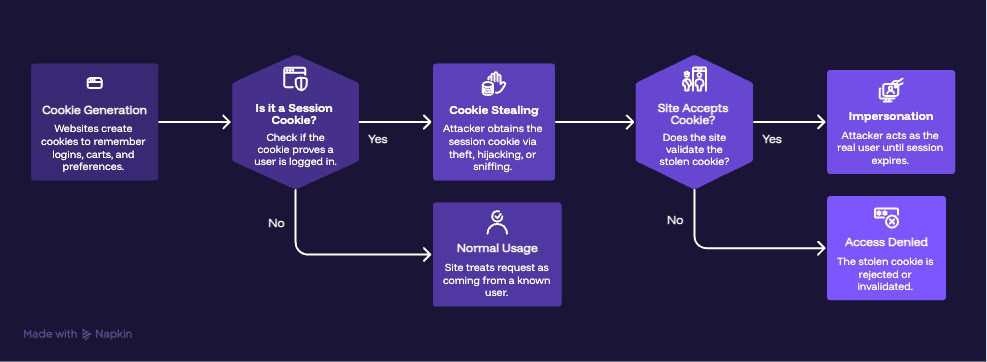
Cookie stealing happens when an attacker gets that cookie and tries to reuse it. If the site accepts it, the attacker may act like the real user until the session expires or is invalidated. Cookies are not malware by default. The danger is that a stolen login cookie works like a bearer token: whoever holds it may be treated as the user.
You may also see terms like cookie theft, cookie hijacking, session hijacking, cookie grabber, and cookie sniffing. People use them loosely. For a site owner, the practical question is simpler: could someone use a stolen session to get into my WordPress site?
Why WordPress owners should care
The risk depends on whose cookie was stolen. A stolen subscriber session is bad. A stolen administrator session can become a site incident.
| Stolen session | What could happen |
|---|---|
| Administrator | New admin users, plugin changes, malware, redirects, spam links, site takeover |
| Shop manager | Order changes, customer data exposure, coupon abuse, refund or payment setting changes |
| Editor | Content edits, spam pages, phishing pages, SEO damage |
| Customer or subscriber | Account misuse, private data exposure, unwanted actions |
WordPress roles are permissions. A stolen cookie does not need to be dramatic to be dangerous. It only needs to belong to someone with enough access to change something valuable.
This is also why a password reset alone can fail. If the attacker already has a valid session and the site still trusts that session, the attacker may remain logged in after the password changes. The session is the problem you have to kill.
Can cookie stealing bypass 2FA?
Yes, in some cases.
Two-factor authentication protects the login event. It asks for another proof, such as an app code, hardware key, passkey, or approval prompt. Cookie stealing attacks what happens after login. If the real user already passed 2FA and the attacker steals the resulting session cookie, the attacker may not be asked for the 2FA code again.
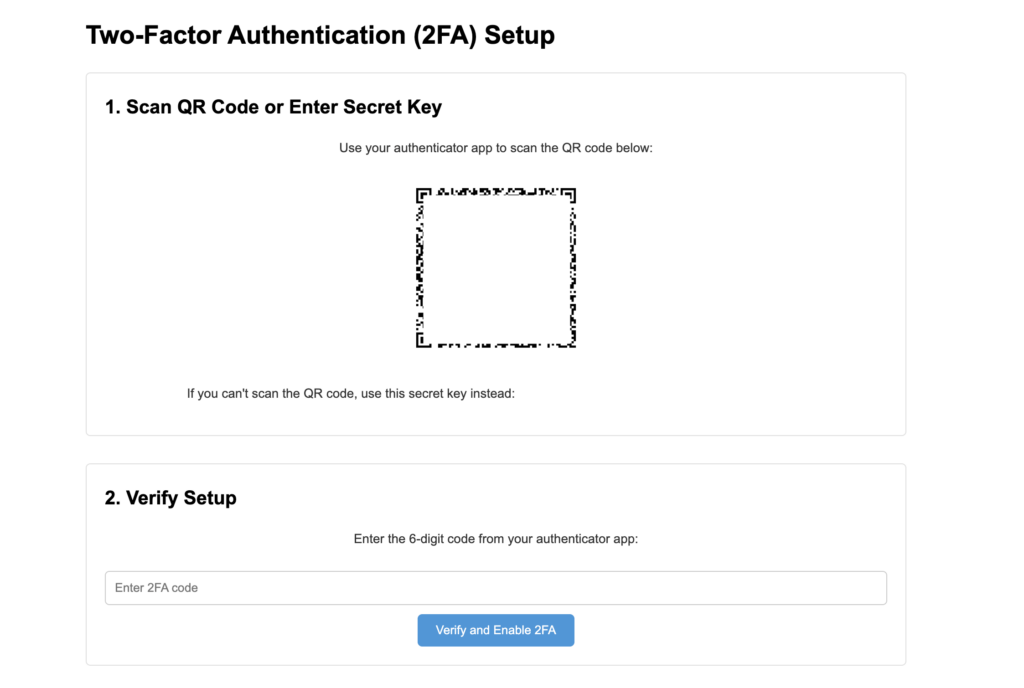
Keep 2FA enabled anyway. It still blocks many password attacks, protects new logins, and helps when the site asks users to prove themselves again before sensitive changes. Where people get this wrong is treating 2FA like magic. It is a strong lock on the login door. It is not a cleanup plan for sessions that already exist.
How hackers steal cookies
Cookie stealing can start on the device, the site, or the network. For most WordPress owners, the likely risks are infected admin devices, phishing, vulnerable plugins or themes, malicious extensions, and weak HTTPS setup.
| Attack path | What it means | What helps |
|---|---|---|
| Infostealer malware | Malware copies browser cookies and often saved passwords, autofill data, and other tokens | Stop using the suspect device, scan it, revoke sessions, and reset passwords from a clean device |
| Phishing or fake files | A fake login page, plugin ZIP, invoice, browser update, or collaboration file tricks someone | Train admins, verify URLs, avoid unexpected downloads, and use 2FA |
| Vulnerable site code | A plugin, theme, form, or script lets attackers run malicious code or change site behavior | Update software, remove abandoned components, and use a WordPress firewall |
| Malicious browser extensions | An extension reads browser data or abuses logged-in sessions | Remove extensions you do not need and use a separate admin browser profile |
| Network interception | Traffic is watched or modified, mainly when HTTPS is missing or broken | Use HTTPS everywhere and avoid admin work on untrusted networks |
Do not start by chasing the rarest technique. Start with the boring suspects: the admin computer, recent downloads, new browser extensions, unknown WordPress changes, outdated plugins, and HTTPS problems. That is usually where the incident stops being abstract and starts becoming fixable.
Signs to check
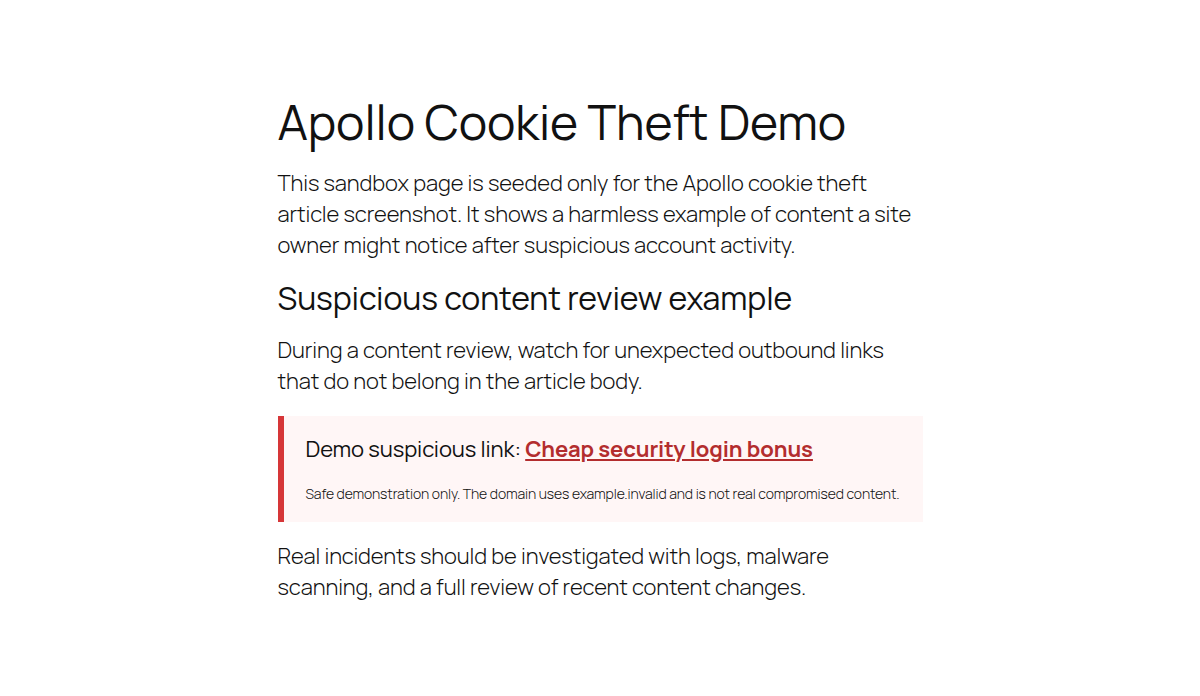
Cookie theft is hard to see directly. Most site owners notice what happened after the stolen session was used. Check the WordPress site for:
- unknown admin users
- changed posts, pages, menus, widgets, or templates
- spam links in content, headers, footers, or database content
- redirects to unfamiliar domains
- unfamiliar plugins, themes, or must-use plugins
- unexpected file changes
- browser or search engine malware warnings
- changed security plugin settings
- unusual WooCommerce orders, refunds, coupons, payment settings, or webhooks

Check the account and device for:
- login alerts from unfamiliar places
- password reset emails you did not request
- changed email, phone, recovery, or 2FA settings
- repeated logouts
- browser pop-ups or redirects
- new browser extensions
- recent suspicious files, especially ZIPs, installers, PDFs, invoices, or fake plugin packages
Logs can help if you have them. Look for unusual IP addresses, devices, user agents, login times, admin actions, and sessions active at the same time. Do not wait until every sign lines up. Forcing logouts is annoying. Leaving a stolen admin session alive is worse.
What to do first
Start with containment. Resetting a password from an infected computer can hand the new password to the same attacker.
Use a clean device
Move WordPress admin work to a computer you trust. If the usual admin device opened a strange file, installed a cracked plugin, added a new browser extension, or showed malware warnings, stop using it for site administration until it is cleaned.
This matters because cookie stealing often comes with broader data theft. The same malware may also steal saved passwords, browser autofill data, files, cloud sessions, and email access.
Scan the WordPress site
Run a WordPress malware scan if you see redirects, spam links, unknown users, suspicious files, or changed content.
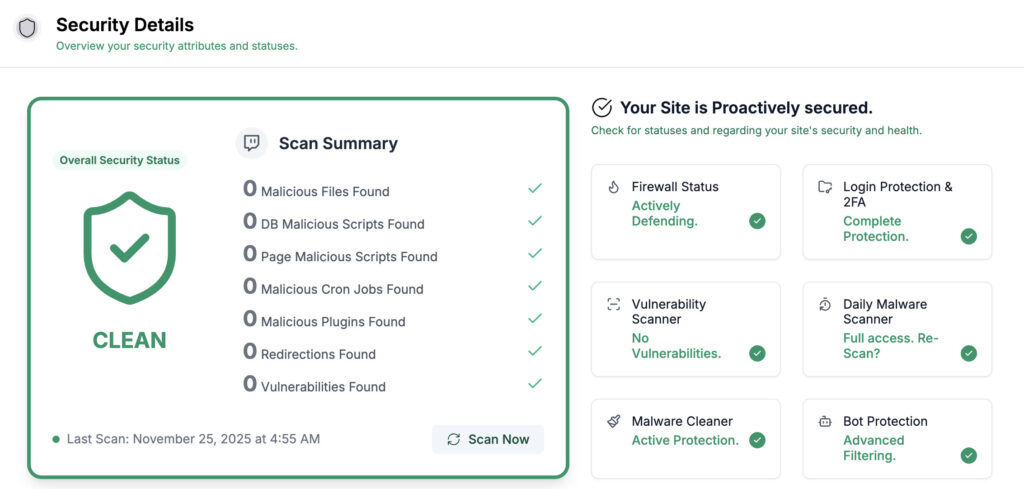
MalCare is useful here because it can scan the WordPress site and help clean infected files or database entries. That matters after cookie theft because the stolen session may have been used to plant a backdoor. Do not assume the incident ended with the cookie.
Clean confirmed malware
If malware is found, clean it before you close the incident. Otherwise, you may reset accounts while leaving the attacker’s return path in place. Review the high-risk areas after cleanup:
- admin users
- plugins and themes
- must-use plugins
- recently changed files
- redirects and server rules
- scheduled tasks
- new posts, pages, and drafts
- WooCommerce coupons, payment settings, and webhooks
The goal is not only to remove the visible damage. The goal is to remove the way back in.
Force logouts and rotate salts
Force active users to log in again. In WordPress, changing your WordPress salts and security keys in wp-config.php invalidates existing login cookies. This is one of the most important steps. A stolen cookie can remain useful until it expires or the server stops trusting it.
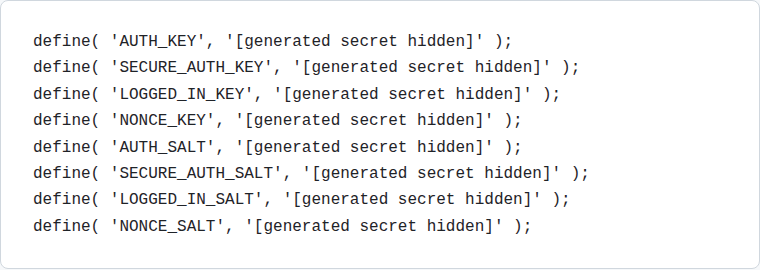
Warn your team if you can, but do not delay this step if an admin session may be stolen. Real users can log in again. An attacker should not get the same chance.
Reset credentials from the clean device
Reset WordPress admin passwords first. Then reset hosting, file-transfer, database, email, domain, CDN, payment, analytics, and security tool credentials if those accounts may have been exposed. Use unique passwords. If the same password was used for WordPress, hosting, and email, assume the attacker will try all of them.
Review 2FA and trusted devices
Check 2FA settings, recovery codes, backup emails, phone numbers, and trusted devices. Remove anything you do not recognize.
If an attacker added a trusted device or changed recovery settings, reset 2FA from the clean device.
Update software and revoke sessions
Update WordPress core, plugins, themes, browsers, operating systems, and security tools. Prioritize security updates first.
For a live WooCommerce or revenue site, take a backup and use staging where possible. Do not leave a known vulnerable plugin in place because the update feels inconvenient. If infostealer malware may be involved, revoke sessions for email, hosting, password managers, analytics, ads, payment processors, developer tools, and cloud storage.
Clear browser cookies only after the device is cleaned. Clearing cookies before removing malware may just give the malware a fresh session to steal. If you need a rollback path, follow a backup and restore workflow before making risky live-site changes.
How to prevent cookie stealing
Prevention needs layers because cookie stealing has more than one path. No single plugin, browser setting, or habit covers every route.
Use HTTPS everywhere
HTTPS encrypts traffic between the browser and the server. That makes cookie theft through network interception much harder. Install an SSL certificate and redirect HTTP traffic to HTTPS. For admin and ecommerce sites, this is basic security, not a nice extra.
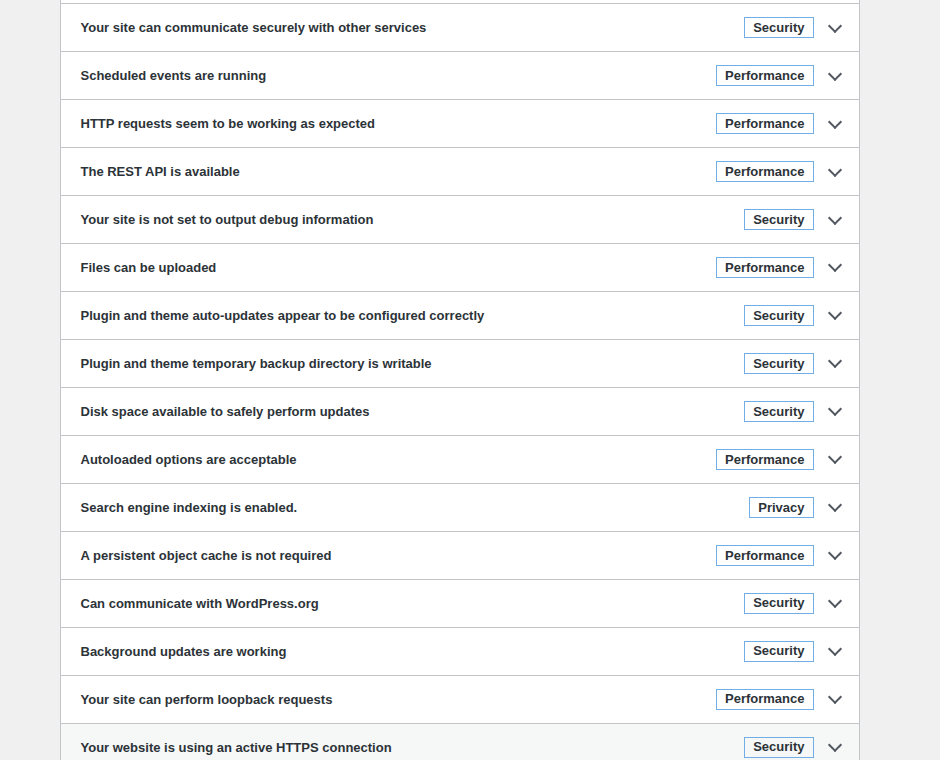
The limit is important: HTTPS protects data in transit. It does not stop malware already running on an admin laptop.
Keep software updated
Outdated plugins, themes, browsers, and operating systems create avoidable openings. A vulnerable WordPress plugin can let attackers run scripts, change site behavior, or add malware. Remove abandoned plugins and themes you do not use. Avoid nulled plugins and cracked themes completely. The discount is never worth turning your admin area into someone else’s project.
Use 2FA, but understand its job
Enable two-factor authentication for WordPress admins, and use 2FA for hosting, email, domain, payment, and security accounts. 2FA reduces the chance of password-based takeover. It does not always stop abuse of a session that was already created.
That distinction is not a reason to skip 2FA. It is a reason to combine 2FA with session revocation, monitoring, clean devices, and careful admin habits.
Add a WordPress firewall
A WordPress firewall helps block malicious traffic, exploit attempts, bad bots, and suspicious requests before they reach vulnerable code.
MalCare’s firewall fits this layer because many WordPress attacks happen at the application level: plugin vulnerabilities, login abuse, malicious requests, and known exploit patterns. It cannot clean an infected laptop, and it should not be sold as that. It helps reduce site-side exposure. A plugin-based firewall is not the whole security plan. It is the part that stands between your site and a lot of predictable abuse.
Tighten session behavior
Some session controls are handled by WordPress, hosting, plugins, or custom code. Where you have control, prefer:
- Secure cookies, so cookies are sent only over HTTPS
- HttpOnly cookies, so browser scripts cannot read them directly
- SameSite cookies, so some cross-site abuse is reduced
- shorter sessions for sensitive accounts
- re-authentication before sensitive changes
- forced logout after password changes, role changes, or staff departures
You do not need to memorize every cookie flag. The useful rule is this: strong login security is not enough if old sessions stay trusted forever.
Train admins on risky workflows
Many cookie stealing incidents start with a normal-looking request. Train admins to slow down around:
- plugin ZIPs from unofficial sources
- pirated software
- fake browser updates
- unknown browser extensions
- unexpected attachments
- login pages opened from email links
- urgent requests to install remote access tools
For agencies, use a dedicated browser profile for client admin work and keep personal browsing separate. That small habit limits how much a bad extension, risky download, or personal account compromise can touch.
Monitor for quiet changes
Watch for new admin users, plugin changes, file changes, redirects, spam links, failed login spikes, malware scan results, and WooCommerce setting changes.
MalCare can help because scanning, firewall protection, cleanup, and monitoring sit in one WordPress security workflow. After a cookie theft scare, the useful question is not only “are we clean now?” It is “would we notice if someone tried again?”
Related terms
Security terms overlap. This table keeps the common ones straight.
| Term | What it means |
|---|---|
| Cookie stealing | The attacker gets cookie data, often a login session cookie |
| Cookie hijacking | The attacker uses a stolen cookie to act like the user |
| Session hijacking | The attacker takes over a logged-in session; cookie theft is one route |
| Cookie sniffing | The attacker watches network traffic to capture cookies, mainly when traffic is not protected |
| Cookie poisoning | The attacker changes cookie values instead of simply stealing them |
| Tracking cookies | Normal marketing or analytics cookies; privacy-sensitive, but not the same as stolen login cookies |
| Credential theft | The attacker steals usernames, passwords, or login secrets |
The practical difference is simple. Credential theft attacks the login. Cookie stealing attacks the already logged-in session. That is why recovery must include session invalidation, not only password changes.
FAQs
Can session cookies be stolen?
Yes. Session cookies can be stolen through malware, phishing, malicious extensions, vulnerable site code, or unprotected traffic. The risk is highest when the cookie belongs to a privileged user.
Can cookie stealing happen over HTTPS?
Yes. HTTPS protects traffic between the browser and server, but it does not stop malware or a malicious extension on the device from copying cookies locally.
Does 2FA stop cookie stealing?
Not completely. 2FA protects the login step, but a stolen session cookie may already represent a completed login. Keep 2FA enabled, but revoke sessions after a suspected theft.
Is cookie stealing the same as session hijacking?
Not exactly. Cookie stealing is one way attackers get the session data. Session hijacking is the broader act of taking over a logged-in session.
What should I do first if my WordPress admin cookie was stolen?
Use a clean device, scan the WordPress site for malware, force logouts, rotate WordPress salts, reset admin passwords, and review users, plugins, files, redirects, and recent content changes.
Final word
Cookie stealing is serious because it abuses trust your site has already granted. It is not automatically game over. If you suspect an admin session is exposed, act in this order: move to a clean device, scan the WordPress site, clean malware if found, force logouts, rotate salts, reset credentials, update vulnerable software, and monitor for changes.
MalCare fits the WordPress side of that response: scanning, cleanup, firewall protection, and monitoring. Use it where the risk is on the site. Pair it with clean admin devices and better session hygiene where the risk is on the browser.