
When it comes to password security, you need facts. Not hype.
You’re likely here because you’re looking for your first password manager. Or you might be ready to switch from your current one. We get it.
This Proton Pass review skips the marketing claims. We focus on what truly matters: its open-source code, verified encryption, and real-world usability. Let’s find out if it’s the right fit for you.
Proton Pass is a top-tier choice for security and privacy, but it places critical features like offline mode behind a paywall. Its excellent free plan makes it a strong contender, provided you understand the strict recovery process.
Proton Pass review at a glance
Here is the quick rundown of our findings on Proton Pass:
| Aspect | Summary |
|---|---|
| Free Plan | Offers unlimited logins and device syncing without a paid subscription. |
| Security Model | Uses open-source code, zero-knowledge encryption, and has been independently audited. |
| Feature Set | Includes core password management and email aliases; lacks advanced options like emergency access. |
| Platform Support | Available on all major operating systems and browsers; desktop apps are web-based. |
| Primary Strength | The free tier provides functionality that many competitors place behind a paywall. |
| Critical Consideration | By design, losing the recovery phrase leads to permanent and irreversible data loss. |
Security and trust
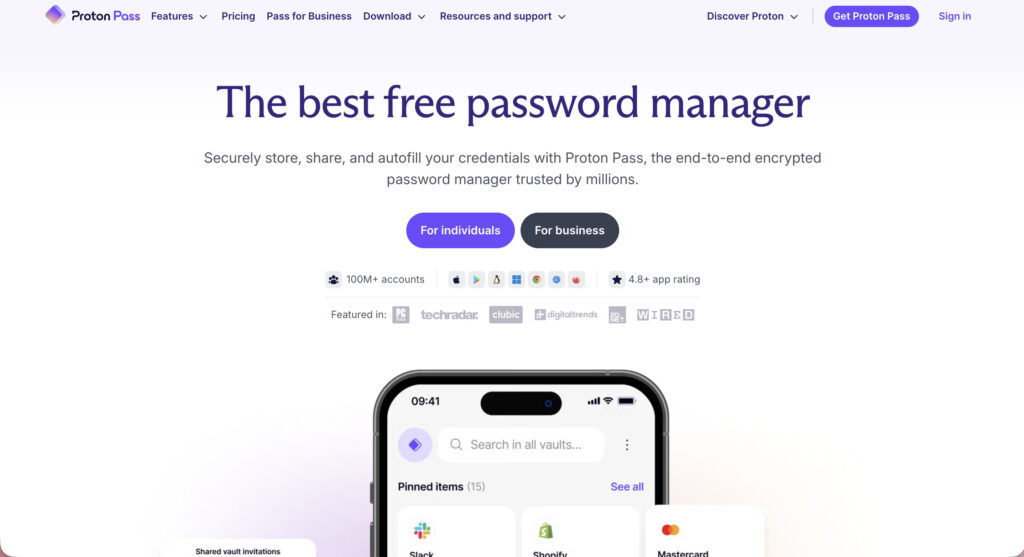
Let’s tackle the biggest question: are password managers even safe? A manager’s security is everything; if that foundation of trust is weak, its features are worthless.
The code is fully open-source. You don’t have to take their word on security. Anyone with the skills can inspect the code for backdoors or weaknesses.
This level of transparency is rare and builds a ton of confidence. On top of that, they had their code independently audited by a respected security firm, Cure53, and published the results.
🔐 Note: A security audit isn’t just for software. Regularly checking your own website for vulnerabilities is a non-negotiable step for any owner.
Most importantly, it uses a zero-knowledge encryption model. Here’s what that actually means: Your passwords are encrypted on your device before they ever reach Proton’s servers.
They hold the locked box, but only you have the key. Proton can’t see your passwords. Period. This even applies to metadata, so they can’t see what you name your vault items.
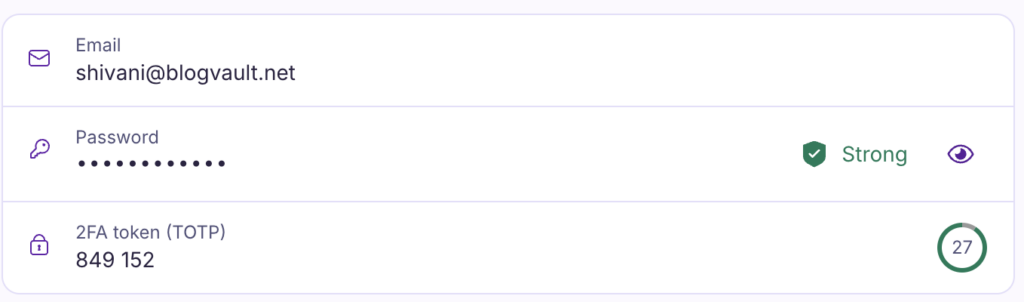
For your own access, it supports all the right stuff: authenticator apps (TOTP), physical keys like YubiKeys (FIDO2/U2F), and biometrics on your phone.
🖐️ Note: Stopping brute force attacks is the primary benefit of 2FA. Automated bots simply can’t guess the second, time-sensitive code.
Features and usability
Strong security is a baseline requirement, but daily usability determines a tool’s practical value. Proton Pass focuses on a clean, functional experience.
Vaults & item types. The app allows you to separate credentials into different vaults for organization, such as ‘Personal’ and ‘Work.’ It supports standard item types, including logins, secure notes, credit cards, and identities.
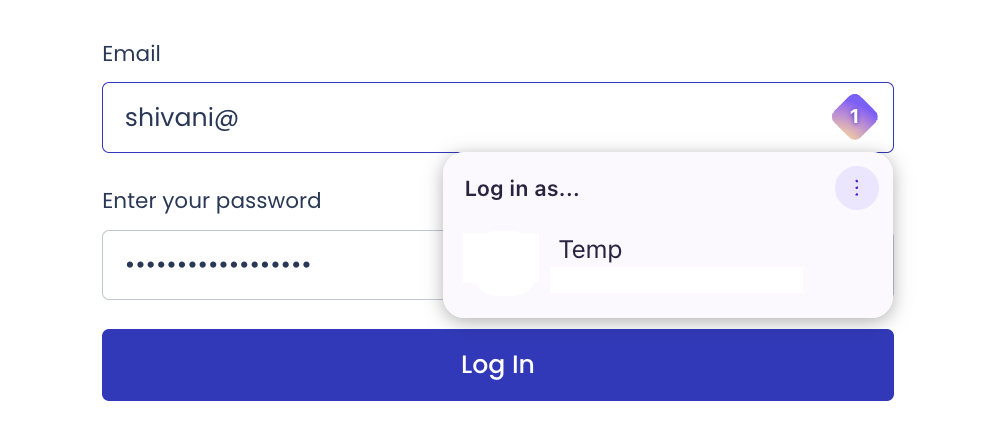
Password generation & autofill. A flexible password generator is built in, helping you create strong passwords that meet specific site rules. The browser extension handles autofill for capturing new logins and filling existing ones, though it’s wise to be cautious with this feature on untrusted websites.
Secure sharing & 2FA. Premium plans introduce secure sharing for individual logins or entire vaults. These plans also allow the app to function as an authenticator, storing and filling two-factor authentication codes for streamlined access.
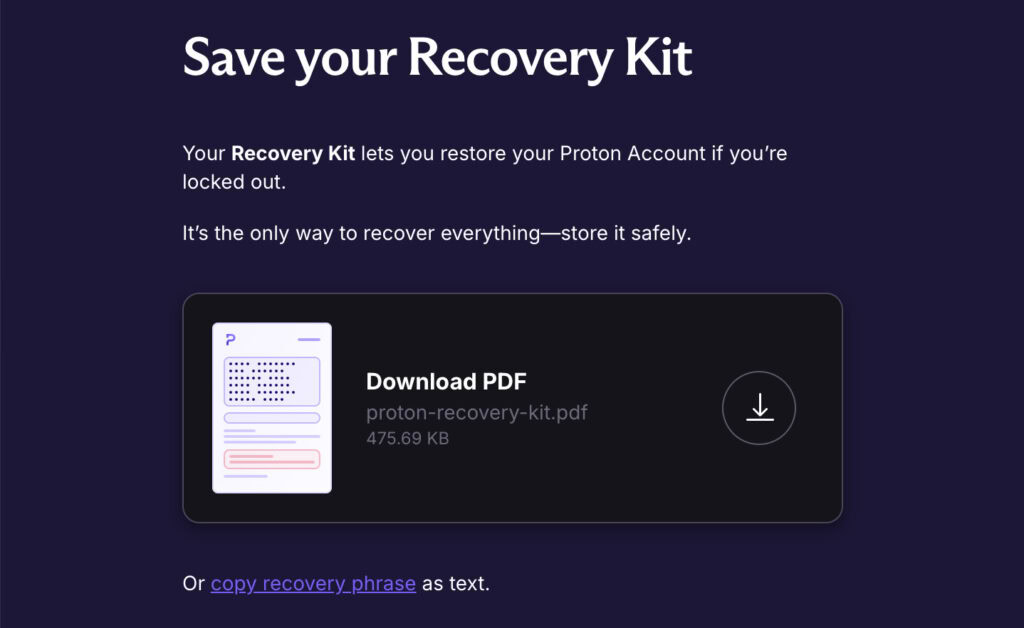
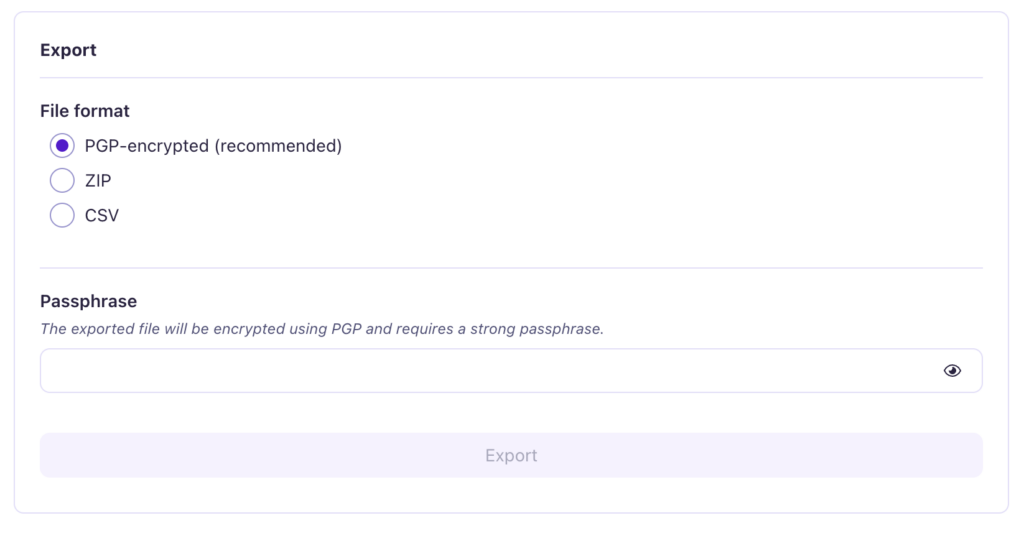
The recovery kit is non-negotiable. Upon signup, you are given a recovery phrase that can be downloaded as a PDF or copied. It is your sole method for regaining access if you forget your master password. Losing this phrase means your data is permanently lost. This is not a product flaw but a direct consequence of its zero-knowledge security model.
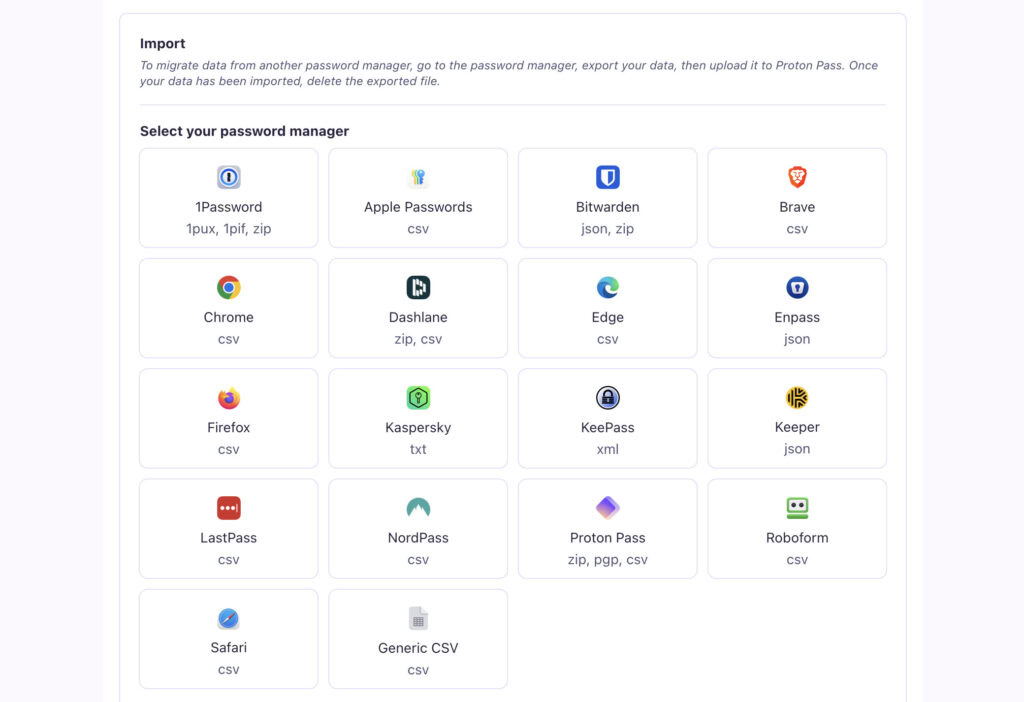
Switching from another service. Proton Pass includes a straightforward import tool for moving data. It supports exports from major browsers and other password managers like Bitwarden and 1Password, making the transition process simple.
Platform support
Cross-platform support. Proton Pass offers applications for Windows, macOS, Linux, iOS, and Android, along with browser extensions for all major platforms. Its mobile apps are designed to be responsive and fluid.
Ecosystem integration. For users of Proton Mail or VPN, a unified login creates a seamless experience across all services. This convenience is a significant benefit, though it does foster dependency on the Proton suite of products, a major risk if a zero-day exploit were ever discovered in one of the core services.
Desktop app architecture. The desktop applications are built as web wrappers. This means they function effectively for all core features, though users who prefer fully native applications might perceive a difference in responsiveness.
🍡 Note: This convenience also makes unified logins a primary target for attacks like phishing. Attackers know that compromising one password can unlock all of your connected services.
Advanced features. A premium subscription is required for offline mode, which grants access to the vault without an internet connection. Additionally, a command-line interface (CLI) is available for users who require it for scripting or advanced workflows.
Pricing and plans
The Free Tier is outstanding. You get unlimited logins and can sync across an unlimited number of devices. This feature alone is huge, as many competitors charge for it. You also get 10 free email aliases to hide your real email address.
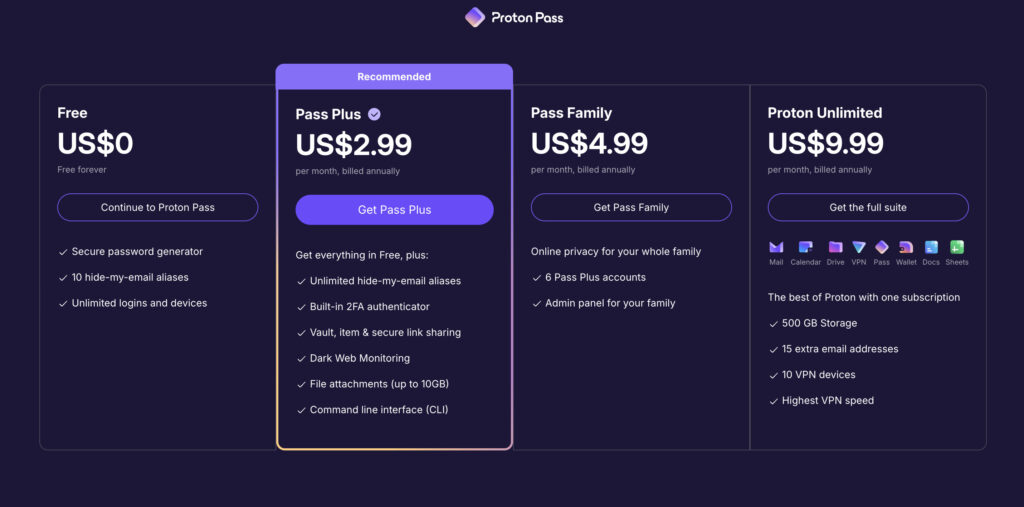
- The Pass Plus plan adds unlimited email aliases and the built-in 2FA authenticator.
🪵 Note: Login security is massively improved with two-factor authentication (2FA/MFA). It’s the single most effective step to block unauthorized access.
- The Pass Family plan covers six users.
- The Proton Unlimited plan bundles everything with storage, the VPN, and premium Mail features.
When you look at the competition, Proton’s free plan offers far more than 1Password and is more generous with device syncing than Bitwarden’s free tier.
Highs and lows
Let’s boil it all down.
What we liked (Pros)
- Outstanding free plan: You get unlimited passwords and device syncing without paying, a feature most competitors charge for.
- Verifiable security: The app’s code is open-source and was confirmed secure by an independent audit in 2023.
- Practical features: The “hide-my-email” tool is great for stopping spam, and paid plans offer a convenient built-in 2FA code generator.
What could be better (Cons)
- Paywalled essentials: Critical features like offline mode and the 2FA authenticator require a paid subscription.
- Missing advanced options: It currently lacks emergency access for family and has less detailed password health reports than rivals.
- Platform polish: The desktop app is a web wrapper, not a native application, and support is limited to email.
- Critical recovery risk: If you lose your recovery phrase, your data is permanently gone, and no one can get it back for you.
Who is Proton Pass perfect for?
You will love Proton Pass if you:
- Are a privacy-focused user who values open-source transparency.
- Already use Proton Mail or VPN and want a seamless experience.
- Need a powerful free password manager that doesn’t feel limited.
- Want to use email aliases to protect your real inbox from junk.
- Prefer a streamlined, no-nonsense tool that just works.
Best practices
A tool is only as good as how you use it. To stay safe, make sure you:
- Immediately enable two-factor authentication on your Proton account. A hardware key is best.
🔑 Note: For your website, you can achieve the same level of security by installing a 2FA plugin. This adds a mandatory second verification step to your WordPress admin login page.
- Securely save your Recovery Kit offline. Print it out and store it somewhere safe. Do not just leave it on your desktop.
- Get in the habit of using the password generator for every single new account.
- Take a moment to organize logins into different vaults, like “Personal” and “Work.”
- Start using hide-my-email aliases for any new service you sign up for.
Common risks
Even with a great tool, stay aware of these risks.
- Losing your recovery phrase means your data is permanently gone. There is no “forgot password” option here.
- Storing your 2FA codes in the same vault as your passwords is convenient, but it puts all your eggs in one basket.
- Be careful with autofill on sketchy websites.
- Don’t get complacent. You still need to be smart about phishing attacks that target your master password.
Parting thoughts
Proton Pass is a top-tier password manager, especially for anyone who cares deeply about privacy. Its free plan is arguably the best on the market, making it an easy recommendation for almost anyone. The value becomes undeniable if you’re already in the Proton ecosystem.
While it might lack a few bells and whistles of older competitors, it absolutely nails the core job of keeping your passwords secure and organized.
For most people, it’s an excellent choice. Just be sure to protect that recovery phrase.
FAQs
Frequently asked questions
Yes, Proton Pass is highly trustworthy due to its open-source code, independent security audits, and zero-knowledge encryption model. This structure ensures that only you can access your password vault, providing a strong foundation of trust.
A paid Proton Pass account is worth it if you need features like unlimited email aliases, a built-in 2FA authenticator, and secure sharing. For users who value these advanced privacy and convenience tools, the upgrade is a solid investment.
Yes, Proton Pass is truly free for its core functions, offering unlimited logins and syncing across unlimited devices without charge. The free version is not a limited trial and provides more than enough functionality for most users.
Proton Pass is often better for users seeking a more generous free plan, a cleaner interface, and integrated email privacy features. Bitwarden, however, may be preferred by those who want a lower-priced premium plan and more advanced options.
Yes, Proton Pass can work offline, but this capability is restricted to users with a paid (Pass Plus) subscription. This premium feature allows you to access and edit your vault even without an internet connection.
Yes, Proton Pass supports OTP by acting as a built-in authenticator, allowing you to store and autofill your 2FA codes. This convenient feature is available to users on the paid Pass Plus plan.
You can get Proton Pass for free by simply creating an account on the official Proton website. The free plan is the default option and gives you immediate access to its core features without requiring payment information.