When it comes to password security, your gut is right to be skeptical. Storing every password in one place feels like putting all your eggs in a very fragile basket.
But what if that basket isn’t straw, but a bank vault? The real danger might be the dozens of flimsy keys you have hidden under doormats, right where everyone knows to look.
It’s a strange paradox, which makes you wonder: are password managers safe, or are they a disaster waiting to happen?
A password manager provides a massive security upgrade over reusing passwords, as its architecture protects your vault even during a company breach. Its effectiveness, however, is entirely dependent on your commitment to securing the one master password.
What makes a password manager secure?
As security professionals who handle WordPress security every day, we know a strong system is built on a few core principles that are incredibly hard to break. What makes a good password manager work isn’t magic; it’s just very clever math.
First, everything in your vault is protected with AES-256 encryption. You don’t need the technical details, just that it’s the same standard used by banks and governments. In our work, we’ve never seen it broken.
More importantly, the best services use a “zero-knowledge” architecture. For us, this is the golden rule. It means even the company that makes the software can’t see your passwords. Ever.

Your master password is the key, and, just like your site’s login, it requires strong passwords to be effective. Never leaves your device, so the process of locking and unlocking happens only on your computer.
How your information is kept safe
When you create your master password, you’re not just making another password for a website. Think of it as the master key for your entire operation, instantly scrambling everything from your wp-admin login to your database credentials into unreadable code.
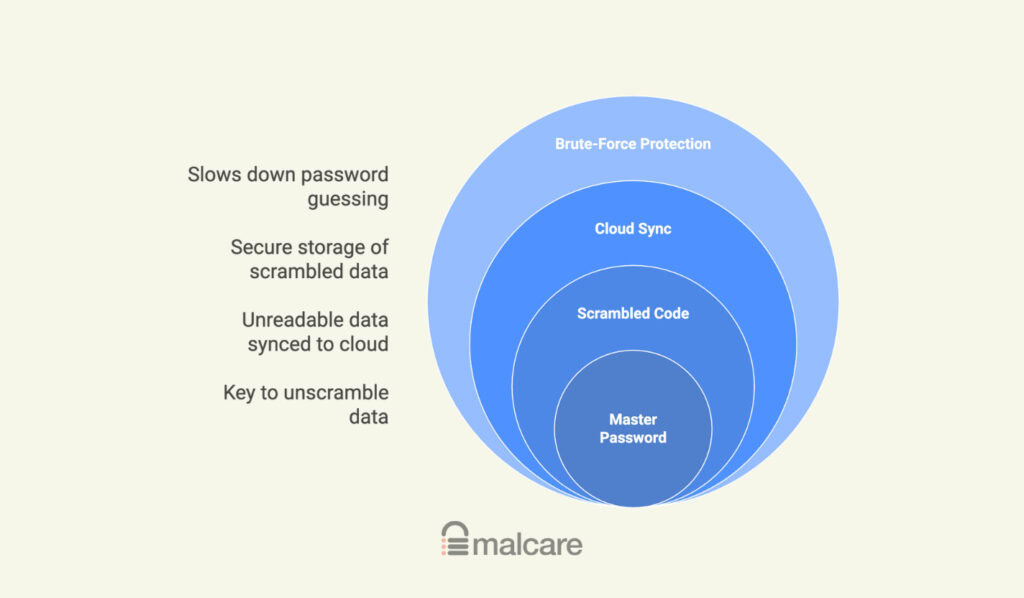
Only that scrambled code gets synced to the cloud. So if a hacker breaks into the company’s servers, they don’t get your actual passwords. This is completely different from a hosting breach, where a stolen wp-config.php file could instantly expose your database password. With a password manager, the key to unscrambling your data stays with you.
On top of that, your master password is processed in a way that makes it painfully slow for a computer to guess. It’s the ultimate defense against the same brute-force attacks that target WordPress login pages, making it practically impossible for someone to get in.
The attacks a password manager prevents
A password manager does more than just remember things. It actively defends you from the common attacks that lead to a hacked WordPress site.
- Credential stuffing. This is the big one. Hackers steal a password from one site and try it everywhere else. A manager creates a unique, random password for every single account, a key part of WordPress hardening that makes this attack useless.
- Phishing scams. That fake email from your “bank” with a link to a phony login page? Your password manager won’t recognize the web address, so it won’t auto-fill your details. It’s a fantastic safety net.
- Keylogging malware. If your computer gets infected with something that records your keystrokes, auto-fill can help, but you’ll still need a proper malware removal process.
- Shoulder surfing. No more typing passwords in a coffee shop or looking at that sticky note on your monitor.
For anyone running a website, this is huge. It secures your WordPress site, your social media, and your banking by shutting down the most common threats, especially when combined with two-factor authentication.
Is it really risky to have all passwords in one place?
So, is it truly risky to have all your passwords in one place? In our professional opinion, it’s a managed risk, which is far better than the unmanaged risk most people live with now.
The alternative, reusing a few simple passwords, is a much bigger and more common vulnerability that undermines good login security. Scattering weak passwords across the internet is like hiding keys under a hundred different doormats.
Your email account is already a single point of failure anyway. If someone gets into that, they can reset almost all your other passwords. One strong lock you control is better than 100 weak ones you can’t keep track of.
What happens when a password manager gets hacked?
This is the scary question, and it has happened. When a major provider gets breached, hackers often steal the encrypted customer vaults.
However, if the company has a true zero-knowledge system, the vaults themselves remain locked. This means a company security incident does not automatically compromise your personal vault. The stolen data is essentially useless without your master password.
The real risk then shifts to phishing attacks, where hackers try to trick you into revealing that master key. So, the security model itself, when implemented correctly with principles similar to WordPress hardening, holds up even during a breach.
The two most important things you control
The security of this entire system hinges on two things that are completely in your control. This is non-negotiable.
- Your Master Password. It must be a long, unique, and memorable passphrase. Think three or four random words together. Something easy for you to remember but impossible for a computer to guess.
- Two-Factor Authentication (2FA). You must enable this on the password manager itself. This is your second lock. Even if someone steals your master password, they can’t get into your vault without your phone or a physical security key.
Your vigilance against phishing and the security of your main email account are just as crucial. You are the final gatekeeper.
What to look for in a password manager
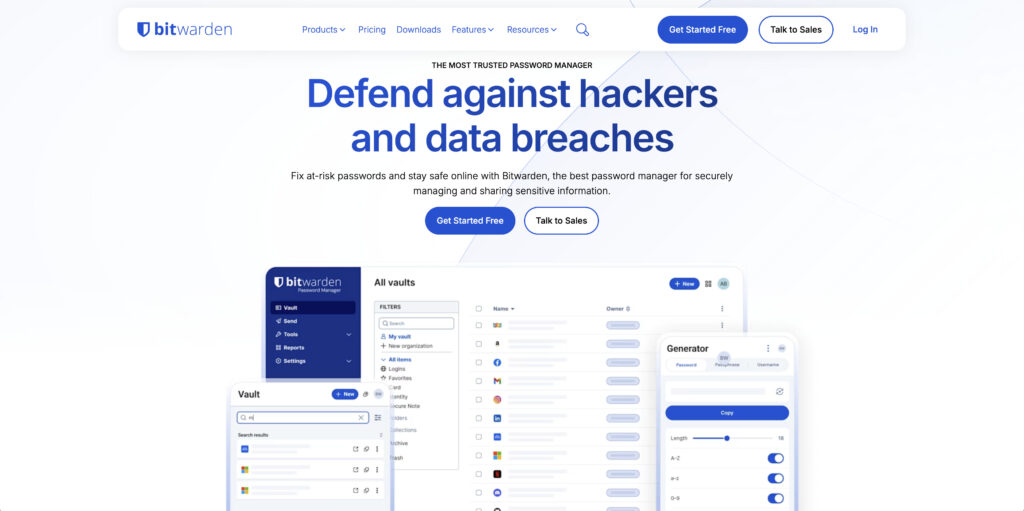
After years of testing and using these tools, my primary recommendation for most people is Bitwarden. It’s open-source, which means its code is public and has been inspected by security experts around the world.
It has a fantastic free version that does everything you need, and it consistently passes third-party audits.
If you’re looking for a more polished user experience and are happy to pay, 1Password is also a top-tier choice with a stellar reputation.
Here is a checklist to evaluate a password manager:
- Does it have a zero-knowledge model? This is mandatory.
- Is it independently audited? You want proof, not just promises.
- Does it support strong 2FA like authenticator apps and physical keys?
- Does the company have a history of being transparent about security?
- Can they email you your master password if you forget it? If yes, run away. It means they know it.
Implementing your password manager safely
Ready to make the switch? Here’s how to do it right:
- Create your strong passphrase. Seriously, spend five minutes on this. It’s the most important step.
- Immediately turn on 2FA. Don’t switch this off.
- Start with the crown jewels. Add your primary email, bank logins, and WordPress admin accounts first.
- Audit and replace old passwords. Use the built-in password generator to create new, unique passwords for every site.
- Store your recovery key safely. Your manager will give you a one-time recovery code. Print it out and put it in a physical safe. This is your only lifeline if you forget your master password.
- Enable biometrics. Using your face or fingerprint is a fast and secure way to open your vault on trusted devices.
The final verdict: Are password managers safe?
Yes. They are statistically far, far safer than the alternative of using human memory or a spreadsheet.
They aren’t perfect, because nothing is. But using a reputable password manager is one of the single most effective things you can do to protect your online life.
For anyone who manages a WordPress site, it’s not just a good idea; it’s essential hygiene. It’s the smartest trade-off you can make for your own safety.
FAQ
Frequently asked questions
Yes, the companies that make password managers have been hacked before. However, zero-knowledge encryption ensures your personal vault data remains scrambled and useless to attackers without your master password.
Yes, they are overwhelmingly more secure than reusing simple passwords across different sites. They protect you from common attacks like credential stuffing and phishing, which rely on human error.
The safest password manager is one with a public, zero-knowledge architecture that undergoes regular third-party security audits. Reputable options like Bitwarden, 1Password, and LastPass are widely used and recommended by security professionals.
Yes, the vast majority of cybersecurity experts strongly recommend using a password manager. They consider it an essential tool for modern online safety, similar to using antivirus software.
The main risk is losing or exposing your single master password. If someone gets access to it, they can open your entire vault, which is why protecting that one key is critical.
Google Password Manager is often not recommended by security experts because its protection is tied directly to your Google account login. A dedicated manager uses a separate, unique master password, creating an extra layer of security.