Improving your WordPress password security is a big step, and choosing a password manager often feels like an act of faith.
You’re asked to hand over the keys to your entire online existence. All while hoping the company is as secure as it claims. You’ve likely heard of NordPass but are skeptical of the marketing.
You need to know if it’s truly trustworthy. In this definitive NordPass Review, we’ll dissect its security promises and daily usability to help you make a confident choice.
TL:DR: NordPass is a highly secure and user-friendly password manager featuring modern encryption and independent security audits. While its free plan is basic, the premium version provides excellent value, making it a top recommendation for reliable, no-fuss password protection.
NordPass review at a glance
| Category | Summary & Key Points |
|---|---|
| Security & Encryption | Excellent. Uses modern XChaCha20 encryption and a zero-knowledge model. Independently audited for transparency and trust. |
| Core Features & Functionality | Solid. Reliable auto-fill, password generator, and cross-platform syncing. Basic but secure sharing; recovery code is available. |
| Usability & Daily Experience | Very Good. Clean, simple interface that’s easy to learn. Occasional mobile autofill bugs, but very reliable with 24/7 support. |
| Advanced Security Tools | Excellent (Premium). Data Breach Scanner and Password Health are standout features. Integrated authenticator is a convenient bonus. |
| Free Plan | Limited but Functional. Good for a single device user. The one-device-at-a-time limit is the main restriction. |
| Final Verdict | Highly Recommended. A top-tier choice for users prioritizing security, simplicity, and value over a vast feature list. |
Security
A password manager’s features mean nothing if its security is weak. NordPass builds its security on several key pillars.
🍂 Note: That’s precisely why the concept of a security audit is so critical. It’s the formal process of searching for those exact weaknesses in any system, from your WordPress websites to password vaults.
It uses a zero-knowledge architecture. This is a critical concept. It means your data is encrypted and decrypted right on your device. NordPass never sees your master password or the contents of your vault.
Even if their servers were compromised, hackers would only find scrambled, useless data. They simply don’t have the key to unlock it.
🍡 Note: This is critical because brute force attacks are how hackers often breach servers in the first place. They use automated scripts to relentlessly guess login credentials until one works.
NordPass uses the XChaCha20 encryption standard. You may have heard of AES-256, which is very common. XChaCha20 is a more modern alternative that is just as secure but often faster. This shows a commitment to modern technology without cutting corners on safety.
⛷️ Note: This is the same core principle behind the SSL certificates you use on your website. They both provide a critical layer of modern encryption, one for stored data and one for transmitted data.
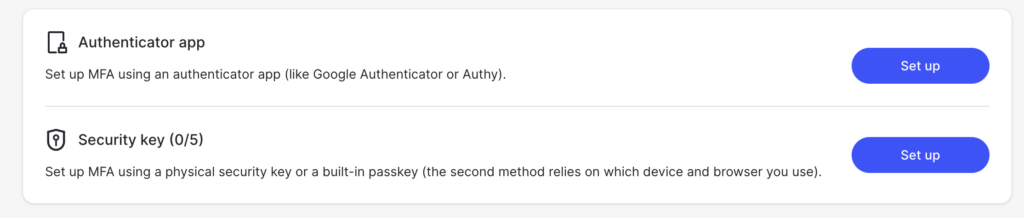
Of course, it offers MFA protection. You can secure your vault with multi-factor authentication using an authenticator app or a physical security key.
🗡️ Note: Here’s a quick tip on the 2fa vs mfa distinction: all 2FA is MFA, but not all MFA is 2FA. We use MFA because it correctly covers any method using two or more verification steps.
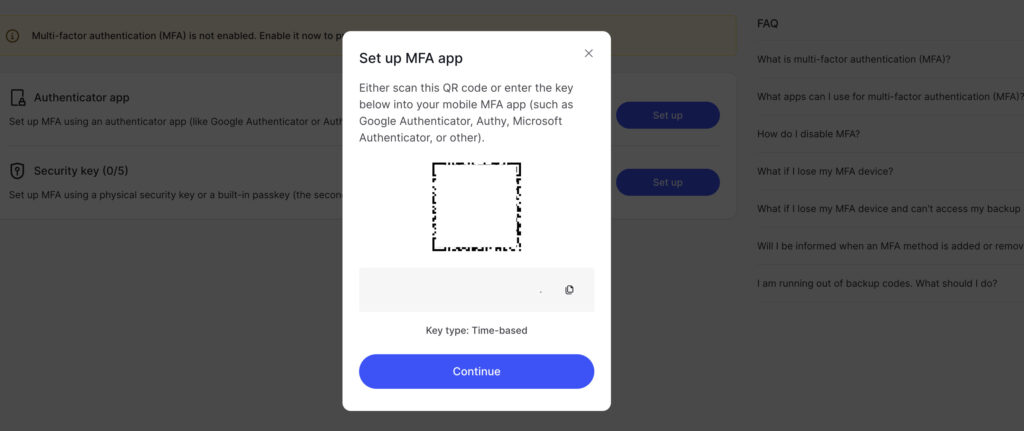
You don’t have to take their word for it. NordPass has undergone independent audits from trusted firms like Cure53 and has achieved SOC 2 Type 2 compliance.
These verifications mean outside experts have tested their systems and found them secure. This transparency is very reassuring. The company also has a reliable track record with no major security compromises to date.
Core features
NordPass has excellent platform support, syncing your passwords across Windows, macOS, Android, iOS, and all major web browsers. You will mostly use it through its browser extensions. These extensions handle logins as you browse.
🌽 Note: Once your browser is secure, the WordPress login page itself is the next target. That’s why two-factor authentication (2FA) for WordPress should be the next layer of security you enable.
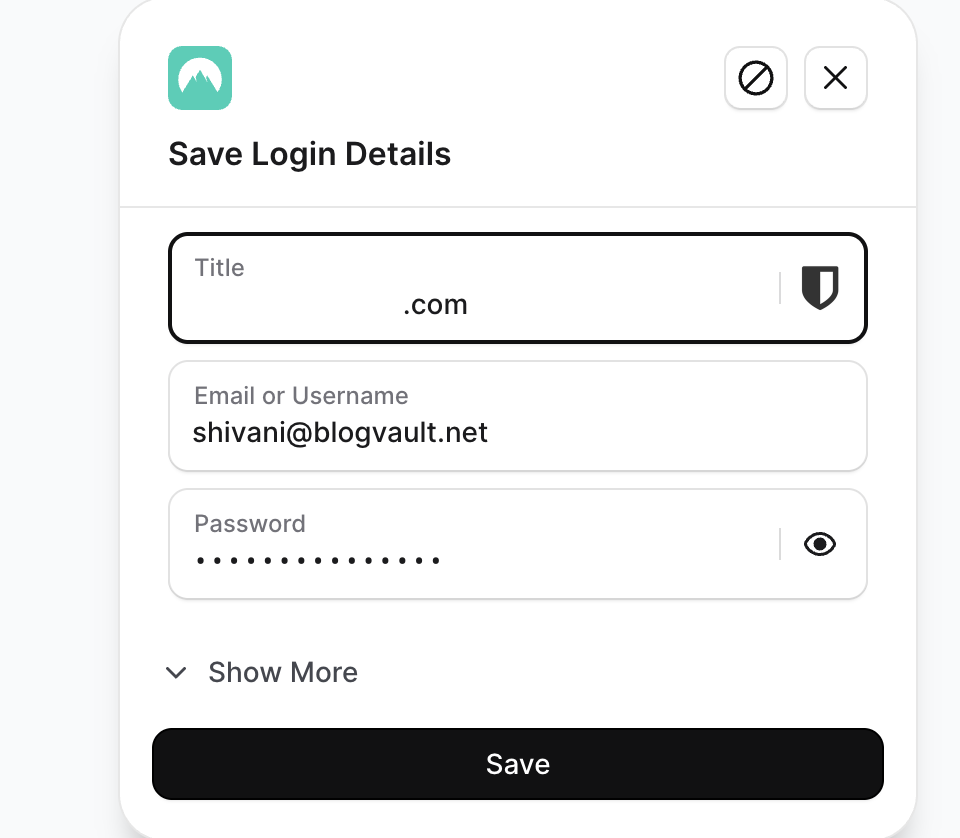
The auto-fill and capture functions work very well for most sites. When you log into a website like your WordPress admin dashboard, NordPass offers to save the credentials. The next time you visit, it fills them in for you. Its password generator is also quite good.
You can easily create strong, complex passwords and customize their length and character types. One small catch with the free version is the lack of a live strength checker when creating your master password.
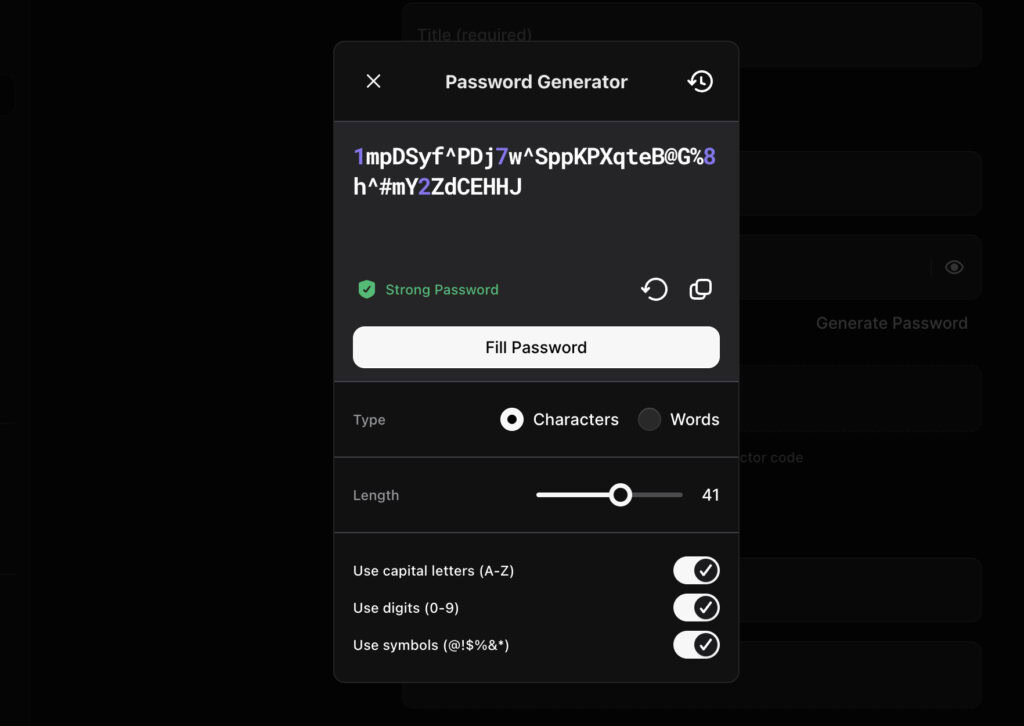
Interestingly, the built-in password generator tool itself does have this feature. This lets you see the strength as you customize the length and choose which characters to include.
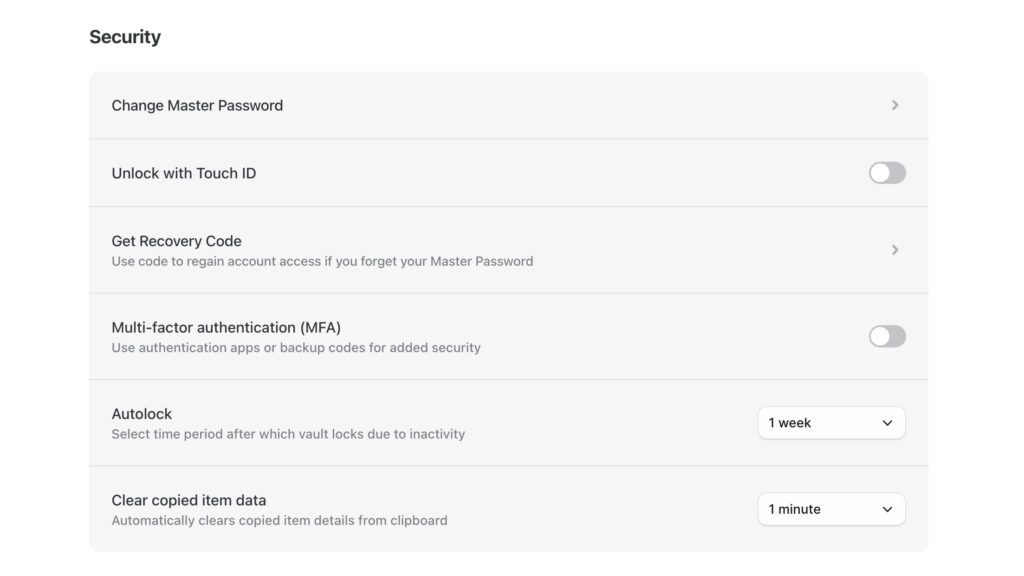
For access, you can use Touch ID on supported devices. If you forget your master password, you can request a one-time recovery code to regain access to your vault. Another small but smart feature is the ability to automatically clear items copied to the clipboard after a set time.
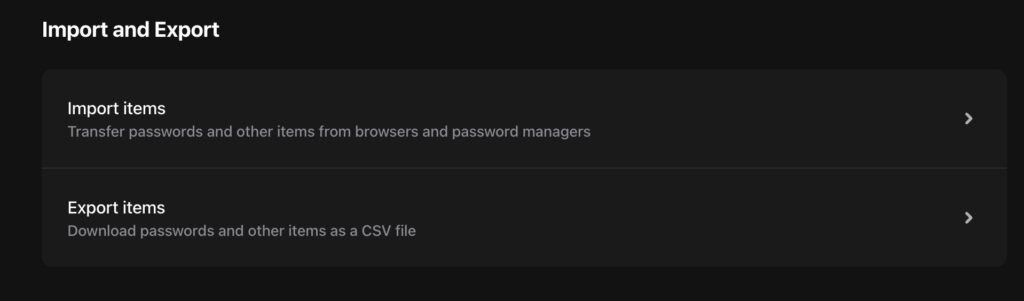
Family plans also lack shared folders, which can make managing credentials for a group a bit tedious. Getting your data in or out of NordPass is simple, so you are never locked into their system.
Daily experience
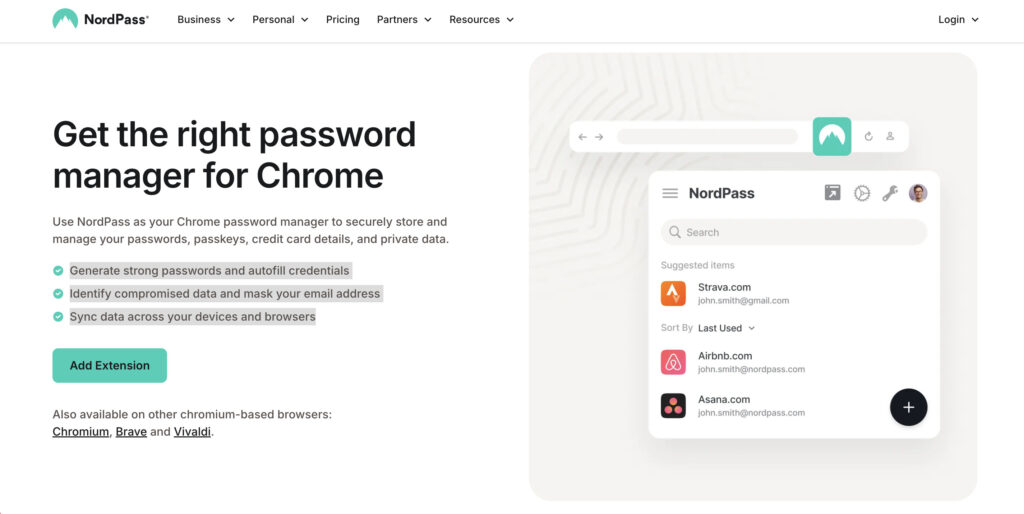
The initial setup is very straightforward. You create an account, set a master password, and you are ready to go. There is a very shallow learning curve. The app is easy to navigate.
The interface and design are clean and intuitive, though perhaps not as sleek as some competitors like Bitwarden. It prioritizes function over form, which many users will appreciate.
Daily performance is mostly reliable. We did encounter some occasional inconsistencies with autofill on mobile apps. Sometimes it required us to manually copy and paste login details.
While not a major issue, it can be a minor annoyance. Should you run into problems, NordPass offers reliable 24/7 support to all users, even those on the free plan.
Advanced tools
While the free version covers the basics, the premium plans offer a suite of advanced security tools.
- Secure storage: You get encrypted space for secure notes, credit cards, and other sensitive files.
- Integrated 2FA: The app can act as an authenticator, generating TOTP codes for your other accounts. This consolidates your security in one place.
🔑 Note: This is the exact kind of protection your WordPress login needs. If you’re looking for a solution to enforce it, MalCare offers an excellent 2FA feature using TOTP authenticators.
- Password health: This tool scans your vault for weak, old, or reused passwords. It’s a great way to proactively improve your security posture. Keep in mind that this is a premium feature. It is not available on your free plan.
- Data breach scanner: This feature monitors the web for your email addresses and alerts you if they appear in a data breach. This gives you a critical heads-up to change compromised passwords.
- Email masking: You can create email aliases to protect your real email address when signing up for services. This helps reduce spam and protects your primary email from being exposed in breaches.
Pricing
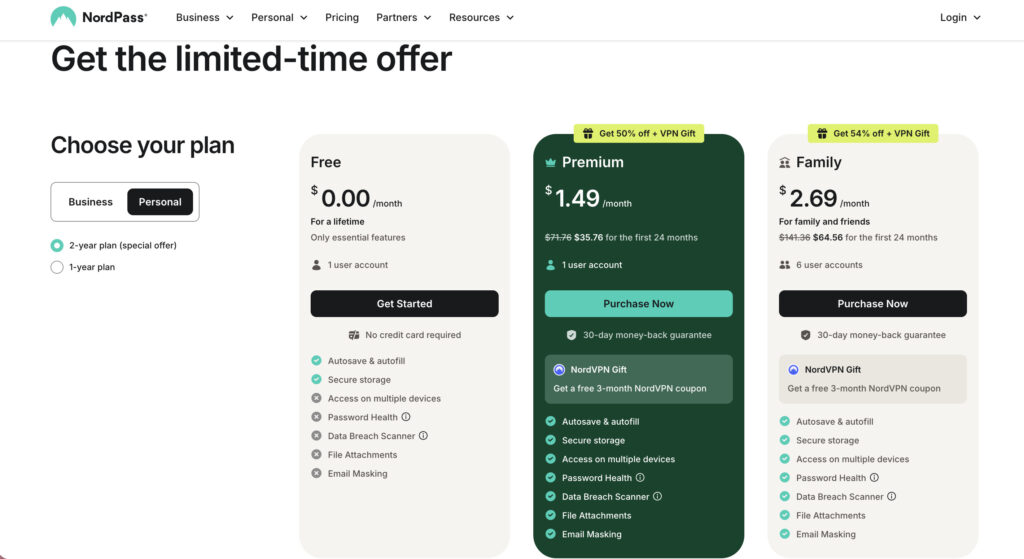
The Free Tier gives you unlimited password storage, but you can only be logged into one device at a time. This is a major limitation for anyone who uses both a computer and a phone. However, a 30-day free trial of the Premium plan is available.
The Premium Value is excellent, especially considering the included data breach monitoring, a feature others often charge more for or offer in higher tiers.
Family Plans are priced affordably but are hampered by the clunky sharing process, which is done one item at a time.
Pros and cons
No tool is without its flaws. Here is a balanced look at where NordPass excels and where it falls short.
| Pros | Cons |
|---|---|
| The modern XChaCha20 encryption provides a secure foundation you can trust. | The free version lacks a proactive data breach scanner, a key security feature. |
| A recovery code offers a critical backup if you ever forget your master password. | There is no master password strength indicator during setup to guide users. |
| The user interface is clean, intuitive, and received a top rating in 2024 for its design. | Occasional bugs that forced manual copy and pasting of login credentials. |
Who is it for?
- Individuals: Anyone looking for a secure, straightforward password manager will find NordPass to be a great fit.
- Beginners: Users who are new to password managers will appreciate the simple setup and easy learning curve.
- Value seekers: People who want premium security features like breach monitoring without a high price tag will find NordPass offers great value.
Usage guide
A tool is only as good as how you use it. Follow these steps to maximize your security.
- Create an unbreakable master password. Use a long passphrase with a mix of words, numbers, and symbols. Never reuse it anywhere else.
- Always enable Two Factor Authentication (2FA). Protect your vault with a second layer of security. Use an authenticator app instead of SMS if possible.
- Never store your master password in the manager. This is the one password you must memorize or store securely offline, like in a physical safe.
- Use the built-in password generator. For every new account, especially for important things like WordPress admin roles, generate a long, random password.
- Regularly audit and update your passwords. Use the Password Health tool to identify and fix weak, reused, or compromised credentials.
- Securely store your recovery options. Your recovery code is your lifeline. Make sure it is stored somewhere safe where you will not lose it.
- Be cautious with auto-fill on public pages. Double-check URLs to ensure you are not on a phishing site before allowing auto fill to enter your credentials.
- Share logins securely, not manually. Always use the password manager’s secure sharing feature instead of sending passwords through email or text.
What to watch for
Being aware of potential risks helps you stay protected.
- Your master password is a single point of failure. If it is weak or compromised, your entire vault is vulnerable.
- You could fall for phishing attacks. Auto fill can be tricked into entering your credentials on fake websites. Always verify the site address.
- Unprotected device access is a major risk. If your device is unlocked and your vault is open, anyone with physical access can see your passwords.
- Over-reliance on cloud sync can be a problem. During a service outage, you might temporarily lose access to your passwords.
- Insecure sharing practices can expose your data. Never use insecure methods to share passwords, even if it seems quicker.
- Neglecting 2FA on your key accounts is a mistake. A password manager does not replace the need for 2FA on critical accounts like your email and banking.
- Browser extension vulnerabilities can be an issue. A malicious browser extension could potentially capture your data. Only install extensions from trusted developers.
Parting thoughts
NordPass is a secure and user-friendly password manager. It is a strong competitor to other big names. It focuses on delivering core security and a simple user experience very well.
Despite some minor autofill bugs on mobile, its transparent security model and excellent value are hard to ignore.
FAQs
Frequently asked questions
Yes, NordPass is considered a very good password manager, praised for its strong security, simple interface, and great value. It's an excellent choice for users who want reliable protection without unnecessary complexity.
Yes, it is extremely safe to store passwords in NordPass thanks to its zero-knowledge architecture and modern encryption. Your data is encrypted on your device, meaning only you can ever access your vault.
No, NordPass has never had its password vaults compromised or suffered a user data breach. Its parent company had an isolated incident involving a NordVPN server, but NordPass's infrastructure was completely unaffected.
NordPass offers both a free and a paid version, allowing you to choose what works for you. The free plan is functional but limits you to one active device at a time, while paid plans add more features and simultaneous logins.
No, NordPass cannot see your passwords under any circumstances. Its zero-knowledge model means all encryption happens on your device using your master password, which is never sent to their servers.
It is highly unlikely for hackers to steal your saved passwords directly from NordPass servers due to their strong encryption. The primary risks come from a weak master password or falling for phishing scams that trick you.
LastPass suffered a major security breach in 2022 where attackers stole customers' encrypted password vaults. Although the data was encrypted, the incident severely damaged the company's reputation.