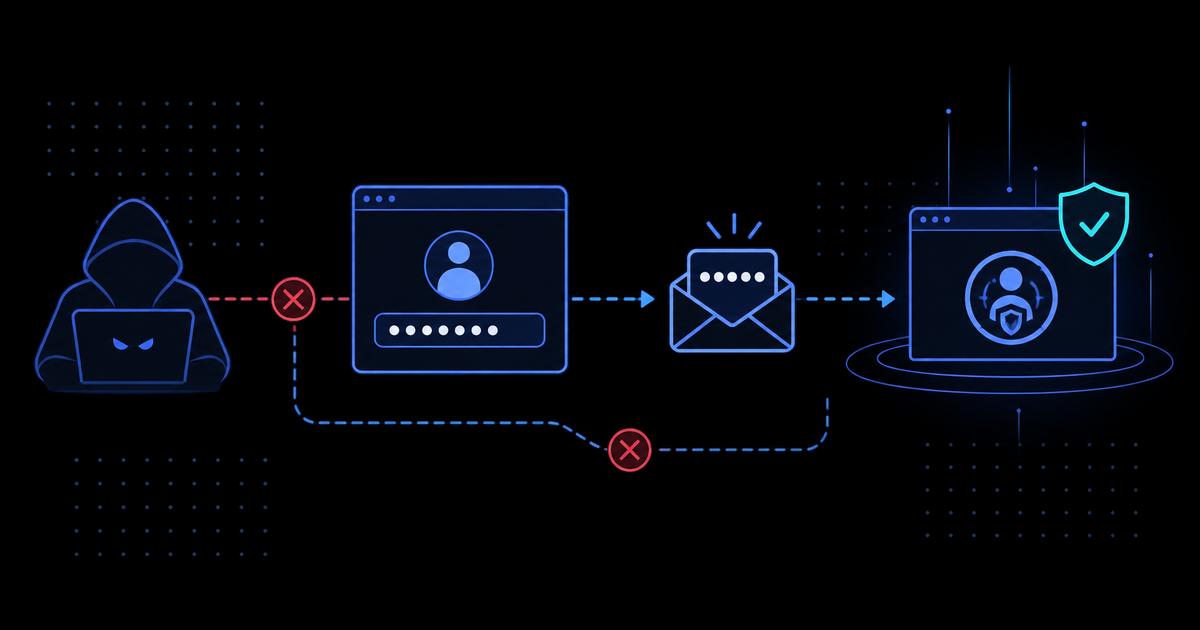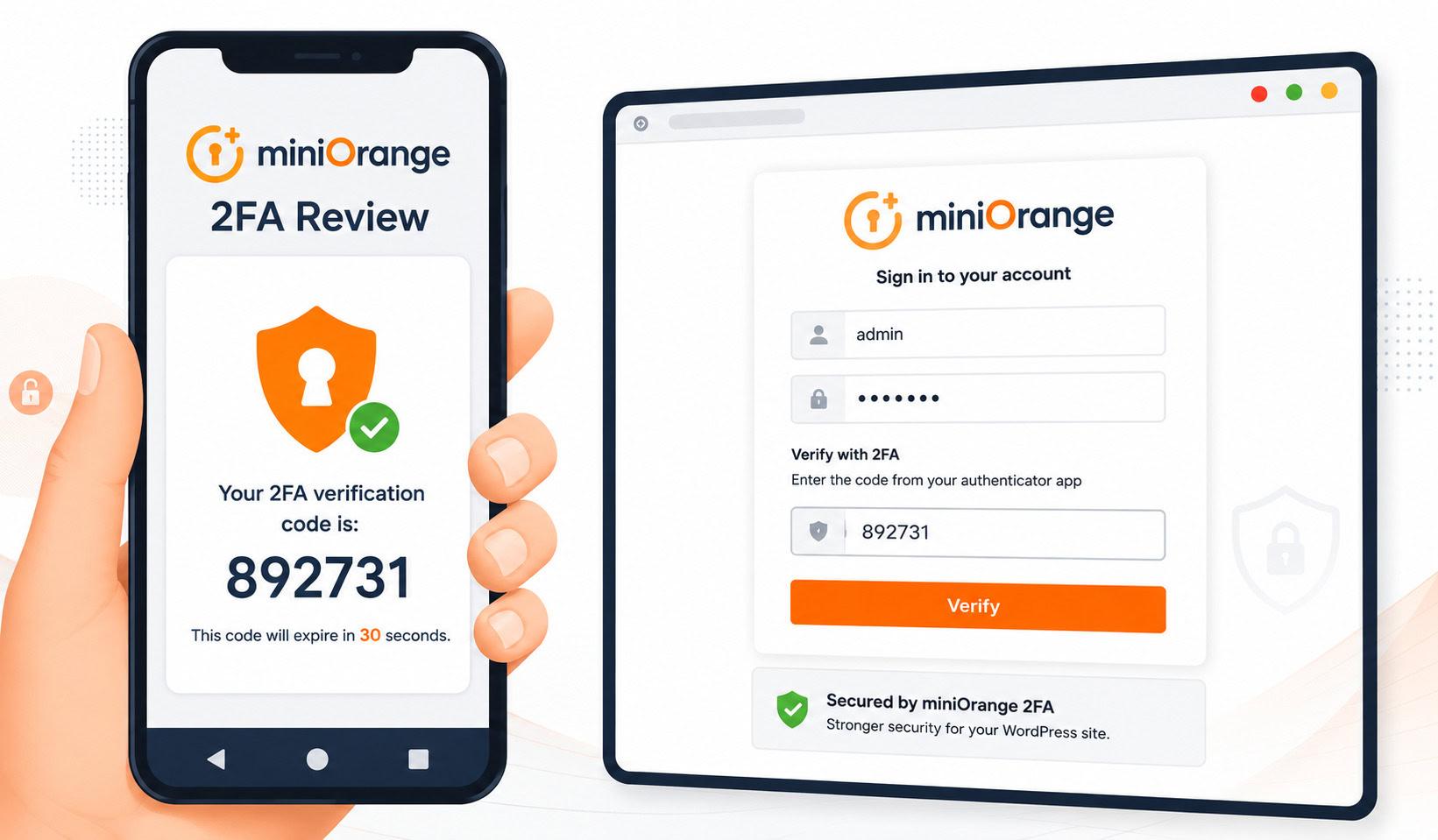
You have stared at the WordPress login screen and thought, “A password is not enough anymore.”
You are right. It is not. Stolen credentials, brute-force attempts, and reused passwords are routine problems. The question is whether miniOrange 2FA is the plugin that solves them without creating a new set of headaches.
Here is the bottom line upfront: miniOrange 2FA works well for solo admins and very small teams who want Google Authenticator for up to three users. It has the widest authentication-method support of any WordPress 2FA plugins I reviewed, and its support team gets unusually specific praise. But the free tier is tight, the pricing is hidden until you register, and the plugin has a security history that should give cautious admins pause.
Think of it as a Swiss Army knife with a three-blade limit on the free model. Useful, but only if the size fits your hand.
miniOrange 2FA at a glance
| Item | Details |
|---|---|
| Plugin name | miniOrange 2FA – Two-Factor Authentication for WordPress |
| Version reviewed | 6.2.4 |
| Active installs | 10,000+ |
| WordPress.org rating | 4.5/5 from 381 reviews |
| Free user limit | 3 users (hard-coded) |
| Authentication methods | 14+, including Google Authenticator, Microsoft Authenticator, Authy, Duo, SMS, email, Telegram, WhatsApp, security questions, hardware tokens |
| Account requirement | miniOrange account required even for free TOTP |
| Pricing visibility | Not publicly listed at the time of review |
The pattern is straightforward: miniOrange offers more ways to authenticate than almost any competitor. The catch is that the free tier is one of the most restrictive in the category, and several features you might expect to be free are gated behind paid plans.
How miniOrange 2FA works
miniOrange 2FA is a cloud-assisted WordPress plugin that adds a second verification step to your login. Instead of just a username and password, you also need a time-based code from an authenticator app, an SMS message, an email, or another method you choose.
The plugin has been around since 2015. It supports WordPress up to version 6.9, and the changelog shows six security-focused releases in 2025 alone. That is either a sign of active maintenance or a sign that the codebase keeps surfacing issues. Both readings are partially true.
Here is the hidden part most plugin pages do not explain clearly: miniOrange is not a simple local TOTP tool. Even Google Authenticator setup requires a miniOrange account, and several flows route through login.xecurify.com. That means your site depends on an external service for account registration, OTP delivery, user management, and recovery.
For some sites, that dependency is fine. For others, it is an extra moving part they do not need.
Google Authenticator setup flow
The setup is designed to feel simple, and for basic TOTP it mostly is.
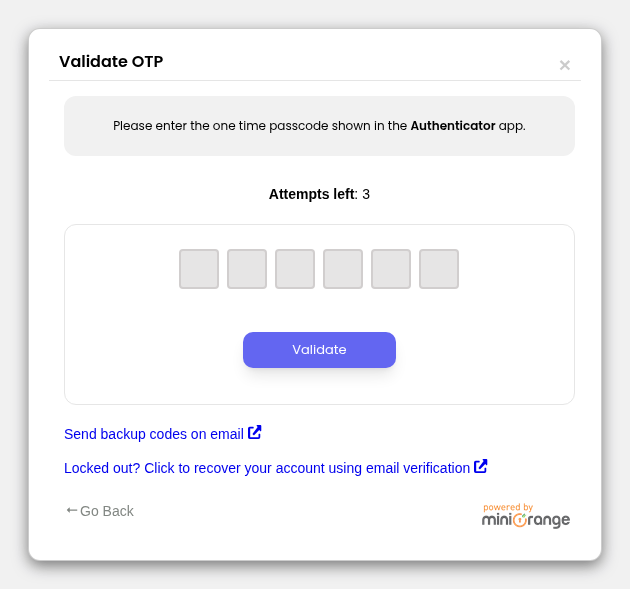
You install the plugin from WordPress.org, activate it, and register a miniOrange account. A setup wizard walks you through choosing an authentication method. If you pick Google Authenticator or another TOTP app, the plugin displays a QR code. You scan it with your phone app, enter the first six-digit code to confirm sync, and you are done.
After that, login becomes two steps:
- Enter your WordPress username and password.
- Enter the current code from your authenticator app.
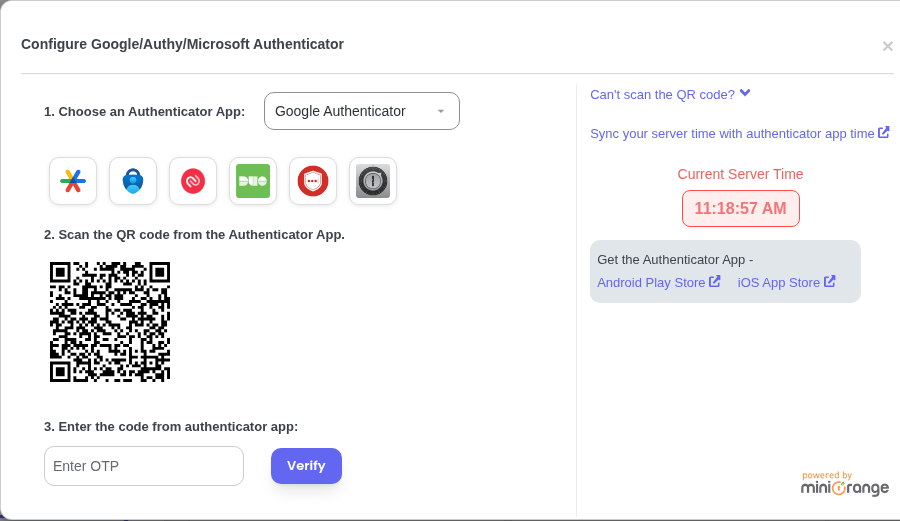
The plugin also offers backup methods: security questions, email recovery links, and backup codes. Do not skip these. A 2FA plugin without a working recovery path is not security. It is a self-inflicted lockout waiting to happen.
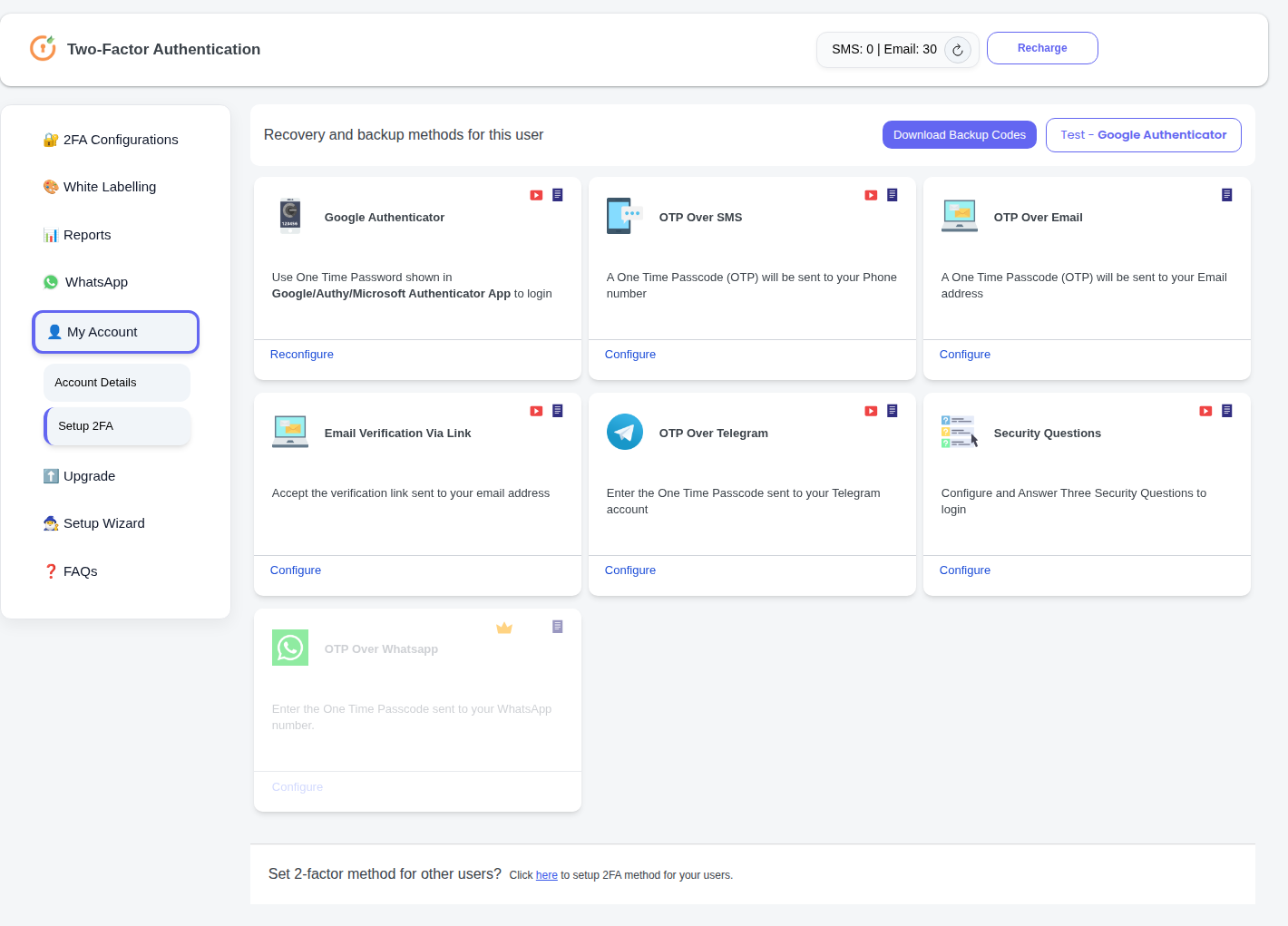
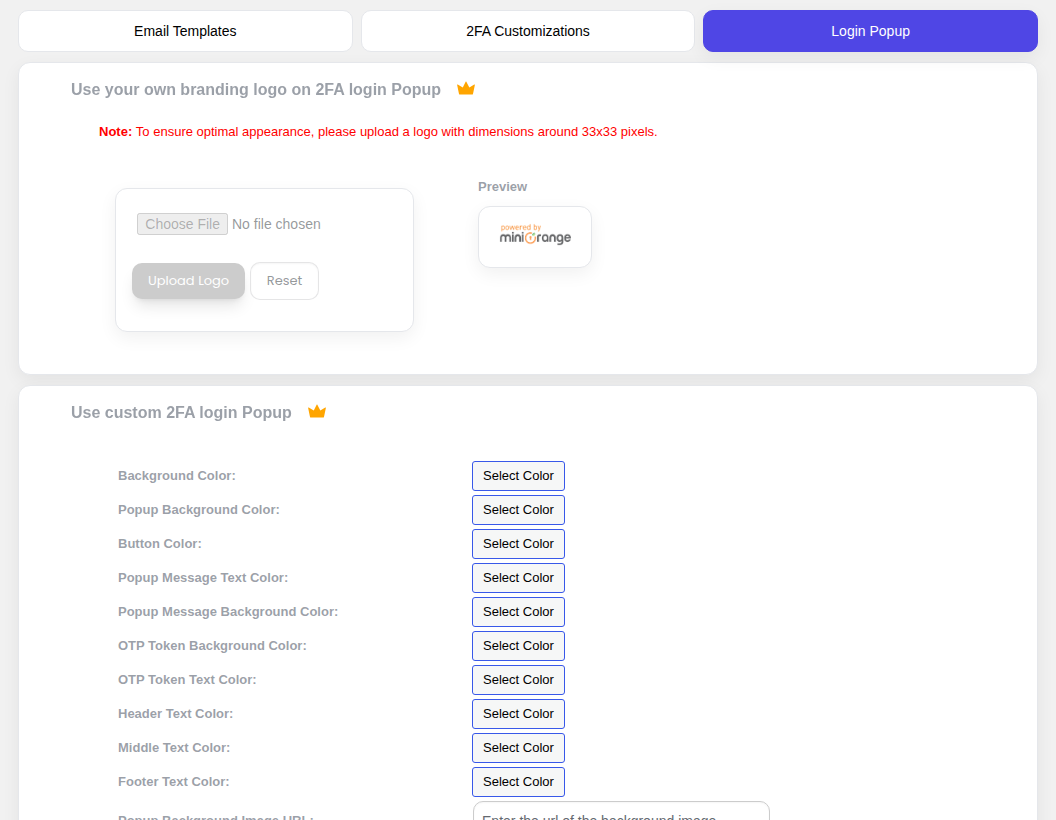
Other configuration options include role-based enforcement, grace periods, remembered devices, and custom email templates. Many of those are paid features, so do not assume they are available just because you can see the settings screen.
Where this goes wrong: site owners test the happy path once and move on. They do not test recovery. They do not test login from a second browser. They do not confirm that another admin can still access the site if the primary admin loses their phone. Test the failure cases before you need them.
The login code is the easy part. Recovery is the part that matters when something breaks.
Free and paid plan limits
miniOrange has one of the more complicated free-vs-paid lines in the WordPress 2FA space.
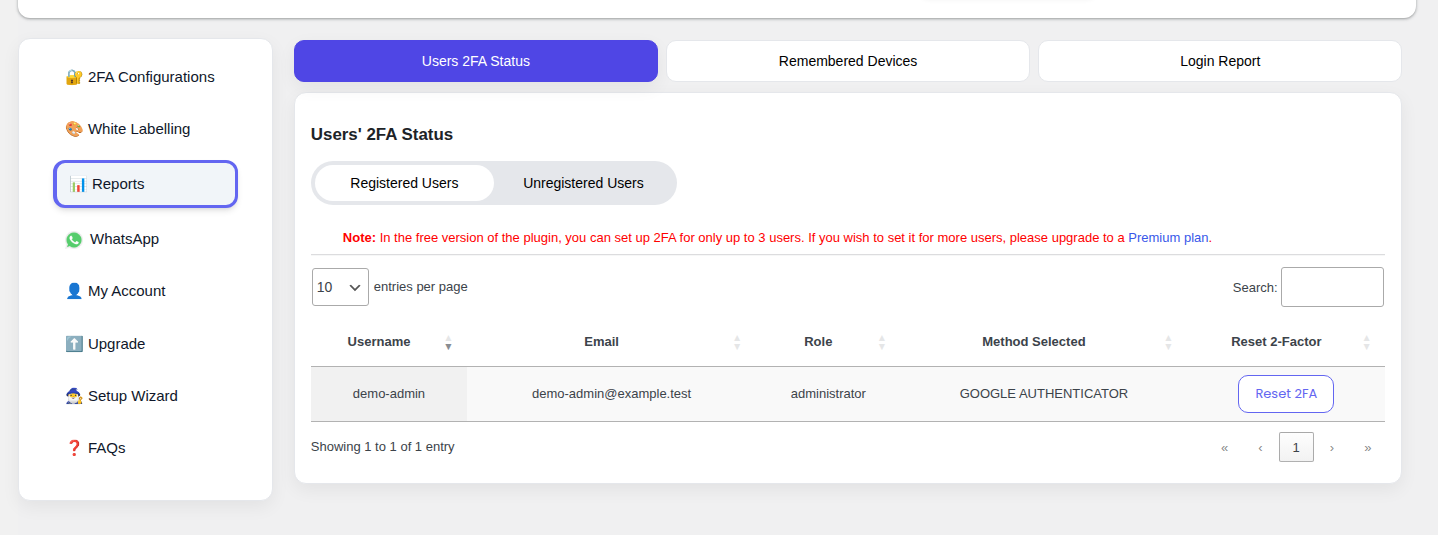
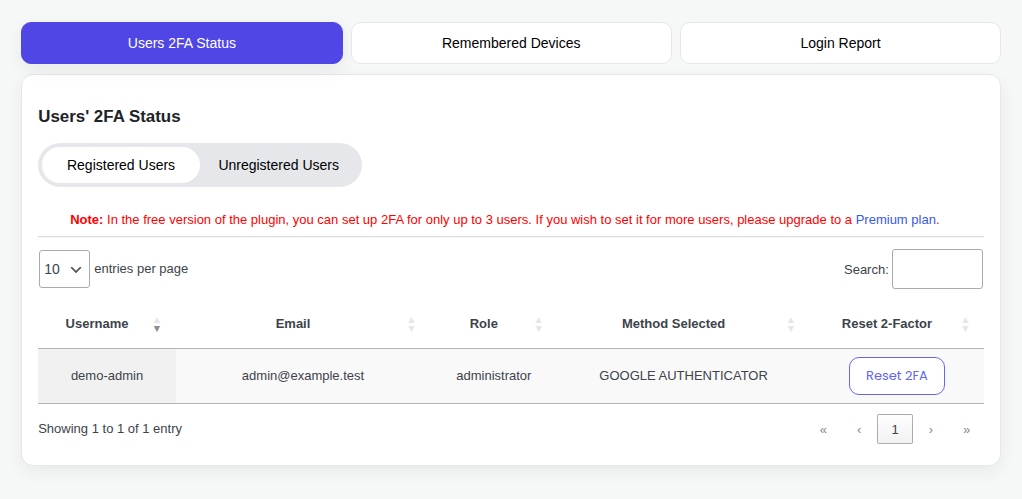
The free tier supports Google Authenticator and other TOTP apps, but it is limited to three users. I found this limit hard-coded in the plugin source, not as a soft marketing boundary. Three users means one admin, one editor, and one developer. Add a shop manager or a backup admin, and you are already paying.
Email and SMS OTP also carry transaction limits on the free tier. The code references a default limit of thirty OTP transactions through an obfuscated option name. If you only use Google Authenticator, that limit may not matter. If you plan to use email or SMS as a fallback for multiple people, it matters quickly.
| Feature | Free | Starter | Enterprise | All Inclusive |
|---|---|---|---|---|
| Google Authenticator / TOTP | Yes, up to 3 users | Yes, unlimited | Yes, unlimited | Yes, unlimited |
| Email OTP | Limited transactions | Yes | Yes | Yes |
| SMS OTP | Limited transactions | Limited | Yes | Yes |
| Telegram OTP | Limited transactions | Yes | Yes | Yes |
| WhatsApp OTP | No | No | No | Yes |
| Security questions | Yes | Yes | Yes | Yes |
| Role-based 2FA enforcement | No | Yes | Yes | Yes |
| Force 2FA on login | No | Yes | Yes | Yes |
| Page protection | No | Yes | Yes | Yes |
| Custom form integration | No | Yes | Yes | Yes |
| Session management | No | No | Yes | Yes |
| Remember device | No | No | Yes | Yes |
| White-labeling | No | No | Yes | Yes |
| Passwordless login | No | No | Yes | Yes |
The pattern is clear: the free plan is for a very small site. The paid plans are where miniOrange becomes a team or organization tool.
The frustrating part is pricing. At the time of this review, miniOrange does not publish current pricing on a public page. Users generally need to install the plugin, create an account, and navigate the dashboard to see plan costs. Historical estimates suggest plans range from roughly $99 to $499+ per year per site, but those figures should not be treated as current without verification.
For a security product, that opacity is a real friction point — and it is one of the things to be aware of before buying a WordPress security service. Buyers should not have to register and install just to learn whether a tool fits their budget.
Where miniOrange 2FA shines
The plugin is not all limitations. It has real strengths, and they explain why many users rate it highly despite the free-tier restrictions.
The widest method support in the category
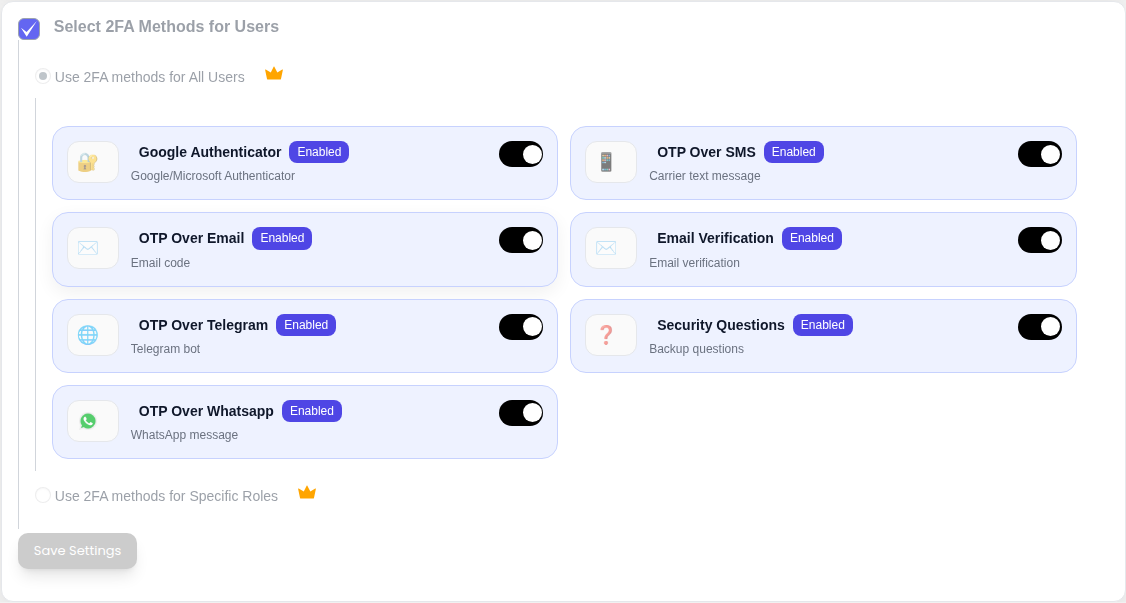
Most WordPress 2FA plugins cover TOTP, email, and maybe backup codes. miniOrange goes much further. It supports Google Authenticator, Microsoft Authenticator, Authy, FreeOTP, Duo, email OTP, SMS OTP, Telegram OTP, WhatsApp OTP, security questions, hardware tokens, and miniOrange’s own authentication options.
This matters for mixed teams. A developer may want TOTP. A non-technical staff member may prefer email. A business owner may want SMS. An enterprise admin may need hardware tokens or white-labeling.
If your team genuinely needs several different ways to complete 2FA, miniOrange has a stronger case than most competitors.
The setup wizard actually helps
The plugin does not assume every site owner wants to configure fifteen settings before the first login. The setup wizard walks through method selection, QR code scanning, first-code verification, and recovery configuration.
That sounds basic until you have watched a non-technical admin stare at a raw TOTP secret and wonder whether they are supposed to paste it somewhere. For basic Google Authenticator setup, miniOrange turns a technical process into a guided one.
Support is the standout strength
WordPress.org reviews repeatedly praise miniOrange support, often naming individual staff members and describing scheduled calls, weekend help, and custom fixes. One reviewer described direct outreach, a Teams meeting, and a fix in a way that is rare for WordPress plugin support.
That does not erase product limitations, but it does matter. If you are using 2FA on a business-critical site, responsive support is not a nice extra. It is part of the product.
miniOrange also appears willing to build custom integrations for unusual cases. Agencies and enterprise teams may value that more than a cleaner free tier.
Compatibility work is thorough
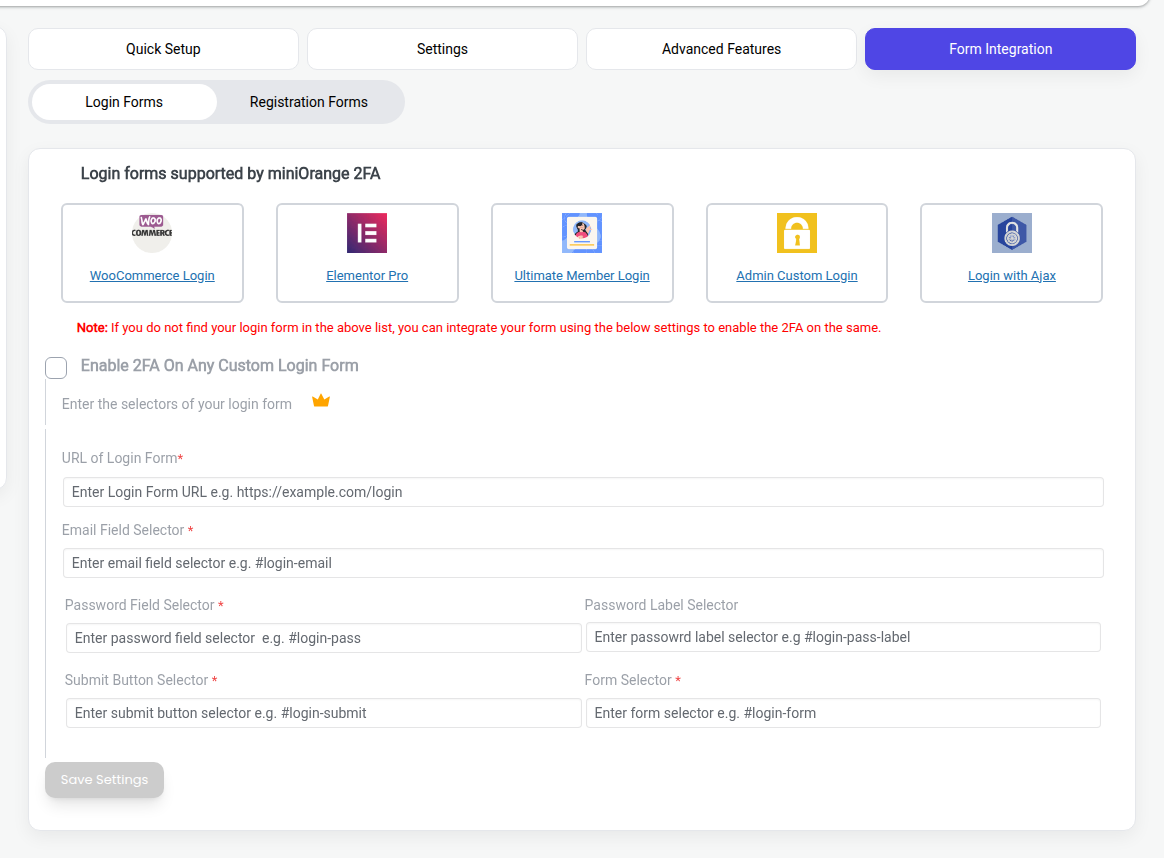
The plugin includes explicit support for WooCommerce login and registration flows, and it references compatibility with Elementor, Ultimate Member, BuddyPress, and other form plugins. Our source review found WooCommerce-specific hooks and handling for store login behavior.
That matters because WordPress login is not always just /wp-login.php. A WooCommerce store, membership site, or custom login form can have several doors. A 2FA plugin that only guards one door can make the site feel protected while leaving the daily workflow exposed.
Uninstall cleanup is better than average
Security plugins often leave behind options, tables, logs, and user metadata after deletion. miniOrange does a more thorough job. Its uninstall routine removes custom tables, options, and related usermeta entries.
That is not glamorous. It is still good engineering hygiene.
Where miniOrange 2FA falls short
The biggest issue with miniOrange is not that it lacks features. It has plenty. The issue is how those features are packaged, priced, and trusted.
The three-user free limit is unusually restrictive
The free tier works for one admin. It can work for a tiny team. It does not work well for a normal editorial, agency, membership, or store team.
Three users is a hard ceiling. A site with one owner, one developer, one editor, and one backup admin is already over the limit. That is not an edge case. That is a common small-team setup.
This is where competitors apply pressure. Wordfence Login Security and WP 2FA both offer unlimited-user free TOTP. If your main requirement is Google Authenticator for all WordPress users, miniOrange is not the most generous free option. For a broader view of how different tools stack up, our wordpress security plugin roundup compares options across categories.
Pricing opacity creates distrust
Pricing should be easy to evaluate before installation. With miniOrange, it is not.
The plugin has public-facing plan names, but the actual current pricing is not clearly available from a normal public pricing page. Reviews also show user frustration around the upgrade path and paywalled features.
This does not mean the paid plans are bad value. It means the buying process asks for trust before giving the buyer enough information. For a security product, that is the wrong order.
Cloud dependency for local TOTP
Google Authenticator-style TOTP does not inherently need a cloud service for every part of the workflow. A WordPress plugin can store a secret locally, validate the rotating code locally, and never involve an external authentication API for the basic login check.
miniOrange is broader than that. It uses a miniOrange account and communicates with miniOrange services for several flows. That architecture makes sense for SMS, email, WhatsApp, support, user management, and recovery features. It is less attractive if your only goal is local TOTP with as few moving parts as possible.
Ask yourself the practical question: do you want a full authentication service, or do you just want WordPress to ask for a Google Authenticator code? Those are different jobs.
Lockout reports are a trust problem
Multiple user reviews describe being locked out after plugin updates. Support appears responsive, but the existence of recurring lockout reports is still a serious concern.
A security plugin has two jobs: keep attackers out and keep legitimate admins in. If updates make admins nervous about losing access, the plugin becomes harder to recommend for revenue-critical sites.
This does not mean every site will have a lockout problem. It does mean you should treat updates carefully:
- Keep file manager, FTP, hosting panel, or SSH access available.
- Make sure more than one trusted admin has recovery access.
- Test updates on a WordPress staging environment when the site is important.
- Keep backup codes and recovery methods somewhere safe.
Do not test access recovery for the first time after you have already lost access.
Upselling can feel aggressive
The plugin exposes many premium features in the admin interface. That can be helpful for discovery, but it can also make the free plugin feel like a corridor of locked doors.
Role enforcement, custom form integration, remembered devices, white-labeling, session controls, and broader team support are all reasonable paid features.
The problem is expectation. Many site owners think “free 2FA plugin” means “free TOTP for my users.” With miniOrange, it means “free TOTP for up to three users.” That difference should be impossible to miss before installation.
Security track record: the full picture
This is the section security-conscious readers should not skip.
miniOrange 2FA has had ten documented CVEs between 2021 and 2025. The issues include authorization bypass, cross-site scripting, CSRF-related impact, sensitive data exposure, arbitrary option deletion, broken access control, and session-related problems.
All known vulnerabilities were patched. That matters. Active maintenance is better than abandoned risk. That said, wordpress plugin vulnerability issues are not unique to this plugin — they are a systemic risk across the WordPress ecosystem.
A security plugin should be judged not only by whether it patches issues. It should also be judged by the pattern of issues.
| Period | Vulnerability type | Example CVE / finding | Severity signal |
|---|---|---|---|
| 2021–2022 | Arbitrary options deletion | CVE-2022-0229 | High impact risk |
| 2022 | Cross-site scripting | CVE-2022-1321 | Medium to high depending on context |
| 2022 | Authorization / settings change issues | CVE-2022-4943, CVE-2022-42461 | Concerning for admin controls |
| 2022 | Sensitive data exposure | CVE-2022-44589 | Serious because backup codes are authentication material |
| 2025 | 2FA bypass / broken access control / session fixes | Changelog and CVE research findings | Trust-critical for a 2FA plugin |
CVSS scores are not meant to scare non-technical readers. They are a severity shorthand. A 7.5 or 8.8 score does not mean your site was hacked. It means the vulnerability class was serious enough that site owners should update promptly and ask whether the same type of bug keeps returning.
The recurring concern here is authorization. Several findings involved missing or weak checks around who can change settings, bypass controls, or reach sensitive flows. That suggests more than a one-off mistake.
Our code review also found a few architecture details worth noting:
- A shared default API key is embedded in the plugin for free users before registration.
- The plugin includes a public REST recovery endpoint that relies on token validation.
- External API calls are used for several authentication and recovery paths.
- Premium feature gating appears to use file-existence checks for certain premium PHP files.
None of these details, by itself, proves the plugin is unsafe today. They do explain why a cautious admin might prefer a simpler 2FA plugin with a smaller attack surface.
The plain-English verdict: miniOrange is actively maintained, but its security history is not clean enough to ignore.
This is also why 2FA should not be your entire WordPress security plan. It protects login better than a password alone, but it does not replace malware scanning, firewall protection, vulnerability monitoring, backups, or cleanup workflows. MalCare fits that broader job as a comprehensive WordPress security solution: it covers the parts of WordPress security that a 2FA plugin is not trying to solve.
Who should use miniOrange 2FA
Use miniOrange when its breadth actually solves your problem.
| Good fit | Poor fit |
|---|---|
| Solo admin who wants Google Authenticator | Team with more than 3 users that wants free TOTP |
| Site with 2–3 users and simple 2FA needs | Organization that requires public pricing before evaluation |
| Team that needs SMS, email, Telegram, WhatsApp, or hardware token options | Site owner who wants local-only TOTP with minimal cloud dependency |
| Agency or enterprise team that values responsive custom support | Security-sensitive team uncomfortable with the plugin’s CVE history |
| WooCommerce or membership site that needs supported login integrations | Admin who wants a minimal plugin with very few moving parts |
The best miniOrange user is someone who needs flexibility more than simplicity.
If you have one admin account and want Google Authenticator, miniOrange can do the job. If you have a team and want free TOTP for everyone, start by comparing Wordfence Login Security, WP 2FA, and the community Two Factor plugin. They may be a better match for that specific job.
If you are protecting a serious business site, step back from the plugin comparison for a moment. 2FA is one layer. You still need to know whether vulnerable plugins are running, whether malware is present, whether suspicious requests are being blocked, and what to do if your WordPress site gets hacked. That is where a broader product like MalCare works as a comprehensive WordPress security solution, instead of leaving you to stack isolated tools and hope someone checks every alert.
Pros
- Wide range of authentication methods
- Good Google Authenticator and TOTP support for small sites
- Guided setup wizard
- Strong support reputation
- WooCommerce and form-plugin compatibility work
- Active maintenance
- Good uninstall cleanup
Cons
- Free tier limited to 3 users
- Public pricing is unclear
- Cloud account required
- Multiple documented CVEs between 2021 and 2025
- Lockout reports after updates
- Many expected admin controls require paid plans
How to set up miniOrange Google Authenticator safely
If you decide to try miniOrange, set it up carefully. The goal is not just to turn on 2FA. The goal is to turn it on without trapping yourself outside the site.
- Install the plugin. In WordPress, go to Plugins → Add New, search for miniOrange 2FA, install it, and activate it.
- Register or connect a miniOrange account. The plugin expects account registration even if you only want basic Google Authenticator.
- Open the setup wizard. Choose Google Authenticator or another TOTP authenticator app.
- Scan the QR code. Use Google Authenticator, Microsoft Authenticator, Authy, or another compatible app.
- Enter the first six-digit code. This verifies that the app and site are using the same secret.
- Configure recovery. Set up backup codes, email recovery, or security questions. Store recovery details somewhere secure.
- Test in a separate browser. Keep your current admin session open, then try logging in from an incognito or private window.
- Confirm another recovery path. Make sure you can access hosting file manager, FTP, SSH, or another admin account if needed.
- Only then enforce 2FA for others. Do not roll it out to a team until you know the admin recovery path works.
If you get locked out, the usual emergency path is to disable the plugin by renaming its folder through FTP, SSH, or your hosting file manager. You may also be able to use a configured recovery method or contact miniOrange support.
The boring preparation is the point. A 2FA rollout should make access safer, not more fragile.
Alternatives worth considering
miniOrange is worth considering, but it is not the only reasonable WordPress 2FA option.
| Alternative | Best for | Why consider it |
|---|---|---|
| Wordfence Login Security | Free TOTP for unlimited users | Strong security-brand trust and local login protection focus |
| WP 2FA | Teams that want simpler policy setup | Free unlimited-user 2FA with a cleaner setup model |
| Two Factor | Minimal WordPress-native 2FA | Lightweight, free, community-maintained |
The mistake is assuming all 2FA plugins are solving the same problem. They are not.
If you want simple Google Authenticator for every user, choose the plugin that makes that easiest and cheapest. If you need SMS, WhatsApp, custom forms, white-labeling, and support calls, miniOrange becomes more interesting. And if you are evaluating Wordfence specifically, our best Wordfence alternative comparison covers options beyond 2FA.
Final verdict
miniOrange Google Authenticator is a capable WordPress 2FA plugin, but it is not the automatic best choice for every site.
Choose it if you have 1–3 users, want a guided Google Authenticator setup, and value having many authentication methods available. Also consider it if your organization needs custom support or unusual OTP delivery options.
Be cautious if you need free 2FA for a larger team, want transparent pricing before installation, prefer local-only TOTP, or have strict security audit requirements. The three-user limit, cloud dependency, lockout reports, and vulnerability history are not small footnotes. They are part of the buying decision.
My practical recommendation is this:
- Solo admin or tiny team: miniOrange is worth trying, as long as you configure recovery before enforcing it.
- Team with more than 3 users: compare Wordfence Login Security and WP 2FA before paying.
- Security-sensitive business site: use 2FA, but do not treat it as your whole security stack. Pair login protection with malware scanning, firewall protection, vulnerability monitoring, and a cleanup plan.
2FA reduces the damage from stolen passwords. It does not prove the site is clean, block every attack, or fix vulnerable code.
That is the line to remember: the login code is one lock on one door. WordPress security is the whole building.