Many WordPress security plugins do not work as they should. Most people only realise their site is hacked when Google blacklists it. This happens because plugins focus on settings instead of finding malware. A clean report in your dashboard does not always mean your site is safe. Many tools do not find hidden backdoors or malicious code in your database.
We tested Solid Security and Sucuri against real malware. This guide shows which one actually stops hackers and which one fails. We have looked at both objectively to help you keep your website safe.
Solid Security is a tool for some hardening and login security, but lacks a firewall and malware scanning. Sucuri offers a DNS firewall and manual cleanup, but its scanner often misses malware and the plugin can slow down your server. Both have significant gaps. MalCare Security is the better alternative, offering more accurate scanning, instant automated removal, and better performance at a lower price.
Summary of Solid Security vs Sucuri comparison
Solid Security is essentially a collection of settings that provide the illusion of protection.
While it claims to be a security plugin, it offers no active defence against malware or live attacks. Our testing showed that it functions as a placebo, rather than actual security technology.
Sucuri is undoubtedly a superior product because it includes a functional firewall and a cleanup service, but better is a relative term. Despite its reputation, Sucuri remains a flawed security solution due to its unreliable scanner and heavy server impact.
| Feature | Solid Security | Sucuri |
|---|---|---|
| Malware Scanning | None | Remote & Server-side |
| Malware Removal | None | Unlimited Manual Removal |
| Firewall | Virtual Patching only | Cloud-based WAF |
| Site Hardening | Yes | Yes |
| Server Impact | Low | High (CPU Spikes) |
Solid Security in a nutshell

The bottom line is that Solid Security does not protect your website. We advise skipping this plugin entirely because it lacks the core components of a real security solution. If you currently have it installed, you should scan your website immediately with a dedicated tool; your site effectively has no active security.
Solid Security relies on a Site Scan feature that is a security placebo. It finishes in seconds because it never actually scans your server files or database for malware. Instead, it merely checks if your site is already on the Google Safe Browsing blacklist. This is a reactive, trailing indicator; if a hacker has infected your site but Google hasn’t indexed the malicious code yet, Solid Security will tell you the site is clean.
Furthermore, Solid Security does not include a web application firewall or malware removal services. While its integration with Patchstack offers virtual patching, this is a strictly reactive measure that only blocks exploits once a vulnerability is publicly disclosed. It does not perform site hardening or provide a proactive barrier against unknown threats. The only features of any practical value are its two-factor authentication and login reCAPTCHA, but these administrative tools do not justify a $99 bill when they offer no protection against an actual hack.
Sucuri in a nutshell
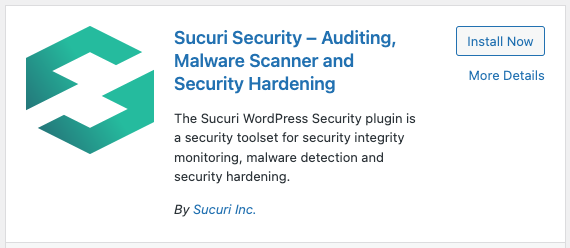
Sucuri features a capable cloud-based firewall and excellent manual malware removal services, but it fails spectacularly as a malware scanner. This is a non-negotiable flaw; if a security plugin cannot detect an infection, you will never know to request the cleanup you are paying for.
In our tests, the Sucuri scanner gave our hacked site a clean bill of health despite it being riddled with backdoors and malicious scripts. Beyond the detection failure, the scanner is a burden on your server. It uses your own hosting resources to run, leading to significant CPU spikes. Sucuri even warns users against frequent scanning for this reason, forcing an unacceptable trade-off between performance and security.
The highlight of Sucuri is its manual intervention. Once we bypassed the failing scanner and raised a manual request, their team successfully removed every trace of malware. However, getting to that point is difficult. The interface is filled with technical jargon and the firewall setup requires complex DNS changes that can be daunting for beginners. While the unlimited cleanup is a strong insurance policy, the lack of reliable, automated detection makes Sucuri alternatives more attractive.
How we tested Solid Security and Sucuri
We used three identical WordPress installations for our tests. Each site was hosted on a standard shared hosting environment.
We infected two of these sites with common malware samples. These samples included a PHP shell, a malicious redirect script, and several database injections. We kept the third site clean to check for false positives.
We installed Solid Security on the first infected site and Sucuri on the second. We ran the default scans on both plugins to see if they detected the threats. We also attempted to exploit a known plugin vulnerability on each site to test the firewalls.
Finally, we monitored server resource usage during each scan to measure the impact on site speed.
Malware scanning
⚙️ Sucuri’s scanners didn’t detect any of the malware on our website. Solid Security doesn’t for malware at all.
Solid Security and Sucuri have very different capabilities for scanning. Our tests show that one plugin provides a server-level scan while the other only checks external lists.
The Solid Security scanner is called Site Scan. This tool does not scan your server files or database for malicious code. It only checks if your website appears on the Google Safe Browsing blacklist.
You will not receive an alert if a hacker has infected your site unless Google has already detected the hack.
Sucuri offers two types of malware scanners. The free version uses SiteCheck to scan the public parts of your website. This remote scan cannot see hidden backdoors or malicious files inside your server folders.
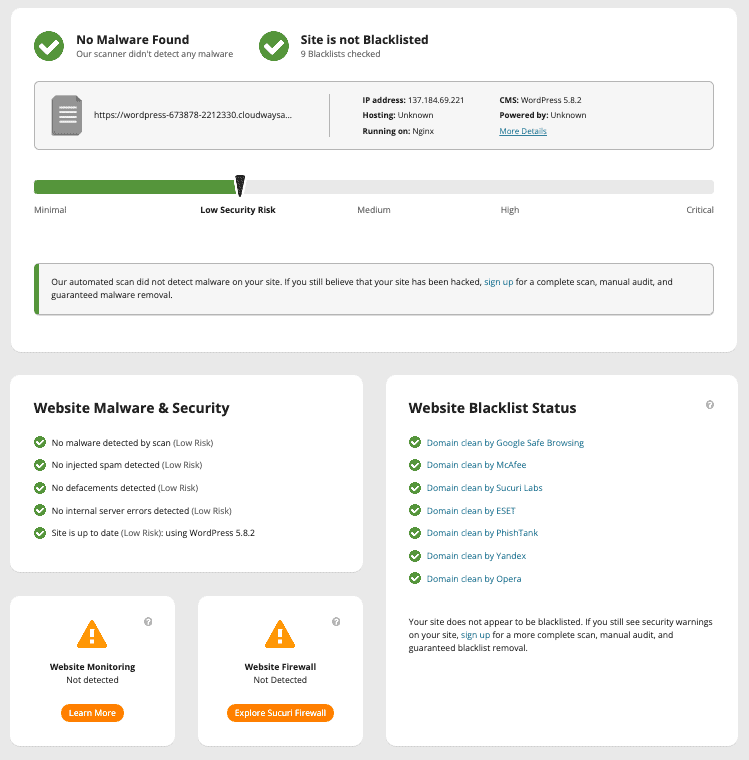
⚠️ Note: A clean result from the free version does not mean your site is safe.
The paid Sucuri plan includes a server-side scanner. You can set this up by providing your FTP details or installing a PHP file manually. In our tests, this scanner failed to find malware that was present in the site files.
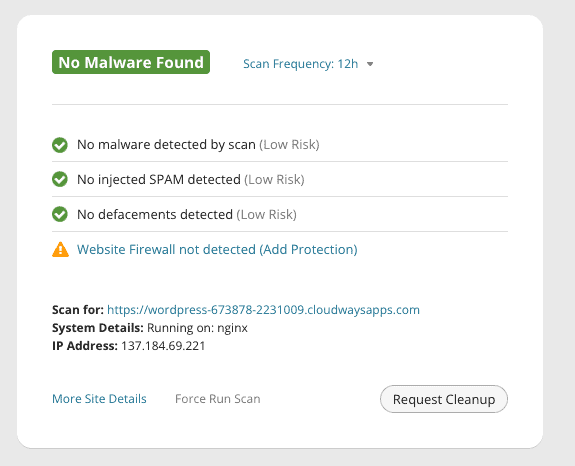
The scanner is set to run every day, but you can scan on demand, to an extent. Additional scan requests are put into a queue and then executed. Sucuri warns against using too many scans because scans use up server resources.
Which brings us to an important point: Sucuri uses your own server resources to run malware scans. This can cause high CPU usage on your hosting account. With our test sites, the drain wasn’t too severe because the sites are small and there is no external traffic. Even so, we definitely saw a blip in our CPU usage.
Recent updates to Sucuri have not changed the fact that it remains resource-intensive compared to cloud-based scanners, like MalCare’s scanner.
Malware removal
⚙️ Malware cleaning is not on Solid Security feature list, so obviously can’t clean malware. Sucuri has unlimited malware removal services as part of their paid plans. Depending on your plan, your website will get cleaned in anywhere between 6 to 30 hours.
Solid Security does not include malware removal in any of its plans. It is not designed to clean an infected website. If your site is hacked while using Solid Security, you must hire a professional to fix it, find another tool, or request that service.
Even though Sucuri’s scan results said that our website didn’t have malware, we obviously knew that wasn’t the case. There was malware everywhere: in the files and in the database. We also had a bunch of backdoors in there for good measure. MalCare scanners confirmed that our test sites were indeed infested with malware.
Sucuri includes unlimited malware removal in its paid plans. You must fill out a request form and provide your FTP or SSH credentials to their team. In our tests, Sucuri cleaned our hacked website in less than 10 hours. This was faster than the 30-hour window mentioned in their basic plan. Their team successfully removed all files and database infections.
Side note: There was an interesting dropdown in the removal request form which lists out potential symptoms you may be seeing. Also, to our amusement, you had to indicate your level of technical proficiency, so we selected: “No proficiency, please explain everything clearly.”
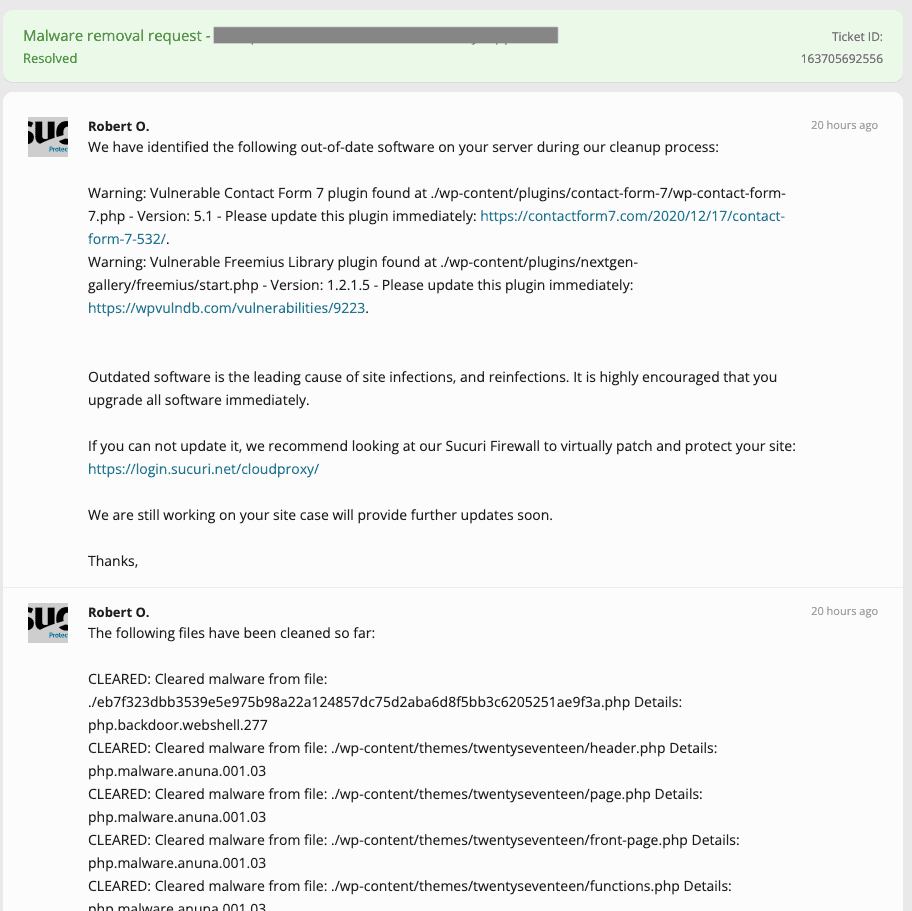
However, the Sucuri removal process is not instant. You must wait for a security analyst to pick up your ticket and process it manually. Malware can spread or damage your search engine rankings while you wait for a response. We also noticed an inconsistency during our testing. The Sucuri malware scanner only flagged the site as infected after the manual cleanup was already finished.
Sucuri offers good value for manual cleaning. It is useful because malware often returns if the original WordPress vulnerability is not fixed. MalCare’s malware removal differs from Sucuri by providing an automatic cleanup feature. This allows you to remove malware in minutes rather than hours. For a business website, the time spent waiting for a manual response can lead to lost revenue.
Firewall
⚙️ Sucuri’s firewall works, and keeps our most common attacks. iThemes doesn’t have a firewall.
A WordPress firewall is a critical layer of protection that blocks malicious traffic before it reaches your website. Solid Security and Sucuri use different technologies to achieve this.
Solid Security does not have its own web application firewall. It uses a local blocklist instead.
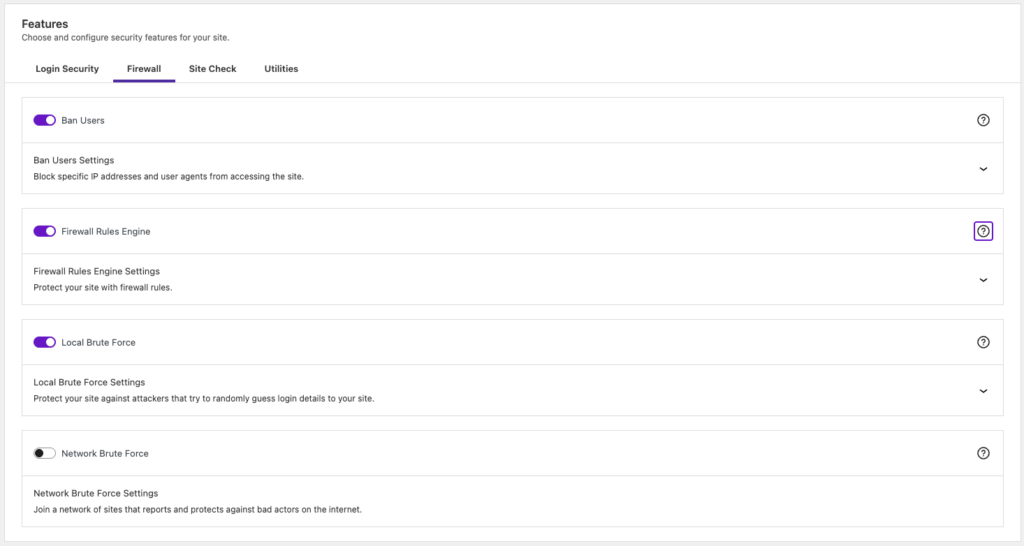
Additionally, Solid Security integrated with Patchstack to provide virtual patching for their premium tiers. This feature blocks exploits for vulnerabilities once they are discovered by security researchers.
🔥 Remember, virtual patching is a reactive measure. A vulnerability may exist long before it is officially reported, and be exploited by hackers in that time. It is better to have proactive protection that stops exploits regardless of whether a vulnerability is known.
Sucuri provides a cloud-based web application firewall. This firewall sits between your website and the internet. It filters out bad traffic, such as brute force attacks and SQL injections, before they hit your server. You must change your DNS records to point to Sucuri to enable this protection. This setup is more complex but it also provides a CDN to speed up your site.
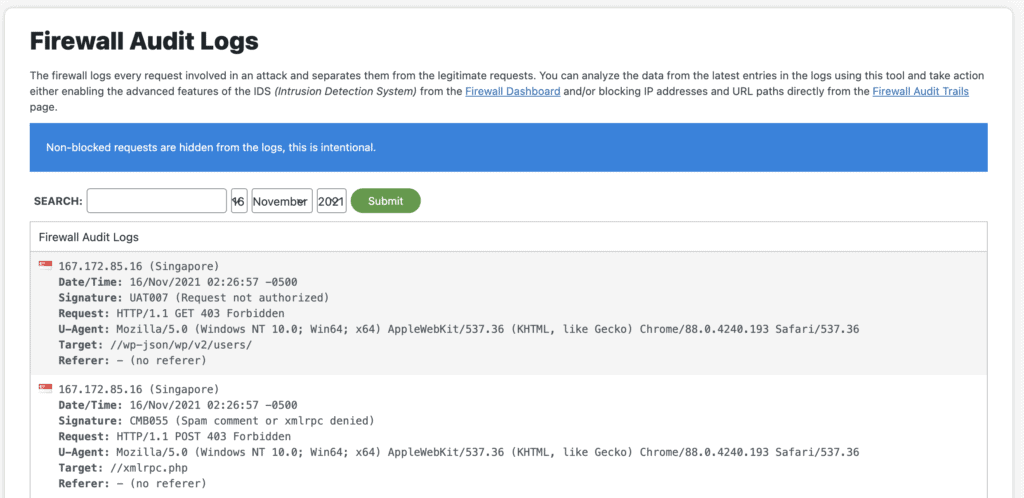
In our tests, the Sucuri firewall was effective but difficult to configure. It required a significant amount of time to set up correctly.
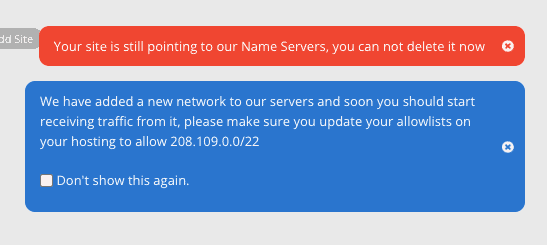
The Solid Security and Patchstack integration is easier to use but it only protects against known software flaws. It does not offer the same level of traffic filtering as a cloud-based firewall.
Vulnerability detection
⚙️ Sucuri detected most of the vulnerabilities on our website, except the most obscure ones. Solid Security had similar results.
Vulnerability scanning identifies known weak points in your website code that hackers could exploit. Solid Security and Sucuri both include this feature, but they gather their data from different sources.
Solid Security uses the Patchstack database to power its vulnerability scanner. It checks your installed themes and plugins against a list of known security flaws. If a vulnerability is found, the plugin alerts you so you can update the software. This is a vital feature because most WordPress hacks occur through outdated or insecure plugins. However, this scanner only looks for known issues that have already been reported by researchers.
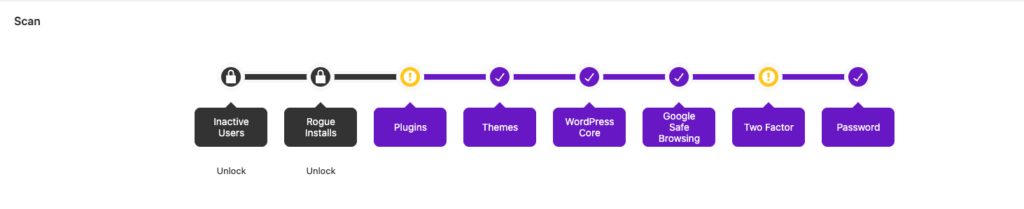
Sucuri also scans for vulnerabilities as part of its SiteCheck service. It checks your WordPress version and your active plugins for public security risks. Sucuri provides a report that shows if your software is out of date or contains known bugs.
Both tools are useful for maintaining basic site hygiene. They help you stay informed about the security status of your third-party software. Neither tool can identify a zero-day vulnerability that has not yet been documented.
You must rely on other security layers, such as a firewall or a malware scanner, to protect against undiscovered threats.
Login security
⚙️ Sucuri is supposed to block brute force attacks and alert you, but doesn’t do either. Solid Security is inconsistent; sometimes does, sometimes doesn’t. The two-factor authentication feature in both is pretty good.
Login security is one of the strongest features in Solid Security. The plugin provides several tools to protect the entry points of your website.
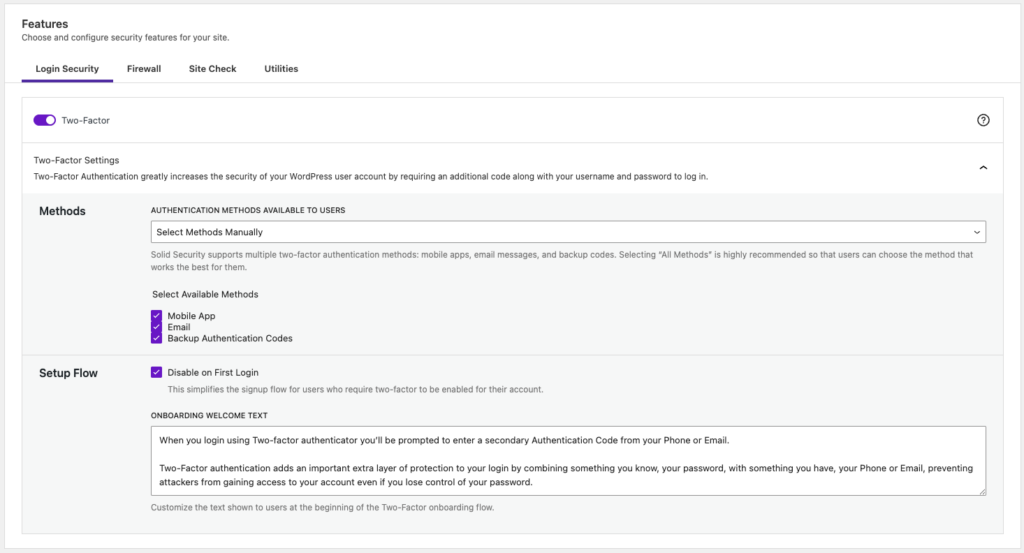
It includes a robust two-factor authentication system that supports mobile apps and email codes. Solid Security also allows you to enforce strong passwords and set up passkeys for your users. You can enable reCAPTCHA on your login page to block automated bots. These features are effective for stopping brute force attacks where hackers try to guess your credentials.
Sucuri also provides login security but handles it differently. It offers two-factor authentication for your Sucuri account dashboard rather than the WordPress site itself. To protect your WordPress login page, you must rely on the Sucuri firewall. The firewall blocks brute force attacks by filtering malicious traffic at the DNS level. This prevents failed login attempts from even reaching your server.
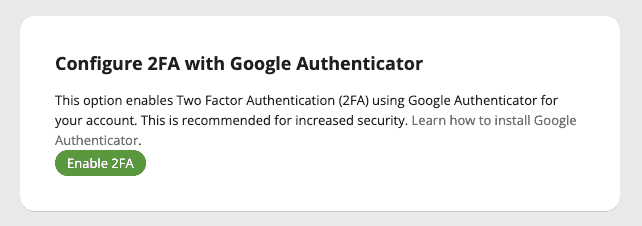
Solid Security is more practical for managing individual user access directly within WordPress. It gives you granular control over how each user role logs into the site. Sucuri is better for preventing high volumes of brute force bot traffic from hitting your login page at all.

You should note that some Solid Security features, like passwordless login, can sometimes bypass the strict requirements of two-factor authentication.
After seeing all the settings for lockouts, we were a little apprehensive about being locked out of the site. We had turned off MalCare, so that MalCare’s login protection didn’t block the attempt. However, nothing happened. We tried 40+ incorrect logins in 3 minutes, and yet Sucuri didn’t raise an alert. Checked the audit logs and the failed authentication shows up all right. But, no alerts. No lockouts. Nothing.
Activity log
⚙️ Solid Security has an incomplete activity log feature. Sucuri has a good one, but can be obscure.
An activity log tracks every change on your website so you can identify suspicious behaviour. Solid Security and Sucuri both offer logging, but the level of detail varies significantly.
The Solid Security activity log tracks user logins, version updates, and site scans. It also records blocked brute force attempts; albeit not consistently.
However, the log is incomplete because it does not track changes to plugins or themes. You cannot see if a user has installed a new plugin or modified a theme file. Solid Security sends a separate file change report via email, but this is not integrated into the main log. This lack of detail makes it difficult to reconstruct the events leading up to a hack.
Sucuri provides a more comprehensive feature called Audit Logs. It records actions taken by users, plugins, and themes. You must use an API key to store these logs on Sucuri servers. This offsite storage prevents a hacker from deleting the logs to hide their tracks. While the data is thorough, the entries are often difficult to understand. For example, activating a plugin may trigger several technical log entries without explaining what changed on the site. You may see that a file was modified but not why that change occurred.
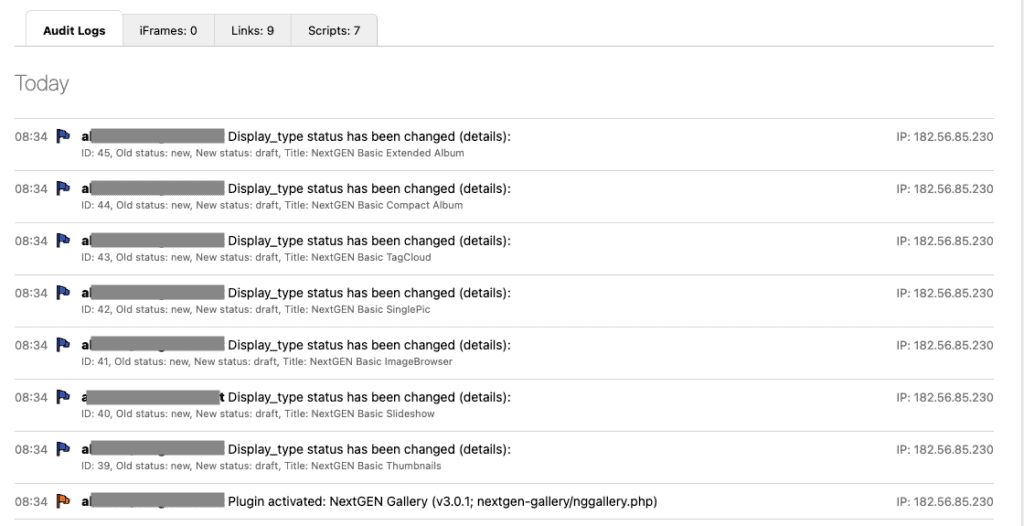
Hackers take advantage of insufficient logging to attack sites, and so you should hold out for a reliable log that you can trust to share correct information about your website. If you cannot see exactly what happened on your site, you cannot effectively block future attacks. Solid Security lacks the depth needed for a full audit. Sucuri provides the data but requires technical expertise to interpret the results.
Performance impact
⚙️ Solid Security will not drain your server resources at all, because it does very little. Sucuri will cripple your website performance with its scans.
WordPress security should not slow your website to a crawl or increase your hosting costs. Solid Security and Sucuri have very different impacts on your server resources.
Solid Security does not drain your server resources. This is largely because the plugin does not perform intensive tasks like malware scanning or deep file analysis. Since it primarily manages settings and checks Google’s blacklist, the impact on your site speed is minimal. It is a lightweight choice for basic hardening, but this low resource usage is a direct result of its limited security features.
Sucuri has a significant impact on server performance. The plugin explicitly uses your own server resources to run its malware scanner. During our tests, we saw a large spike in CPU usage as soon as a scan began.
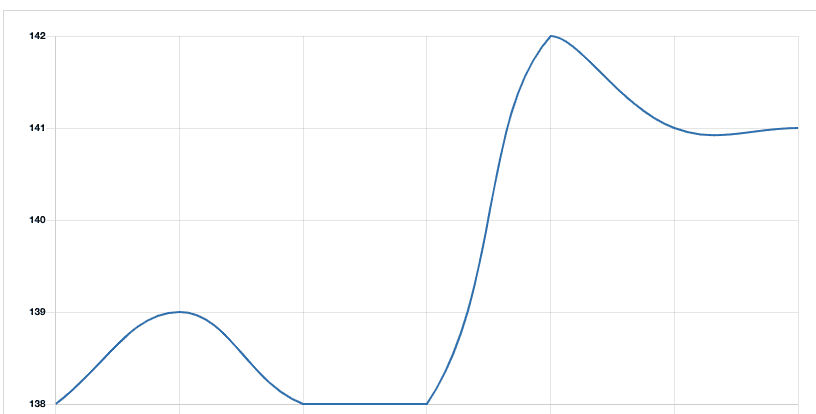
Sucuri even warns users against running scans too frequently for this reason. This creates a difficult choice between keeping your site secure and keeping it fast. On a large website with a lot of data, these scans could cause your site to crash or lead to higher hosting fees.
We also found that Sucuri stores a large amount of data on your website by default. This includes audit logs which are saved in the public uploads folder. You must manually change the settings to move this data to a private folder. Solid Security is much easier on your server, but Sucuri’s performance cost is the price of having more active security features on-site.
Alerts
⚙️ Solid Security doesn’t alert you for anything. Sucuri does, but you need to be careful about what alerts you want to receive. Your inbox could fill up in hours.
Security alerts are only useful if they provide actionable information. Solid Security and Sucuri both provide notification systems, but both can easily overwhelm your inbox with technical noise.
Solid Security sends regular emails regarding file changes, WordPress database backups, and configuration updates. You can also subscribe to a daily security digest and a weekly vulnerability report. While these updates confirm the plugin is active, they do not signal a security emergency. If you manage multiple websites, the volume of emails can quickly become unmanageable. Many of these alerts are merely status reports rather than critical warnings.
Sucuri offers highly granular alert settings. You can customise who receives notifications and choose the format of the emails. You can also exclude specific IP address ranges from triggering alerts. However, the system is prone to sending a high volume of false positives. Sucuri includes a setting to limit the number of emails to a maximum amount per hour. This is a risky feature because you might miss a real attack if the limit is reached by less important notifications.
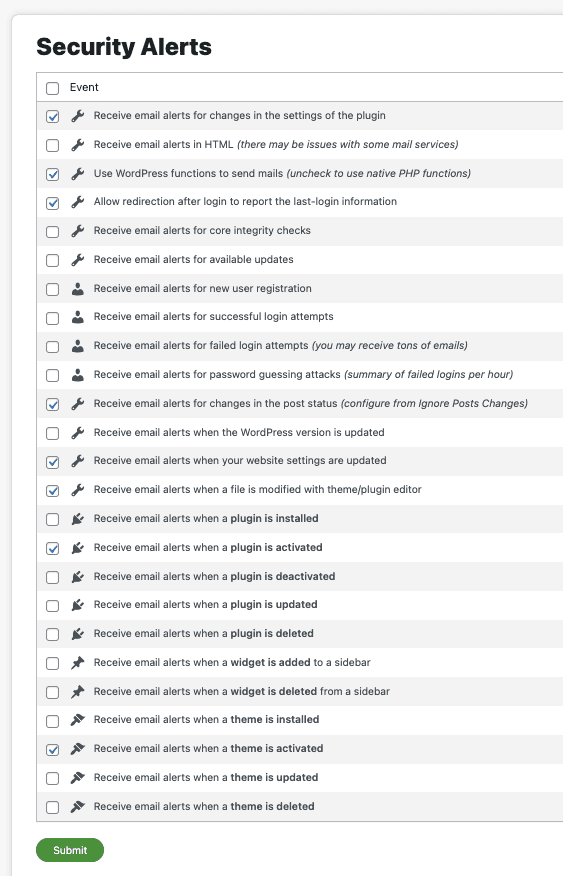
Both plugins struggle to distinguish between routine site activity and genuine threats. Sucuri requires significant configuration to reduce noise, while Solid Security focuses more on reporting administrative tasks. In both cases, the user must sort through many notifications to find information that actually requires attention.
Pricing
Solid Security and Sucuri follow different pricing models based on the level of protection they provide. Solid Security is generally the more affordable option, while Sucuri is positioned as a premium service.
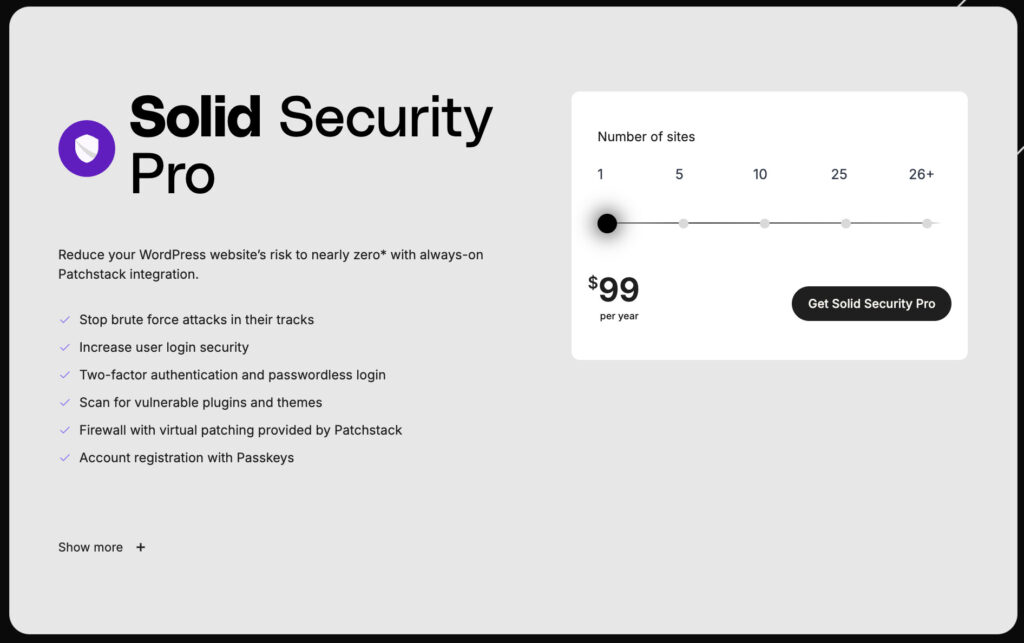
Solid Security offers a free version with basic hardening features. The paid version, Solid Security Pro, starts at $99 per year for a single site. Higher tiers are available for agencies managing multiple websites. This price includes features like two-factor authentication, version management, and the Patchstack integration for virtual patching. It is important to remember that this cost does not include malware removal or a cloud-based firewall.
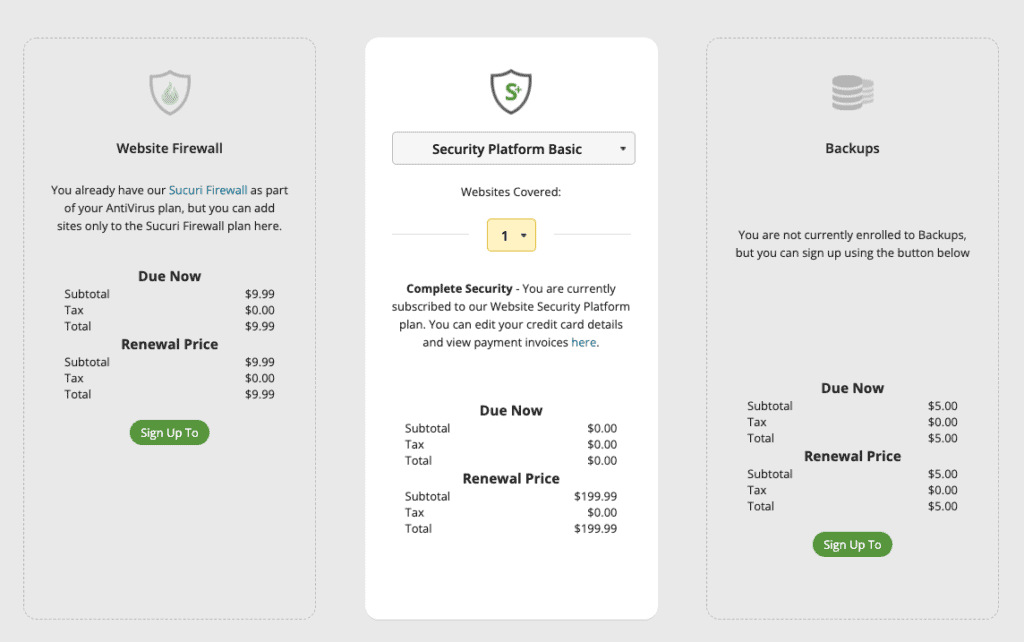
Sucuri does not offer a free plugin for full protection. Their paid plans start at $199.99 per year for the Basic platform. This price includes a cloud-based firewall and unlimited malware removal by their security team. More expensive plans, such as the Pro ($299.99) and Business ($499.99) tiers, offer faster response times for malware cleanup and more frequent scans. While the initial cost is higher than Solid Security, it covers the professional labour required to fix a hacked site.
Both plugins require an annual commitment. Solid Security is a cost-effective choice for those who only need login protection and vulnerability alerts. Sucuri is a more expensive but comprehensive insurance policy that covers both prevention and recovery.
Sucuri’s pricing is a steal for a malware removal service, but the fly in the ointment is the scanner. If you don’t know you have malware, you can’t submit a request for removal.
What is missing from Solid Security and Sucuri
Both Solid Security and Sucuri have significant gaps that leave your website vulnerable to attack. Understanding these missing features is essential for building a complete security strategy.
Solid Security does not have its own web application firewall. A firewall is the first line of defence against bot attacks and malicious traffic. Without one, your site relies entirely on local rules to block exploits. This is a serious weakness for your WordPress security.
While Solid Security can alert you to vulnerabilities, it lacks the proactive barrier needed to stop many types of attacks before they reach your server.
Sucuri has a major deficiency in its malware detection. The scanner is not adequate for finding complex or hidden infections. Our tests showed that the scanner often fails to flag malware even when a site is clearly compromised. This means you may have to guess that your website is hacked before you can request a cleanup. Even though the manual removal service is effective, it is only helpful if you already know there is a problem.
Better alternative to both: MalCare
A complete security strategy requires a plugin that can scan, clean, and protect your website without interruption.
MalCare Security is the most effective option for WordPress users who need reliable protection. It outperforms Solid Security in every category and provides more accurate malware detection than Sucuri.
MalCare includes an automatic malware removal feature that works instantly. Unlike Sucuri, which requires you to wait hours for a manual cleanup, MalCare can fix an infected site in minutes.
The MalCare scanner is cloud-based, so it does not drain your server resources or slow down your website. It uses over 100 signals to identify malware that other scanners miss. You also get a dedicated WordPress firewall that blocks malicious traffic proactively. By choosing MalCare, you get a single tool that handles detection, removal, and prevention without the technical gaps found in Solid Security or Sucuri.
Conclusion
Choosing between Solid Security and Sucuri depends on whether you prioritise dashboard hardening or incident response. Solid Security is a useful secondary tool for locking down your admin area, but it cannot be your only line of defence because it cannot detect or remove infections. Sucuri provides the necessary cleanup services, but its high price and slow response times are significant drawbacks for business-critical websites.
For most WordPress owners, MalCare provides a more balanced and effective solution. It fills the gaps left by both plugins by offering a cloud-based scanner that does not slow down your site, an integrated firewall, and an instant automated removal tool. By choosing a service that combines high-accuracy detection with immediate recovery, you ensure your website remains secure without the technical limitations of traditional security plugins.