
Creating strong and secure passwords feels impossible. Data breaches are always making headlines, and you’re just trying to remember a hundred different logins. It’s a mess.
You know you need a password manager, but paying for one without a test drive feels like a big leap of faith.
That is exactly why we did the research for you. We sorted through the noise to find the best free password managers that actually deliver.
Bitwarden is our top choice for the best free password manager because it offers unlimited passwords and device syncing without any real catches. While Proton Pass is a close second for privacy, choosing any reputable manager from this list is a huge win for your online security.
Our picks for the best free password managers
We tested free password managers for security and privacy, and our top picks all use a zero-knowledge model. The three that stand out are Bitwarden, Proton Pass, and NordPass.
📢 Note: Your website’s security is just as important as your personal passwords. A breach there can affect thousands of users.
| Feature | Bitwarden | Proton Pass | NordPass |
|---|---|---|---|
| Best For | Total Value | Privacy Focus | Ease of Use |
| Device Limit | Unlimited | Unlimited | 1 Device (at a time) |
| Security | Open-source | Open-source (Swiss) | XChaCha20 |
| Free Bonus | 1-to-1 Sharing | 10 Email Aliases | Recovery Codes |
Here’s a quick reality check. The best way to see why these password managers are so critical is to look at our own habits. Review the passwords you rely on, replace weak or reused ones, and use a password manager’s built-in generator to create a unique password for every account.
Never paste a real password into an unfamiliar online tester. Generate and assess passwords inside a trusted password manager so the analysis stays on your device.
1. Bitwarden

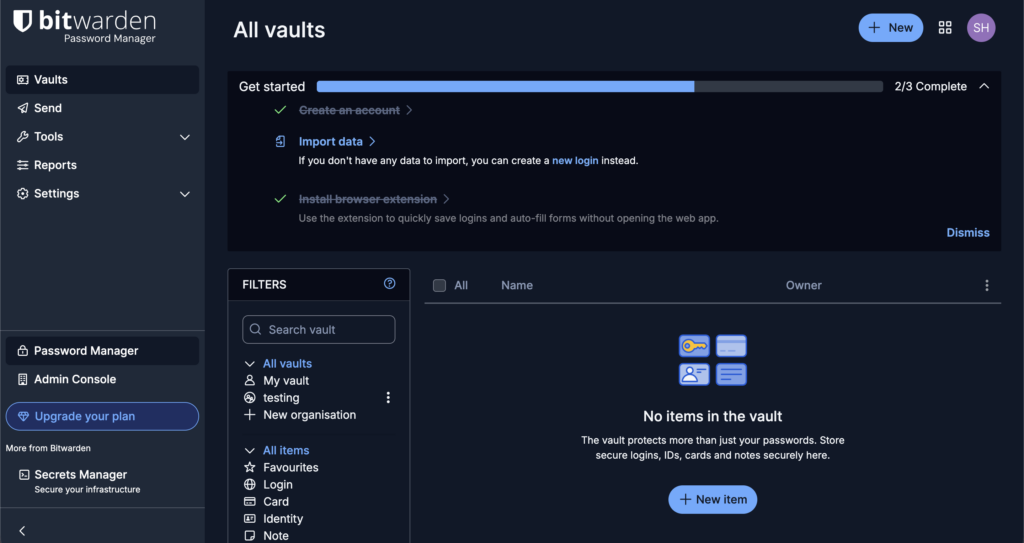
⚖️ Verdict: Bitwarden is the best overall free password manager you can get. Period. It offers unbeatable value with no limits on passwords or devices. It is the perfect choice for anyone who wants full functionality without paying a dime.
Bitwarden is open-source software. This is critical because it allows security experts worldwide to constantly audit its code for flaws. This isn’t just about trust; it’s about verifiable security. The free plan gives you unlimited passwords on unlimited devices.
📔 Note: Auditing security on your WordPress site is critical. Regular checks can uncover vulnerabilities in plugins and themes.
You can also securely share information with one other person for free. Its interface is very functional. It prioritizes security over a sleek design, which in our experience, is the right call for a security tool.
| Pros | Cons |
|---|---|
| Unlimited syncing on phone, tablet, and PC. | Interface looks dated with a learning curve. |
| Open-source code for full transparency. | Autofill can be inconsistent on websites. |
| Free secure sharing for two users included. | Premium upgrade needed for advanced features. |
Pricing
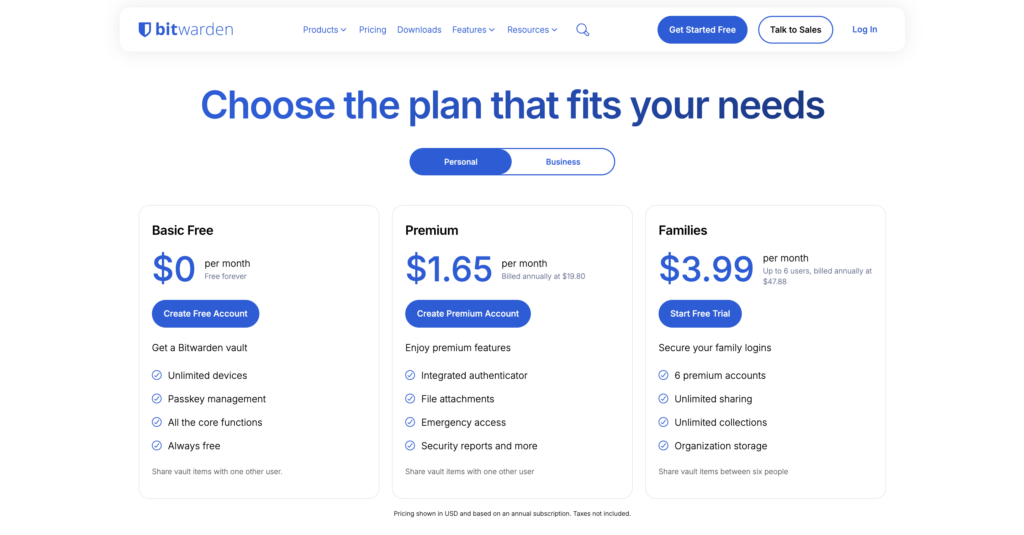
- Free tier: Unlimited passwords, unlimited devices, and one-to-one sharing.
- Premium: About $19.80 per year for a 2FA authenticator and health reports.
- Family plan: About $47.88 per year for up to six users.
2. Proton Pass
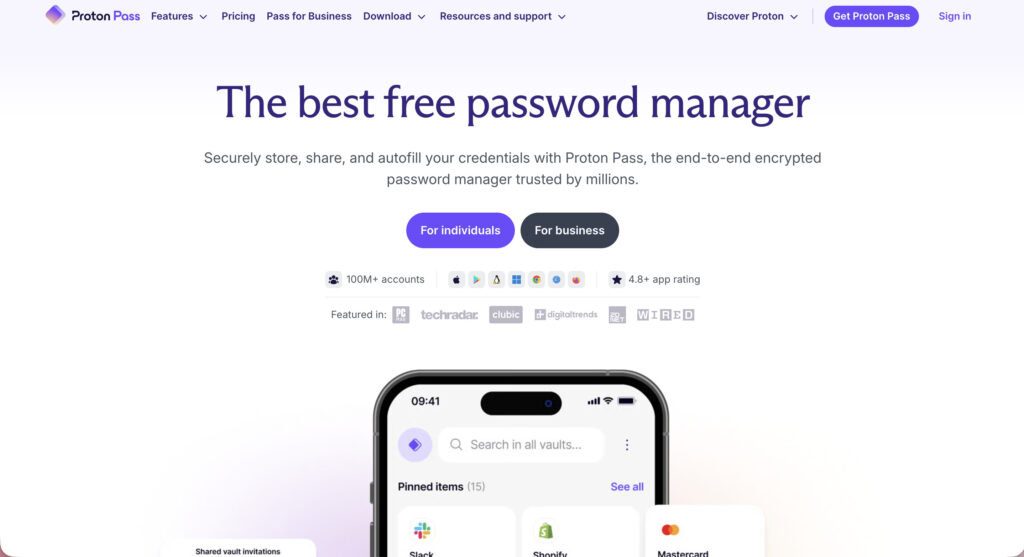
⚖️ Verdict: This is the best free manager for anyone focused on privacy. Proton Pass stands out by including integrated “hide-my-email” aliases. It also offers unlimited passwords and devices on its free plan.
Proton Pass is built by the team behind Proton Mail and VPN. The company is based in Switzerland. This is significant because it means your data is protected by some of the world’s strongest privacy laws and is not subject to US or EU data requests.
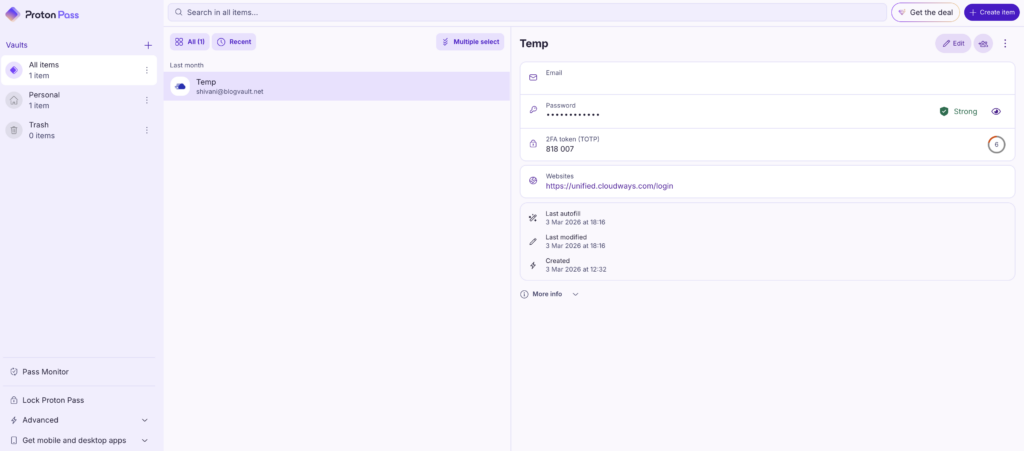
The free plan includes 10 email aliases you can use when signing up for websites. This protects your real email address from spam and data breaches. The software is fully open-source. As a newer product, its feature set is still evolving.
| Pros | Cons |
|---|---|
| Unlimited devices and passwords for free. | Premium plan is pricier than some competitors. |
| Ten free email aliases protect your identity. | Lacks advanced features like emergency access. |
| Open-source and follows Swiss privacy laws. | 2FA authenticator is for paid plan only. |
Pricing
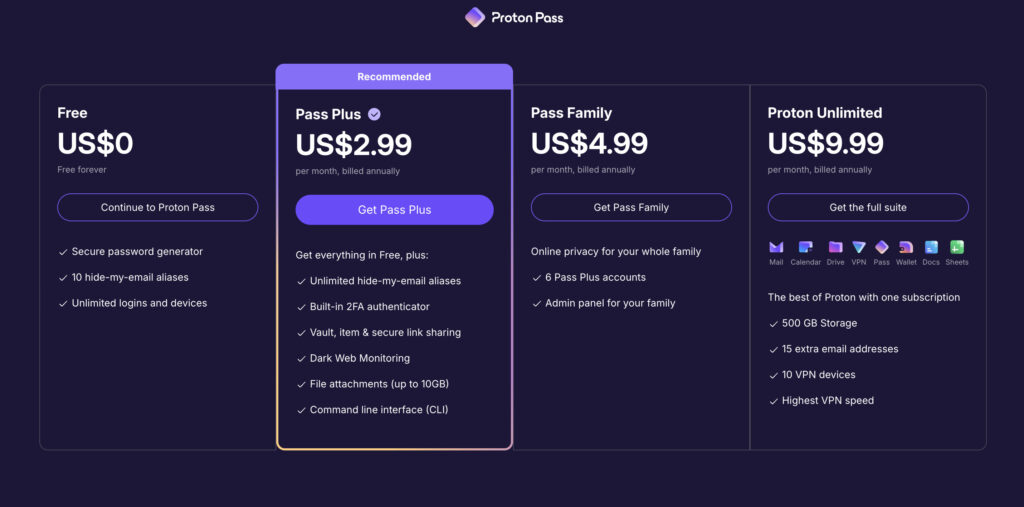
- Free tier: Unlimited devices and logins, plus 10 email aliases.
- Pass Plus: About $35.88 per year for unlimited aliases, a 2FA authenticator, and 10GB of storage.
📔 Note: You’ll often see the terms 2FA and MFA used interchangeably. Technically, 2FA is one type of Multi-Factor Authentication (MFA), but they both serve the same vital purpose of adding an extra security layer.
- Pass Family: 6 Pass Plus accounts for about $59.88 every year.
- Proton Unlimited: You get around 500 GB of storage, more email addresses and VPN devices, and more for about $119.88 for every year.
3. NordPass
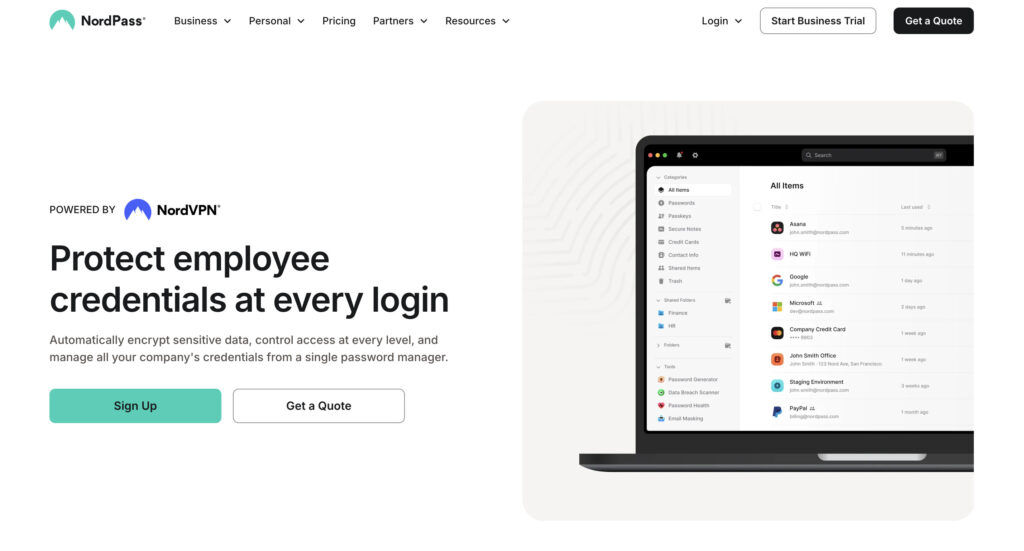
⚖️ Verdict: NordPass is one of our top choices for anyone who wants a simple, modern design. It feels great to use. The free plan is excellent, but there’s a big catch. It only lets you use one device at a time.
NordPass focuses on a clean and intuitive experience. It uses next-generation XChaCha20 encryption. Many newer security tools are adopting this standard. It’s extremely fast and resistant to certain types of attacks, like the brute-force attacks that constantly target WordPress sites.
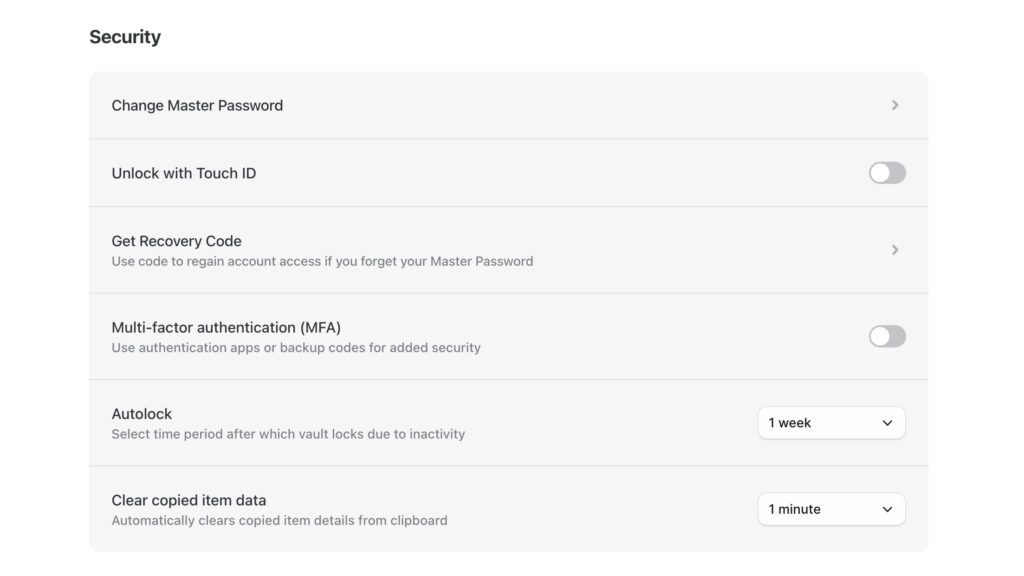
A great feature is that it provides recovery codes. If you ever forget your master password, these codes can get you back into your account. One small detail we noticed is that it lacks an indicator to show you how strong your master password is.
| Pros | Cons |
|---|---|
| Modern, user-friendly interface in all apps. | Free plan restricts to one device at a time. |
| Uses fast, modern XChaCha20 encryption. | Free version lacks a data breach scanner. |
| Recovery codes available for master password. | Autofill can be buggy, needing manual input sometimes. |
Pricing
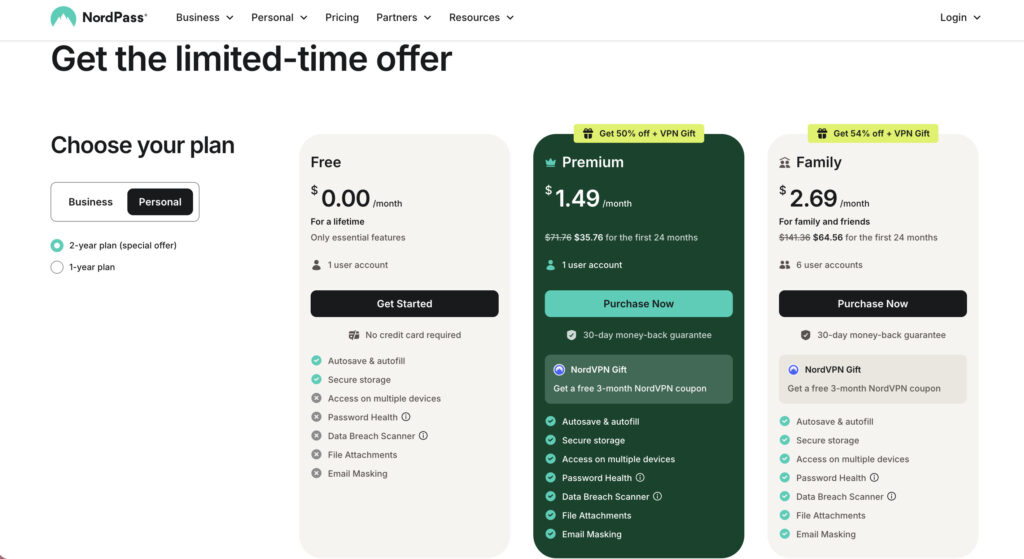
- Free tier: Unlimited passwords, but only one active device at a time.
- Premium: About $35 per year for multi-device sync and a breach scanner.
- Family plan: About $60 per year for up to six users.
4. Keeper

⚖️ Verdict: Keeper offers enterprise-grade security, but its free plan is extremely limited. It functions more like a free trial than a usable service. We only recommend it if you plan to upgrade or need to store a few passwords on a single phone.
Keeper is known for its robust security architecture and certifications like SOC 2, a key trust indicator for businesses. If you’ve ever wondered whether password managers are secure, Keeper’s track record provides a compelling answer. It has a flawless history with no data breaches.
It’s important to understand that this level of security is the main selling point, and the free plan reflects that. Keeper’s free offering isn’t a standalone service; it’s what remains after their 30-day free trial of the paid version ends.

After the trial, you can still access your data, but the plan is restricted to that one mobile device only. It also caps your storage at just 10 passwords. Furthermore, support is limited to online FAQs and user guides; you won’t get access to live chat, email, or phone assistance without upgrading.
Powerful features like secure sharing are reserved for the paid plans. One interesting feature is its one-time share, which lets you send a login to a non-user through a secure link.
| Pros | Cons |
|---|---|
| Industry-leading security with public audits. | Free plan limited to one mobile device. |
| Strong 24/7 live customer support available. | Dark web monitoring costs extra, increasing expense. |
| Unique and useful one-time share feature. | More expensive than competitors with more inclusive plans. |
Pricing

- Business Starter: Starts at $2 per user/month (billed annually) for small teams (5–10 users), providing each person an encrypted vault and an admin console for management.
- Business: Starts at $4 per user/month (billed annually) and adds shared team folders and, notably, a free Keeper Family Plan for every single user.
- Enterprise: Starts at $6 per user/month (billed annually) for large organizations needing advanced features like single sign-on (SSO) integration, role-based access control, and developer APIs.
5. RoboForm

⚖️ Verdict: RoboForm is a veteran in this space and is best known for its advanced form-filling. The free plan is solid, but it does not include cross-device synchronization. It is only ideal for desktop users who frequently fill out long web forms.
RoboForm excels at auto-filling complex forms. It can intelligently handle multi-page checkouts or applications that trip up most other managers. It uses strong AES-256 encryption with a zero-knowledge model.

The free version is effectively for a single device only. If you save a password on your computer, it will not appear on your phone. Its interface also feels somewhat dated compared to newer rivals.
| Pros | Cons |
|---|---|
| Outstanding capabilities for filling detailed forms. | Free plan lacks syncing between devices. |
| Strong security with regular third-party audits. | User interface is less modern and intuitive. |
| Affordable paid plans for individuals and families. | Mobile app experience less refined than desktop version. |
Pricing

- Free tier: Unlimited passwords on a single device.
- Premium: About $29.88 per year for multi-device sync and 2FA.
- Family: About $47.75 per year for five users.
Warnings and considerations
Choosing a free tool requires you to be a little more careful. Here are the most important things to keep in mind.
- Look for the catch. Many “free” plans have a key restriction, usually a device limit, to encourage you to upgrade later.
- A note on LastPass & Dashlane. We didn’t list these popular options because their free plans have become too restrictive. LastPass limits you to one device type, and Dashlane caps you at just 25 passwords.
- Browser managers are less secure. The password manager built into Chrome or Safari is convenient. But it lacks the zero-knowledge security and features of a dedicated tool.
- Your master password is final. If you forget your master password, it is gone forever. The company cannot recover it. Write it down and store it somewhere physically safe.
- Always enable two-factor authentication. This adds a critical layer of security to your password manager account itself.
🔐 Note: Protecting your WordPress site requires the same logic. A good 2FA plugin adds this essential “second lock” to your login page to block unauthorized access.
How to make the right choice
Let’s simplify the decision for you.
- For syncing between your phone and computer, choose Bitwarden or Proton Pass.
- Working primarily on a single device? NordPass or RoboForm are viable options.
- When open-source transparency is your top priority, pick Bitwarden or Proton Pass.
- To hide your email from websites, Proton Pass is the only free tool with this feature.
- For the most polished and modern interface, select NordPass.
- Anyone who requires advanced form-filling for work or shopping should try RoboForm.
When to consider a paid upgrade
You might be perfectly happy with a free plan. But it is time to consider paying when:
- Securely sharing passwords with family.
- Alerts when your logins are breached.
- An integrated authenticator for 2FA.
- Emergency access for a trusted contact.
- Priority help from customer support.
Parting thoughts
Using any reputable free manager is safer than reusing old passwords, a practice that often leads to a hacked website. Bitwarden provides the most complete free package overall. Start with a free plan to build the password manager habit.
The best manager is the one you will actually use every day. Your online security is worth the initial setup time. Revisit your choice if your needs for sharing or devices grow.
FAQs
Frequently asked questions
Bitwarden is widely considered the best free password manager available. It offers unlimited passwords and syncing across unlimited devices without any cost.
Yes, Bitwarden is a 100% free password manager for all core features. Its free version is fully functional, with optional paid plans for advanced tools.
Yes, Proton Pass is really free to use for its main password management features. The free plan includes unlimited devices, unlimited logins, and 10 email aliases.
LastPass experienced a major security breach in 2022 where customer password vaults were stolen. The encrypted data was protected, but only for users with strong master passwords.
Bitwarden and Keeper are two major password managers that have never reported a successful security breach. They maintain strong security through regular audits and robust encryption.