Understanding web security is a top priority, and a web shell attack is one of the most dangerous ways a hacker can gain total control of your website. It’s like discovering a hidden backdoor that lets criminals steal your data, crash your site, or use it for malicious activities. You’re likely here because you’ve found a suspicious file or noticed your site behaving erratically, and you need clear answers now.
The stakes are high—a web shell can lead to stolen customer information, a blacklisted website, and a complete loss of trust. The immediate solution is to find this hidden threat before it causes more damage. A security scanner like MalCare can instantly detect these malicious backdoors hidden deep within your site’s files.
This article will guide you through exactly what a web shell is, how to find and remove it safely, and the essential steps to prevent hackers from ever getting in again.
Install a security plugin. A web shell attack creates a persistent backdoor for hackers to steal data and control your site. MalCare’s scanner instantly detects these hidden malicious files, and its one-click removal cleans your site completely.
What is a Web Shell Attack?
A web shell attack is when a hacker uploads a malicious script to your website’s server. Think of this script as a hidden remote control. It gives the attacker a web-based interface to issue commands, browse your files, and gain complete administrative control over your site and server.
Understand OWASP Top 10 and you’ll realise that web shell attacks are very dangerous because of the extent of damage it can cause. Unlike other malware that might perform a single action like stealing data, a web shell is a tool for persistent access. It creates a website backdoor that allows the attacker to return whenever they want, making it a severe and ongoing security threat.
For WordPress websites, these malicious scripts are almost always written in PHP, the same language that powers WordPress itself. However, web shells can also be written in other server-side languages like ASP or JSP, depending on the server’s technology.
How Do Hackers Upload Web Shells to a WordPress Site?
Security issues in WordPress are rampant and hackers are getting smarter at finding vulnerabilities. While hackers can’t just place a web shell on your server; they can easily find a security hole to exploit. For WordPress sites, this typically happens in one of three ways.
- Attackers Exploit Outdated Plugins and Themes An attacker’s primary target is often a website running outdated software. They know that an old plugin or theme is likely to contain known security flaws, especially those with file upload functions. The attacker exploits these vulnerabilities to upload a malicious PHP script disguised as a harmless file, creating an immediate backdoor into the system.
- They Leverage Code Injection to Create a Backdoor If a site’s plugins are up-to-date, attackers will search for other code injection vulnerabilities like SQL Injection (SQLi) or Local File Inclusion (LFI). Using an SQLi flaw, an attacker can send commands to the website’s database, forcing it to write a web shell file directly onto the server. An LFI vulnerability allows them to make the server execute a malicious script they host elsewhere, giving them instant control.
- They Steal Credentials to Gain Direct Access Often, the most straightforward method for an attacker is to simply steal the administrator’s credentials. If you don’t already prevent brute-force attacks or educate your users about phishing attacks, they can obtain a valid username and password. Once they have access, they can log into the WordPress dashboard or FTP and manually upload their web shell, bypassing many security defenses.

How to Detect a Web Shell on Your WordPress Site
Finding a web shell can be difficult because they are designed to stay hidden. Attackers often disguise them with innocent-looking names or bury them deep within your website’s directories. However, you can use a combination of automated tools and manual checks to uncover them.
Option 1: Use a WordPress Security Scanner
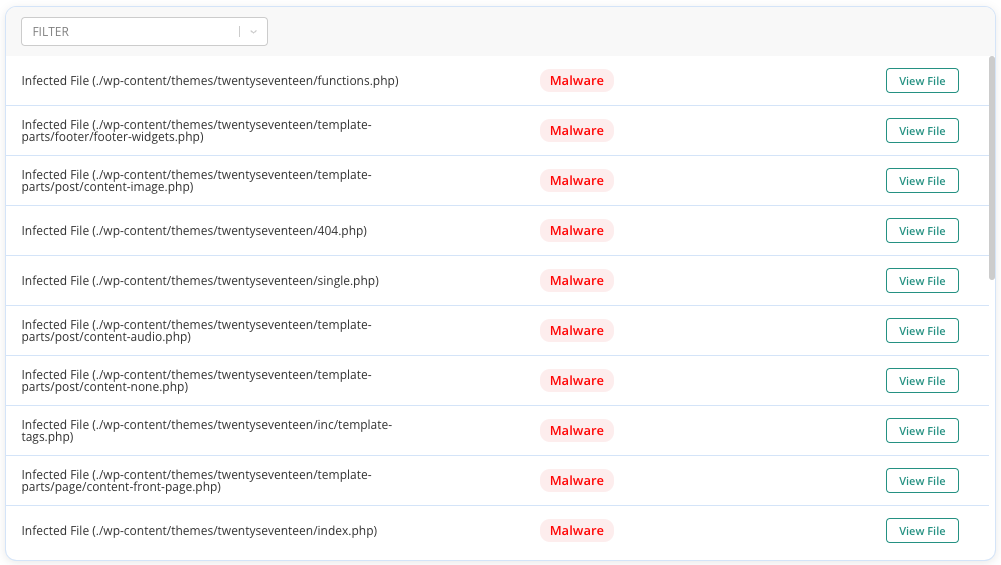
Using a malware scanner is the best way to identify a web shell attack. These tools are built to find what humans can easily miss. A powerful scanner like MalCare doesn’t just look for suspicious file names; it intelligently scans the content of every single file on your site.
MalCare compares your files against a vast library of known malware signatures and analyzes code behavior, It’s able to identify new or modified threats because it understands how web shells are structured. It can pinpoint the malicious code even if the hacker has tried to obfuscate it. This automated process is the most effective first step in identifying an infection.
Option 2: Manual Detection Techniques
If you suspect it and need to fix a hacked website manually, there are several red flags you can look for. These methods require careful attention to detail but can help confirm a suspected infection.
- Check for recently modified files: Hackers must upload or create a new file to install a web shell. Use your hosting file manager or an FTP client to sort files by their “Last Modified” date. Pay close attention to the /wp-content/uploads/ and /wp-includes/ directories, as these are common hiding spots.
- Look for files with suspicious names: While attackers can name a shell anything, they often use common or suggestive names like cmd.php, wso.php, b374k.php, or shell.php. Be suspicious of any .php file located in a directory where it shouldn’t be, such as your image uploads folder.
- Monitor for high server resource usage: An active web shell can cause sudden spikes in your server’s CPU or memory usage as the attacker executes commands. If you notice your site slowing down or see resource warnings in your hosting control panel, it could be a sign of malicious activity.
Option 3: Reviewing Server Access Logs
Inspecting WordPress logs are a technical but powerful tool for detection. The server logs, for example, records every request made to your website, and a web shell leaves a distinct footprint. Look for a large number of POST requests to an unusual or unfamiliar .php file. An attacker interacting with their web shell sends commands via POST requests, so seeing repeated activity aimed at a single, non-standard file is a strong indicator that you have found the web shell’s location.
How to Remove a Web Shell and Recover Your Site
Once you’ve detected a web shell, you must act quickly to remove it and secure your website. Simply deleting the file is often not enough, as the hacker can re-upload it if the original vulnerability isn’t fixed. Follow these steps for a thorough cleanup.
Step 1: Isolate and Take the Site Offline
Before you do anything else, take your site offline. This immediately cuts off the attacker’s access and prevents them from doing more damage, stealing more data, or interfering with your cleanup efforts. The easiest way to do this is by using a maintenance mode plugin to display a simple “under construction” page to your visitors.
Step 2: Identify and Clean the Malware
With the site offline, you can now focus on removing the infection. You have three main options, each with its own pros and cons.
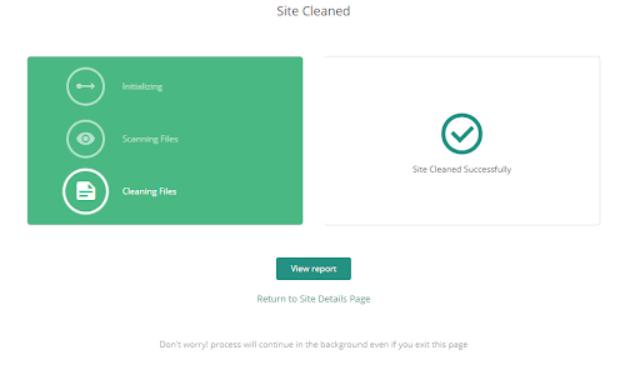
- Use a Security Plugin:Installing a malware cleaner like MalCare offers a one-click removal feature that safely and completely removes all traces of the web shell and other malware. It not only deletes the malicious files but also cleans the infected code from your database and legitimate files, which is nearly impossible to do manually without breaking your site. This is the fastest, safest, and most thorough option.

- Manually Delete the File: If you are certain you have located the web shell file, you can delete it via your hosting file manager or FTP. However, this method is prone to human error. You might miss hidden backdoors, and you won’t fix the vulnerability that allowed the hacker in. Deleting the wrong file could also crash your entire website.
- Hire an Expert: You can hire a professional security service to clean your malware for you. While effective, this is often the most expensive option and can involve a long wait time. For an urgent issue like a web shell, waiting for an expert to become available can lead to more damage.
Step 3: Scan Your Site Again for Malware
After you believe the site is clean, run another full scan with your security plugin. This final check is crucial to confirm that the web shell and any other backdoors the attacker may have left behind have been completely removed. A clean scan gives you the confidence you need to bring your site back online.
How to Prevent Web Shell Attacks?
Cleaning up a hacked site is a nightmare. A proactive security strategy is the best way to protect your WordPress site from a web shell attack. By closing common entry points and monitoring for suspicious activity, you can stop attackers before they ever gain a foothold.
Here are the essential steps to prevent web shell attacks:
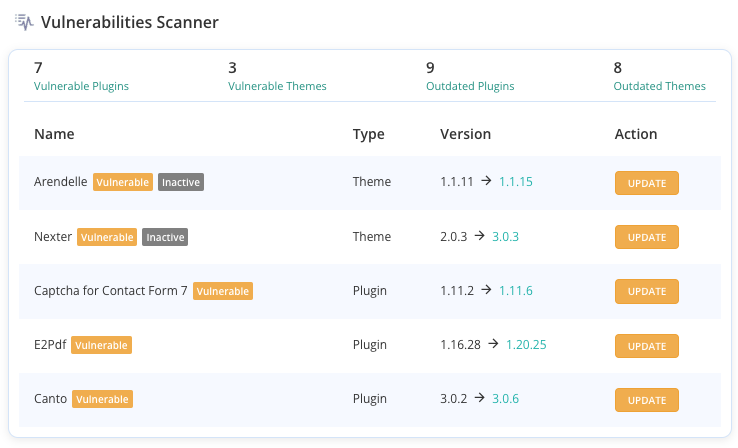
- Keep Everything Updated: This is your most critical defense. Immediately update your WordPress core, plugins, and themes as soon as new versions are released to patch security vulnerabilities.
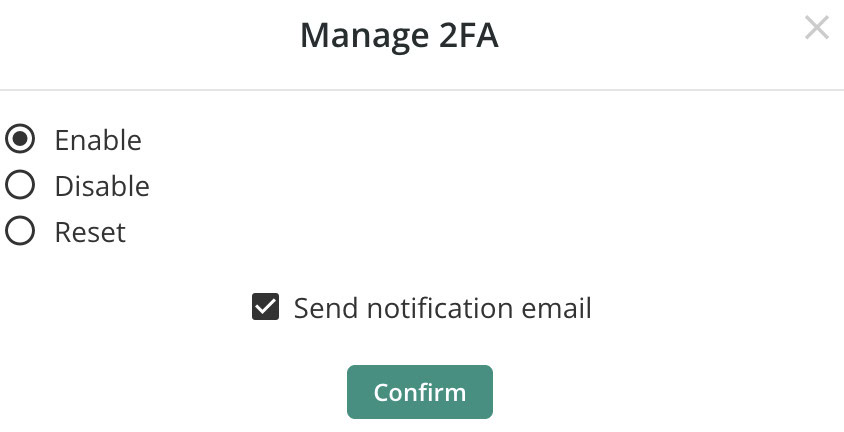
- Implement Strong Access Controls: Don’t give attackers an easy way in. Enforce strong, unique passwords for all users and enable Two-Factor Authentication (2FA) to block unauthorized logins, even if a password is stolen.
- Harden File Uploads:Restrict file upload forms to only accept necessary file types like .jpg or .pdf. This prevents attackers from uploading malicious .php scripts through a legitimate form.
- Use a Web Application Firewall (WAF): A WAF plugin acts as a protective shield, blocking malicious traffic and exploit attempts before they reach your site. MalCare’s integrated WAF is designed to filter out the very requests used to upload web shells.
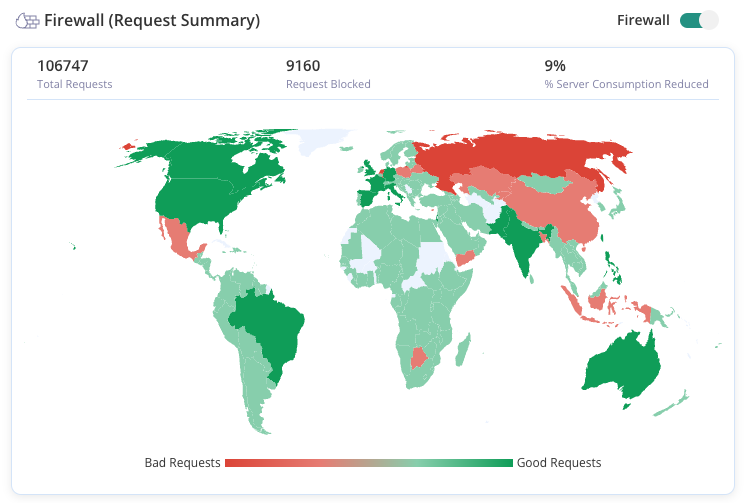
- Schedule Regular Security Scans: Automate daily or weekly scans to detect any threats that might have slipped past your defenses. A good scanner will also monitor file integrity, alerting you instantly if a suspicious file is added or changed.
Final Thoughts
A web shell attack is a severe threat that creates a persistent backdoor, giving an attacker total control of your WordPress site. The consequences are catastrophic: stolen data, blacklisted rankings, and complete server compromise. That’s where MalCare comes in.
Using MalCare provides a complete defense system against web shells. Its deep scanner finds malicious code that other tools miss. The one-click cleaner removes every trace of an infection without risking your data. More importantly, MalCare’s Web Application Firewall (WAF) blocks the vulnerabilities hackers exploit to upload web shells, preventing an attack before it starts. It is the most direct way to clean a current infection and secure your site for the future.
FAQs
Frequently asked questions
A web shell attack occurs when a hacker uploads a malicious script (a “web shell”) to a web server. This script acts as a hidden backdoor, giving the attacker remote control over the server through a web browser. They can then steal data, deface the website, upload more malware, or use the server to launch other attacks.
You can detect web shells in three main ways:
Using a Security Scanner: A plugin like MalCare can automatically scan all your website files for malicious code signatures and behavioral patterns characteristic of a web shell.
Manual Checks: This involves looking for suspicious files (e.g., .php files in your uploads folder), checking for recently modified files, and monitoring for unusual spikes in server resource usage.
Reviewing Server Logs: You can look for repeated POST requests to an unknown or strange-looking file, which is a strong indicator of an attacker interacting with a web shell.
A “web server shell” is another name for a web shell. The term “shell” refers to a user interface for accessing an operating system’s services, like a command-line interface. A web shell provides this “shell” access to an attacker through their web browser, allowing them to execute commands on the server remotely.
Web attacks are a broad category of cyberattacks that target websites, web applications, or web servers. The goal is to compromise the site, steal data, disrupt service, or use the server for malicious purposes. Examples include SQL injection, Cross-Site Scripting (XSS), Denial-of-Service (DoS) attacks, and web shell attacks.