The OWASP Top 10 is the essential list of the most critical security risks you must understand to protect your website. If you’re worried about your site’s security but feel overwhelmed by technical terms, this is your starting point.
Website protection starts with knowing these common vulnerabilities. This guide will simplify each of the OWASP Top 10 risks and explain how they affect you.
OWASP Top 10 is a list of the most critical security risks, covering unauthorized access, data exposure, and software vulnerabilities. Security plugins like MalCare help by automating firewall protection, daily malware scanning, and vulnerability detection.
What is the OWASP Top 10?
The OWASP Top 10 is a globally recognized list of the ten most critical security risks for websites. Created by a non-profit community of security experts, think of it as a “most wanted” list for security threats that helps you protect your site effectively.
This list by OWASP is essential. It provides a clear roadmap, telling you exactly which vulnerabilities to prioritize. By addressing these known threats, you can proactively prevent attacks instead of just reacting to them, which is the gold standard for website security.
Breaking Down the OWASP Top 10 2021 List
The 2021 OWASP Top 10 list is the most current roadmap for website security. It’s not just a technical document; it’s a breakdown of the most common and dangerous ways hackers try to compromise websites. Understanding these risks is the first and most critical step in building a strong defense. Let’s look at each one in simple terms.
-
A01: Broken Access Control: Imagine a hotel where a guest’s key card can open any room, not just their own. That’s Broken Access Control. On a website, this means a logged-in user (like a subscriber) might find a way to access admin-only pages, view other users’ private information, or change settings they shouldn’t have permission to touch. It’s the number one risk because it’s so common and leads directly to data theft.
-
A02: Cryptographic Failures: This happens when sensitive data, like passwords or customer information, isn’t properly protected with encryption. Think of it like sending a secret message written on a postcard instead of in a locked box. If a hacker intercepts it, the data is easy to read. This risk covers data both as it travels over the internet and while it’s stored on your server.
-
A03: Injection: An injection attack, like an SQL injection, tricks a website into running malicious code by hiding it in what looks like normal user input. For example, a hacker might type a piece of harmful code into a search bar or a contact form. If the website isn’t prepared, it might run that code, potentially giving the hacker access to your database or control over your site.
-
A04: Insecure Design: An insecure design might lack proper password recovery processes or not have bot protection, creating vulnerabilities that are baked into the system.
-
A05: Security Misconfiguration: It can be as simple as using default admin usernames and passwords, leaving sensitive files publicly accessible, or showing overly detailed error messages that give hackers clues about your server’s setup.
Expert Advice: Change WordPress passwords as soon as you go live for the first time and very regularly.
-
A06: Vulnerable and Outdated Components: Your website is built with many different pieces of software, like plugins, themes, and libraries. If any of these components are outdated, they can have known security holes that hackers can easily exploit. This is like having a single weak link in an otherwise strong chain.
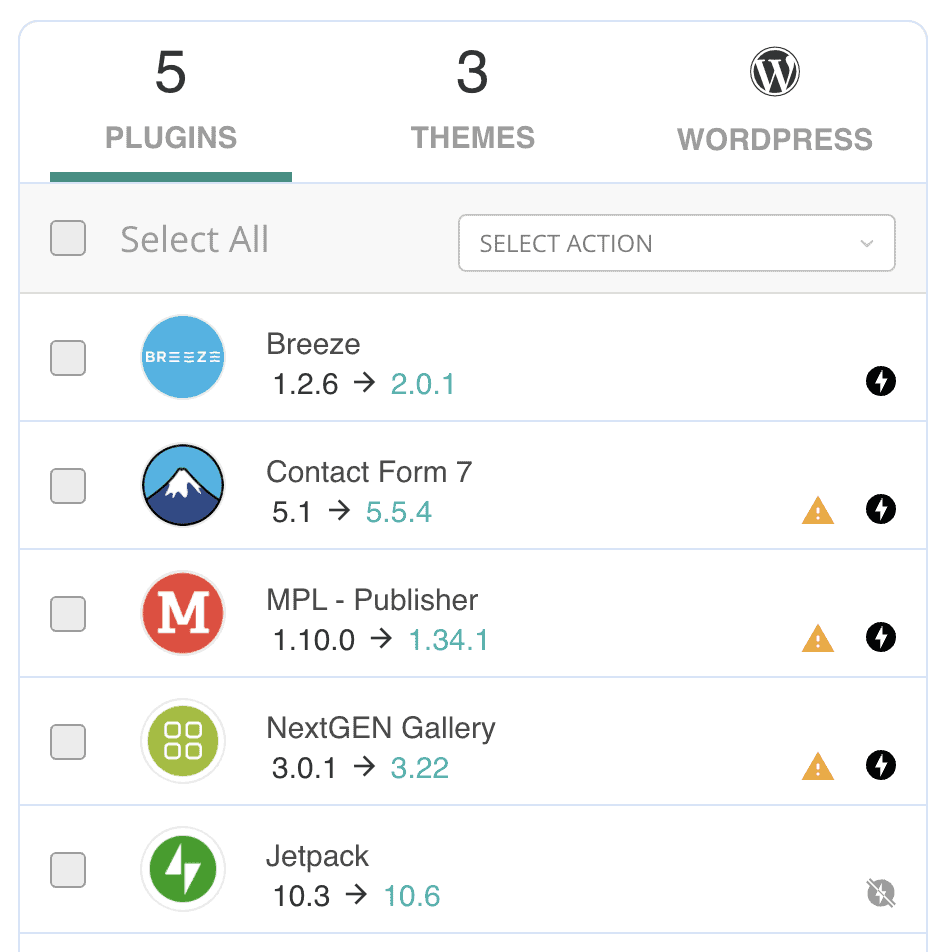
Expert Advice: Use a vulnerability scanner to quickly find vulnerable software.
-
A07: Identification and Authentication Failures: This category covers all the ways logging in can go wrong. It includes allowing weak or easily guessable passwords, not protecting against repeated login attempts (brute-force attacks), and failing to properly manage user sessions, which could allow an attacker to hijack a legitimate user’s account.
-
A08: Software and Data Integrity Failures: This risk involves trusting data or software updates without verifying that they are legitimate. For example, if your site automatically installs an update from an insecure source, a hacker could sneak in malicious code. It’s all about ensuring the software and data your site uses haven’t been tampered with.
-
A09: Security Logging and Monitoring Failures: If you don’t have a security camera and alarm system for your website, you won’t know if someone breaks in or what they did once inside. This vulnerability means there’s insufficient logging of security events, making it difficult to detect a breach, understand the damage, and prevent it from happening again.
Expert Advice: Automatically logout inactive users if you have employees that work from public places or use public networks.
-
A10: Server-Side Request Forgery (SSRF): This is a complex vulnerability where an attacker tricks your website’s server into making a request to a location it shouldn’t. It’s like a con artist tricking your personal assistant into calling a secure internal number and revealing sensitive company information. This can expose internal network resources and data that should be protected.
How to Protect Your WordPress Site from the OWASP Top 10
That was a lot of technical information, and it’s easy to feel overwhelmed. The good news is you don’t need to be a security expert to defend against these threats – just implement a security plugin.
But, here’s a breakdown of specific measures you can take:
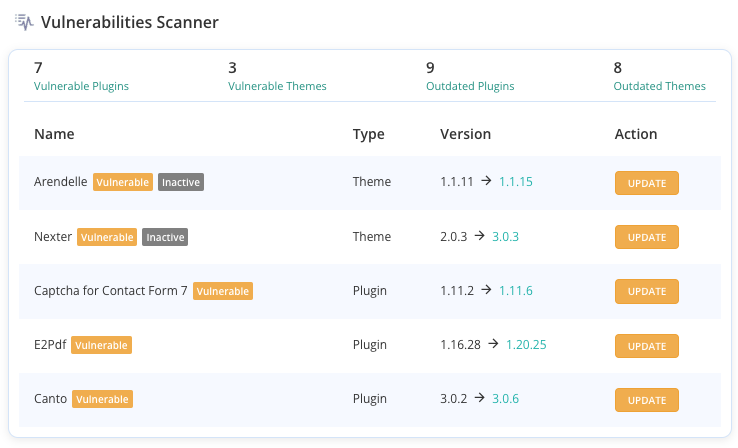
- Maintain a Clean and Updated Website: The foundation of WordPress security is keeping your software current. Regularly update WordPress core, themes, and plugins to ensure any known vulnerabilities are patched. Just as importantly, practice good digital hygiene. Audit your site and remove any unnecessary plugins or themes you aren’t using, as each one is a potential entry point for attackers. Always download software from reputable sources like the official WordPress repository to avoid “nulled” themes or plugins that often come bundled with malware.
- Lock Down Your Login Process: Securing who can access your site is critical. Start by enforcing good login security like strong passwords for all users, especially administrators. Add another powerful layer of security by enabling Multi-Factor Authentication (MFA), which requires a second form of verification to log in.
You should also change the default “admin” username and limit the number of failed login attempts to block brute-force attacks. Finally, follow the “principle of least privilege” by giving users only the permissions they absolutely need to do their jobs.
-
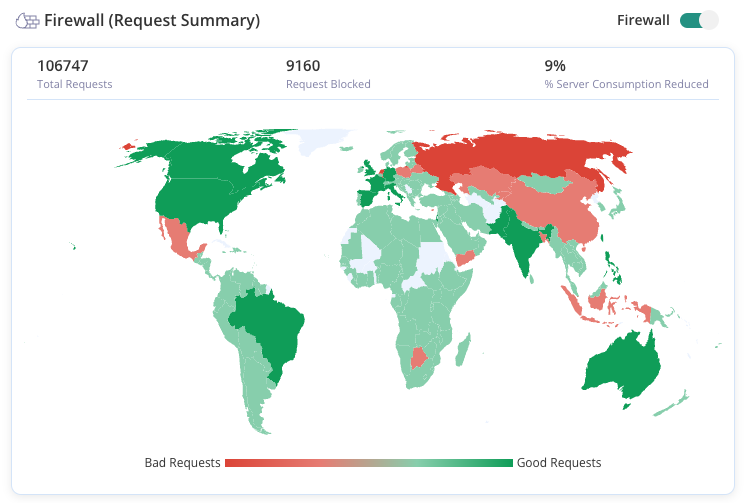
Harden Your WordPress Defenses Beyond users and software, you can add technical layers of defense to your site. A Web Application Firewall(WAF) is one of the most effective tools, acting as a filter that blocks malicious traffic before it ever reaches your website. You should also ensure your site runs on HTTPS by installing an SSL certificate, which encrypts data exchanged between your visitors and your server. For an extra step, you can secure your login page (/wp-admin/) and disable the built-in file editor from the WordPress dashboard to prevent attackers from modifying your code if they gain access.
-
Monitor Your Site and Prepare for the Worst: Implement a backup plugin to schedule automatic backups for your site’s files and database. This ensures that if the worst happens, you can restore a clean version of your site quickly. Additionally, use an activity logging tool to keep a record of all changes and actions on your site. This audit trail is invaluable for spotting suspicious behavior early and investigating a security incident if one occurs.
Final Thoughts
Navigating the OWASP Top 10 can feel like a massive information dump, and it’s easy to get lost in the technical details. But you don’t need to be a security expert to make a real difference. If there’s one key takeaway, it’s this: proactive security is not optional.
Your best defense is a layered approach. By combining essential security practices with a powerful security plugin like Malcare, you can automate your defenses against the most critical threats. Malcare’s firewall and vulnerability scanning are designed to handle these exact risks, giving you a powerful shield so you can focus on running your website with peace of mind.
FAQs
Frequently asked questions
The OWASP Top 10 is a standard awareness document that lists the ten most critical security risks to web applications. It is created by a global community of security experts to help developers and website owners secure their platforms against the most common attacks.
OWASP stands for the Open Worldwide Application Security Project. It is a non-profit foundation dedicated to improving software security.
There is no official “OWASP Top 10 certification” offered by the OWASP organization itself. However, many third-party companies offer training and certifications that teach security professionals how to identify and mitigate the vulnerabilities listed in the OWASP Top 10. These credentials demonstrate a person’s knowledge of these key security principles.
Yes, understanding the OWASP Top 10 is considered a crucial skill for anyone involved in web development or cybersecurity. It means you have the knowledge to recognize common security weaknesses and implement best practices to prevent them. For a website owner, having a basic understanding of these risks is a valuable skill for making informed security decisions.