If you have searched for what are actions and filters in WordPress, you may be looking at a snippet that starts with add_action or add_filter and wondering which one belongs on your site. The names are similar, the examples can look intimidating, and one wrong assumption can leave a change invisible or affect more pages than you expected. If a customization ever produces suspicious behavior, website malware removal is a useful recovery next step.
This guide explains hooks, shows how to choose between an action and a filter, and covers the checks that matter before adding custom PHP to a live site. You do not need to know every hook, but you do need to understand the one you use.
TL;DR: An action gives WordPress a moment to run your task; a filter lets you adjust a value before WordPress uses it. Choose by the hook’s contract: actions do work, while filters return the value WordPress should keep. Before testing custom PHP, create a backup of your WordPress site so you have a recovery point.
What are WordPress actions and filters?
Actions and filters are the two main kinds of hooks in WordPress. A hook is a named opening in the structure of a WordPress site, a theme, or a plugin where another function can join the process. It lets you add behavior without editing the original files directly.
The function you attach is called a callback. It is simply the piece of PHP you want WordPress to run. The functions add_action and add_filter register that callback, which means they tell WordPress where and when to use it.
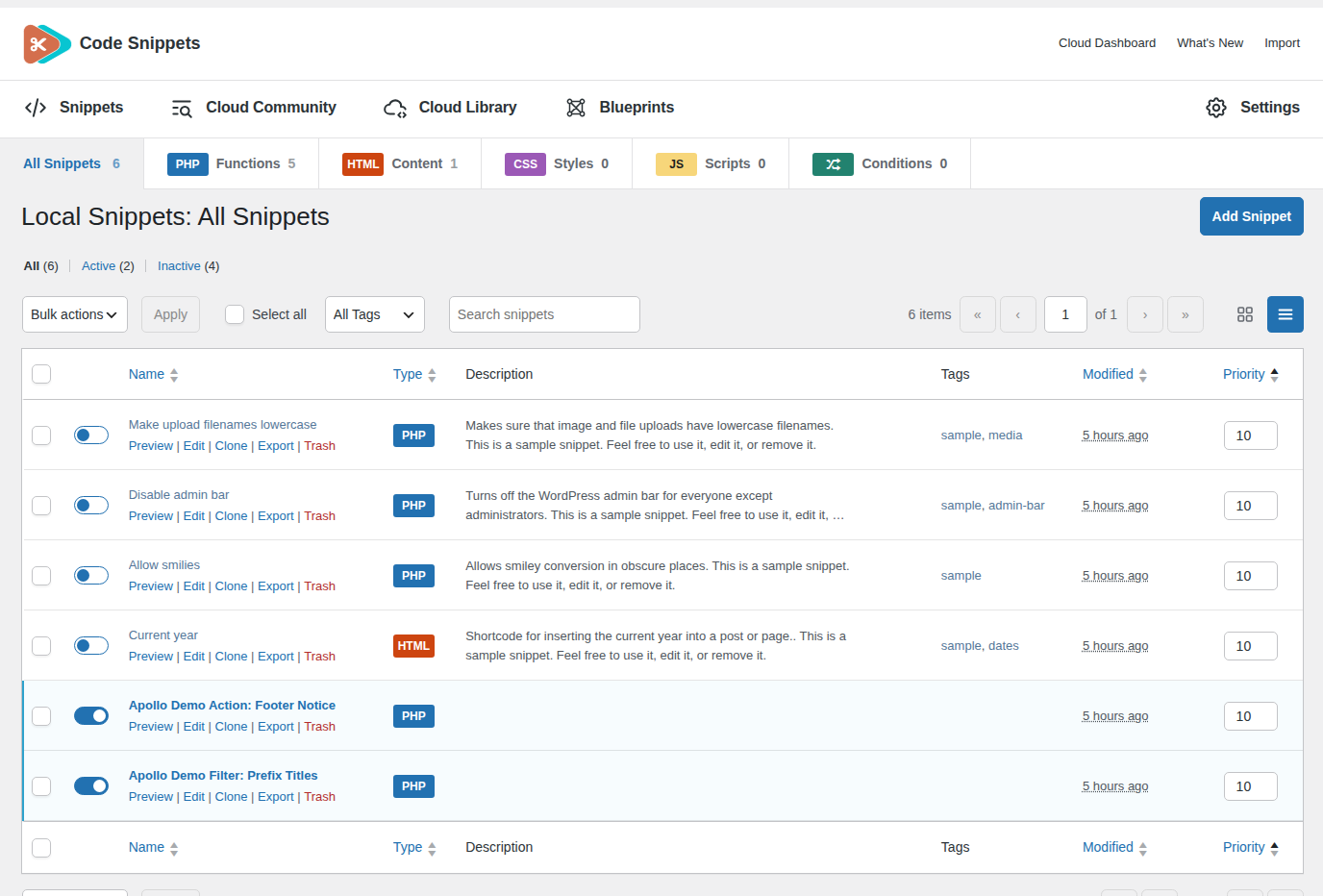
The difference is what the hook expects back:
- An action gives your callback a point in the process where it can do something. It might print a notice, load an asset, save information, or respond after an event. WordPress does not use a replacement value from the callback.
- A filter gives your callback a value. Your callback can change that value or leave it alone, then it must return the value WordPress should continue using.
That is the beginner-friendly rule, but the hook’s declaration gives you the reliable answer. A developer creates an action point with do_action and creates a filter point with apply_filters:
// This creates a moment for other code to respond.
do_action( 'acme_after_report', $report_id );

// This sends a value through callbacks and uses the result.
$label = apply_filters( 'acme_report_label', $label, $report_id );
In the first example, the report ID gives a callback useful context, but there is no replacement report for the caller to receive. In the second, the label goes into the filter, and the value returned by the callbacks comes back out.
This is the hook’s contract. It tells you when the hook runs, which arguments it passes, and what type of result a filter expects. The hook name by itself is not enough.
Plugins and themes can create their own hooks, too. For an unfamiliar hook, start with its documentation or declaration rather than a copied registration snippet. do_action() and apply_filters() show what WordPress expects; add_action() and add_filter() show how another function attaches to that point.
Actions let you respond to a moment
Use an action when your goal is to run a task at a particular point, such as adding markup or recording information. You connect the callback with add_action; the action tells it when to run. This example adds a notice near the bottom of a public page:
function acme_footer_notice() {
    echo '<p class="acme-footer-notice">Site notice goes here.</p>';
}

add_action( 'wp_footer', 'acme_footer_notice' );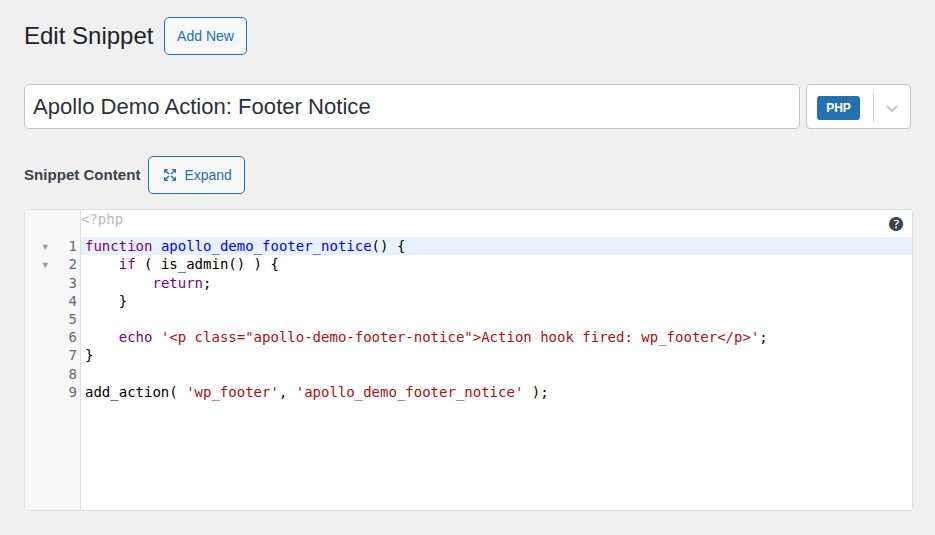
When the active theme calls wp_footer, WordPress runs the callback, which prints the notice. This hook passes no arguments. If nothing appears, the theme may omit the hook, or the request may be an admin, AJAX, REST, or other context where the output does not belong.
An action does not mean “anything is safe here.” It only tells you that WordPress reached a particular point. The callback still needs the right timing, permissions, conditions, escaping, and scope.
wp_footer is theme-dependent. If you need to load a stylesheet or script, use the enqueue APIs at the appropriate enqueue hook instead of treating footer output as a general asset loader.
Be careful with save actions
The save_post action is useful when you need to respond after a post is saved. A save can be an edit, autosave, revision, import, REST request, or another workflow. Before changing data or sending a notification, check the post type, request context, capability, and whether the callback could trigger itself again.
The wider lesson is important: an action tells you when something happened, not whether every situation around that event is right for your code.
🛡️ Note: If the callback applies to one post type, save_post_page can reduce unnecessary runs. You still need revision, autosave, capability, and input checks, and must consider other callbacks’ order.
Filters let you adjust a value
Use a WordPress filter when WordPress gives you a value, and you want to change what happens to it next. It might be a title, WordPress URL, array, number, Boolean, object, query setting, or another documented type. The contract tells you what the value represents and where the change applies.
🔬 Note: “Filter” does not mean “string.” Check the reference before applying string functions, and return the documented type.
Here is a filter that adds a prefix to titles in the main public loop:
function acme_prefix_post_title( $title, $post_id ) {
    if ( is_admin() || ! in_the_loop() || ! is_main_query() ) {
        return $title;
    }

    return 'Guide: ' . $title;
}

add_filter( 'the_title', 'acme_prefix_post_title', 10, 2 );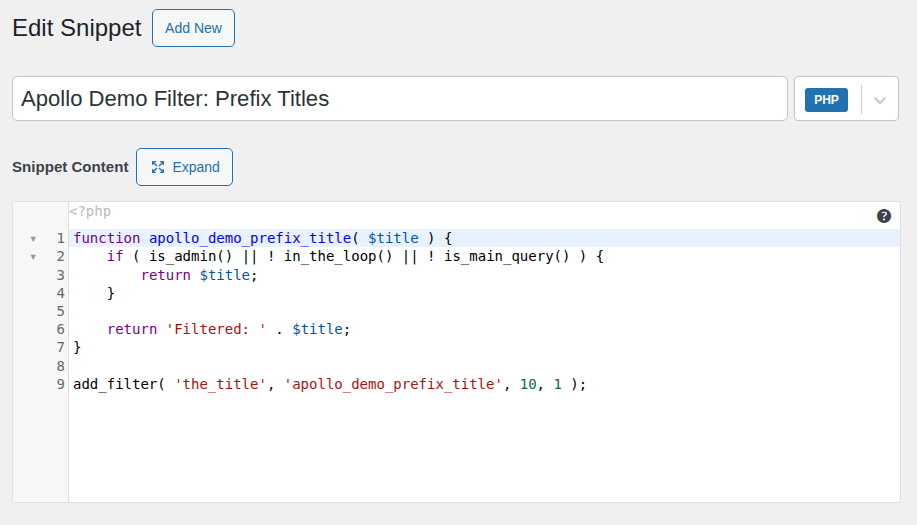
The callback receives the title first and the post ID second. Outside the intended public loop it returns the original title; otherwise it returns the prefixed title. The last two registration values are worth understanding:
- The priority is 10. A lower number runs earlier, and a higher number runs later.
- The final value says that WordPress should pass two arguments to the callback.
That final setting does not create a post ID. It only tells WordPress how many declared arguments to pass. If the hook supplies one argument, asking for two does not make a second one appear; a callback that requires it can fail. Match the signature and request only what the callback uses.
This title example changes what is displayed during that request. It does not permanently edit the title stored in the database. If you want to change saved content, use the appropriate data-update process rather than asking a display filter to act like a database editor.
Always return the filtered value
Every path through a filter callback should return a compatible value. If you do not change the input, return it unchanged:
function acme_change_label( $label ) {
    if ( ! is_string( $label ) ) {
        return $label;
    }

    return 'Updated: ' . $label;
}
If a filter callback reaches the end without returning, PHP can provide null where WordPress expected the original value. That result may be passed to another callback or to the code that ultimately uses it. Forgetting the return statement is one of the easiest ways to break a filter.
🧪 Note: Match the hook’s format and escape at the final output context. Escaping every filtered value can corrupt HTML, URLs, or text.
Actions vs filters: which should you use?
Use the task you want to perform as your starting point:
| What you want to do | Choose | What the callback does |
|---|---|---|
| Run a task at a named event or execution point | Action | Performs the task; its return value is ignored |
| Change a value WordPress will use afterward | Filter | Receives, changes or preserves, and returns a compatible value |
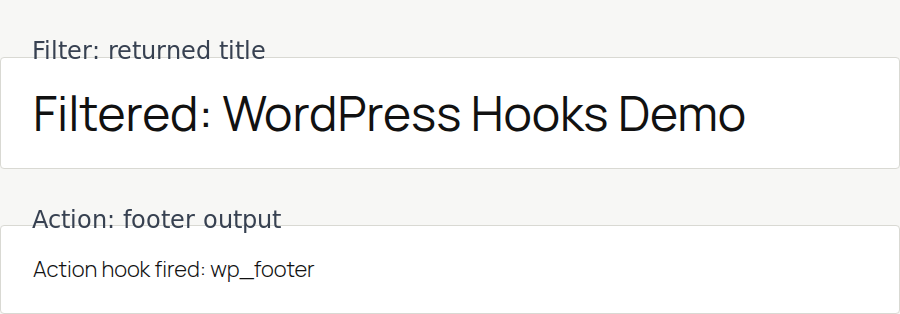
Adding a footer notice is an action because the callback performs output when the footer point is reached. Adding a title prefix is a filter because a title comes in and a title goes back out.
add_action and add_filter use closely related registration machinery, but that does not make them interchangeable. Use the function that matches the hook’s declared contract so the code’s purpose stays clear.
⚙️ Note: add_action() wraps registration code also used by add_filter(). Their contracts still differ: do_action() ignores returns; apply_filters() uses them.
A safer way to add custom hook code
Once you know which hook type you need, check the details that decide whether the snippet behaves well on your site.
1. Check when the hook runs
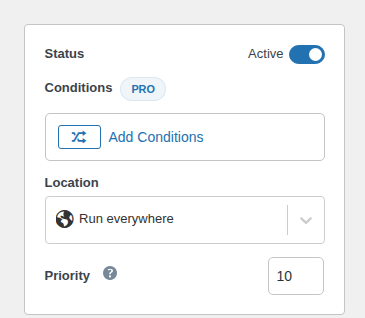
Find out whether the hook runs on the public site, dashboard, post save, REST or AJAX request, or a scheduled WordPress task. A callback for a public post page may be wrong in the editor or a background process.
Use the narrowest hook that matches the job. Putting unrelated work on a very early or broad hook can make the code run in more places than you intended.
2. Match the callback arguments
Read the hook reference and note the arguments in order. Make the callback accept only what it needs and set the accepted-argument count to match.
Do not guess from a similar hook. Two hooks with similar names can pass different arguments, pass them in a different order, or expect different value types.
🧰 Note: pre_get_posts passes a mutable WP_Query object by reference. Adjust it with $query->set() and return nothing; target the intended query with $query->is_main_query().
3. Use priority on purpose
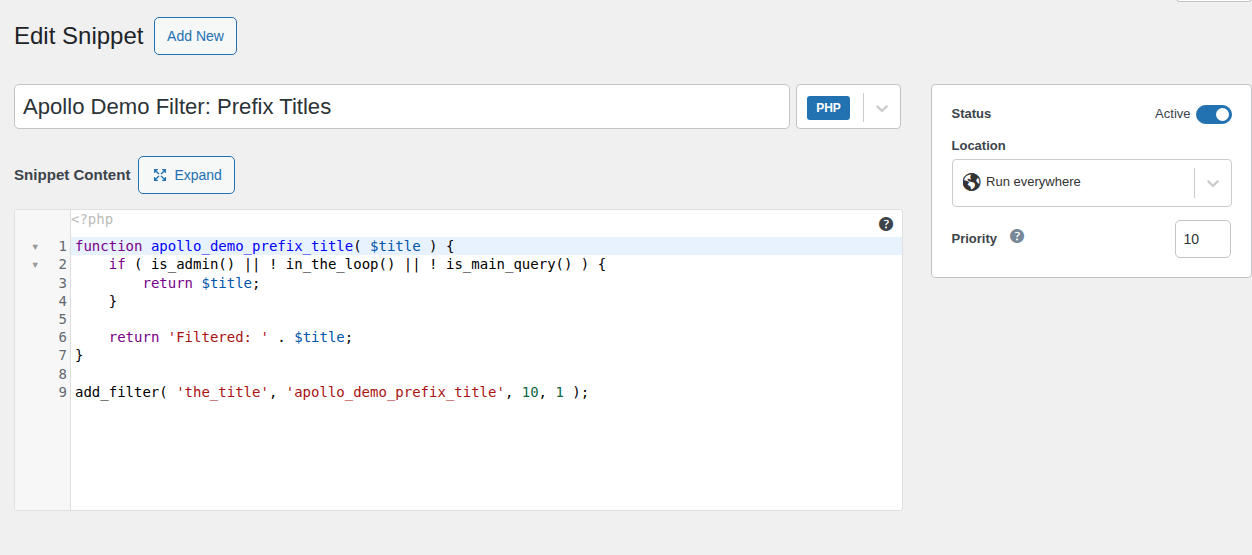
Priority controls execution order. The default is 10. Lower numbers run earlier, and callbacks with the same priority normally run in the order they were registered. Priority is not a quality score. Change it only when your callback must run before or after another callback, and document why.
4. Keep names and callbacks focused
Give functions, variables, and custom hook names a distinctive project or company prefix. A generic name can collide with another theme or plugin. Keep each callback focused on one job. A small callback is easier to understand, test, disable, and remove than one that changes titles, saves metadata, sends mail, and prints markup.
5. Put the code where updates will not erase it
Avoid editing WordPress core, a parent theme, or a third-party plugin directly. An update can replace those files. A small custom plugin is usually better for site behavior that should remain active after a theme change. A child theme fits presentation tied to one parent theme.
This is update-resistant organization, not a guarantee of safe code. A callback can still conflict with another plugin, use the wrong arguments, fail after a hook changes, output at the wrong time, or cause a PHP configuration error. Test changes on a staging site before pushing them live when possible. Before testing custom PHP, use a backup plugin to create a recent restore point and confirm that you know how to restore WordPress from a backup. Keep a way to disable the customization.
6. Remove callbacks with matching details
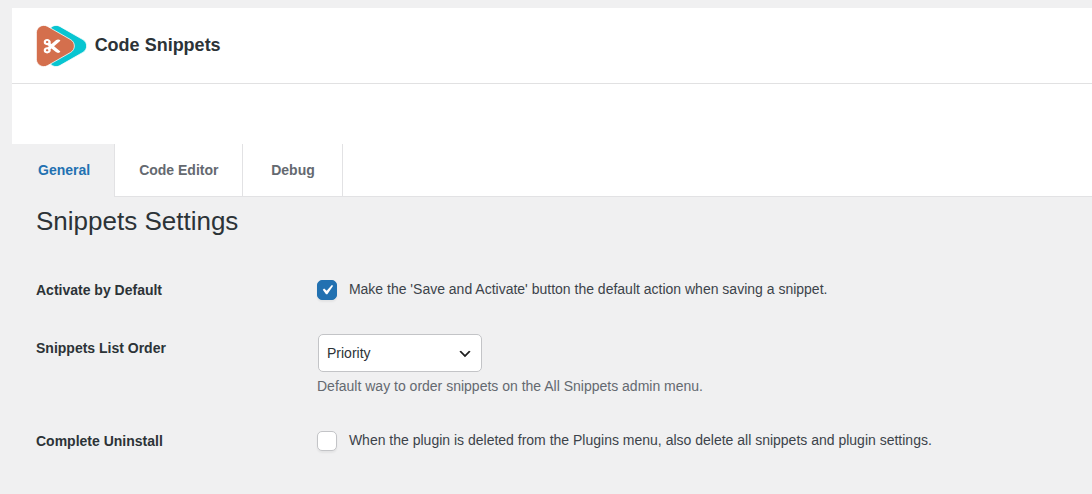
To stop a customization, use remove_action or remove_filter. The hook name, callback, and priority must match the registration, and removal must happen after the callback is added.
For the title example, the matching removal is:
remove_filter( 'the_title', 'acme_prefix_post_title', 10 );
Named callbacks make removal easier. Anonymous functions and methods require the exact callable reference WordPress received, so keep registration details together if you may switch the customization off later.
Final thoughts
When a snippet leaves you unsure which function to use, find the hook declaration. do_action() marks a moment for work; apply_filters() passes a value through callbacks and uses what comes back. Then check timing, arguments, priority, value type, and code location. Hooks reduce update-overwrite risk, but they do not replace backups, staging, access controls, escaping, or compatibility testing.