WordPress itself has informed users that the speed and severity of vulnerability exploits will continue to rise as frontier AI models get smarter.
So how can you keep your websites safe without every new disclosure turning into an urgent task?
When the next vulnerability lands, you need two questions answered quickly: does this affect any of my sites? And if it does, are they protected?
With one or two sites, that is usually manageable. Across dozens or hundreds of sites, it gets a lot harder. We spoke to 100+ agencies, and feedback was pretty consistent: tell us about vulnerabilities sooner, show us exactly which sites are affected, and make it obvious what still needs attention.
We’ve solved all of this in Vulnerability Shield 2.0
The first version made sure that each patch carried the strongest protection. This one gives you unmatched speed and control. You can now:
- hear about serious vulnerabilities within minutes
- get virtual patches onto affected sites in minutes
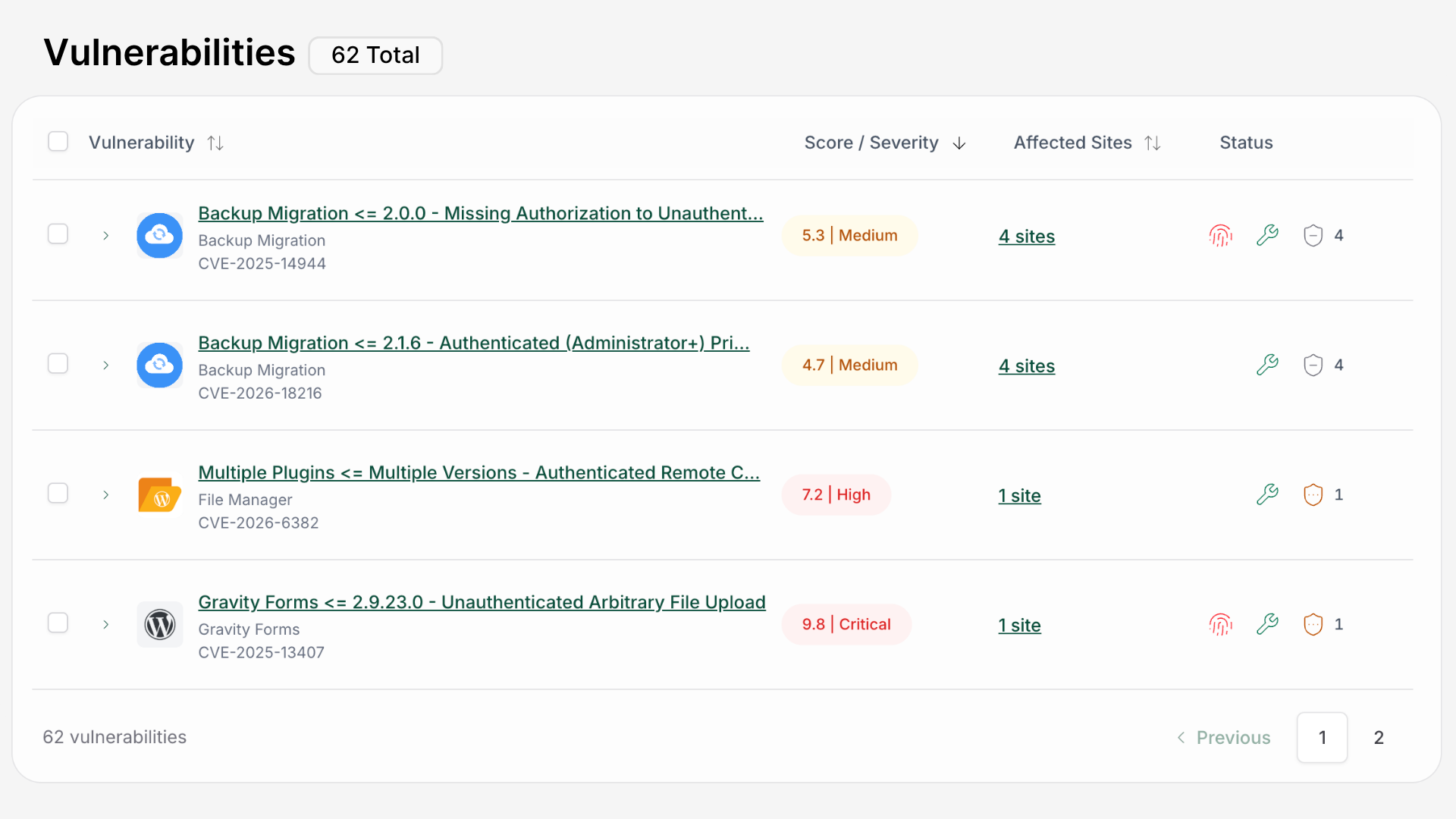
- see exactly what needs attention from our new dashboard.
Faster vulnerability alerts with full details
Previously, vulnerability alerts were collected into a digest. That’s fine most of the time, but less useful when a serious vulnerability has just been disclosed.
High-impact vulnerabilities now trigger their own alert instead of waiting for the next digest.
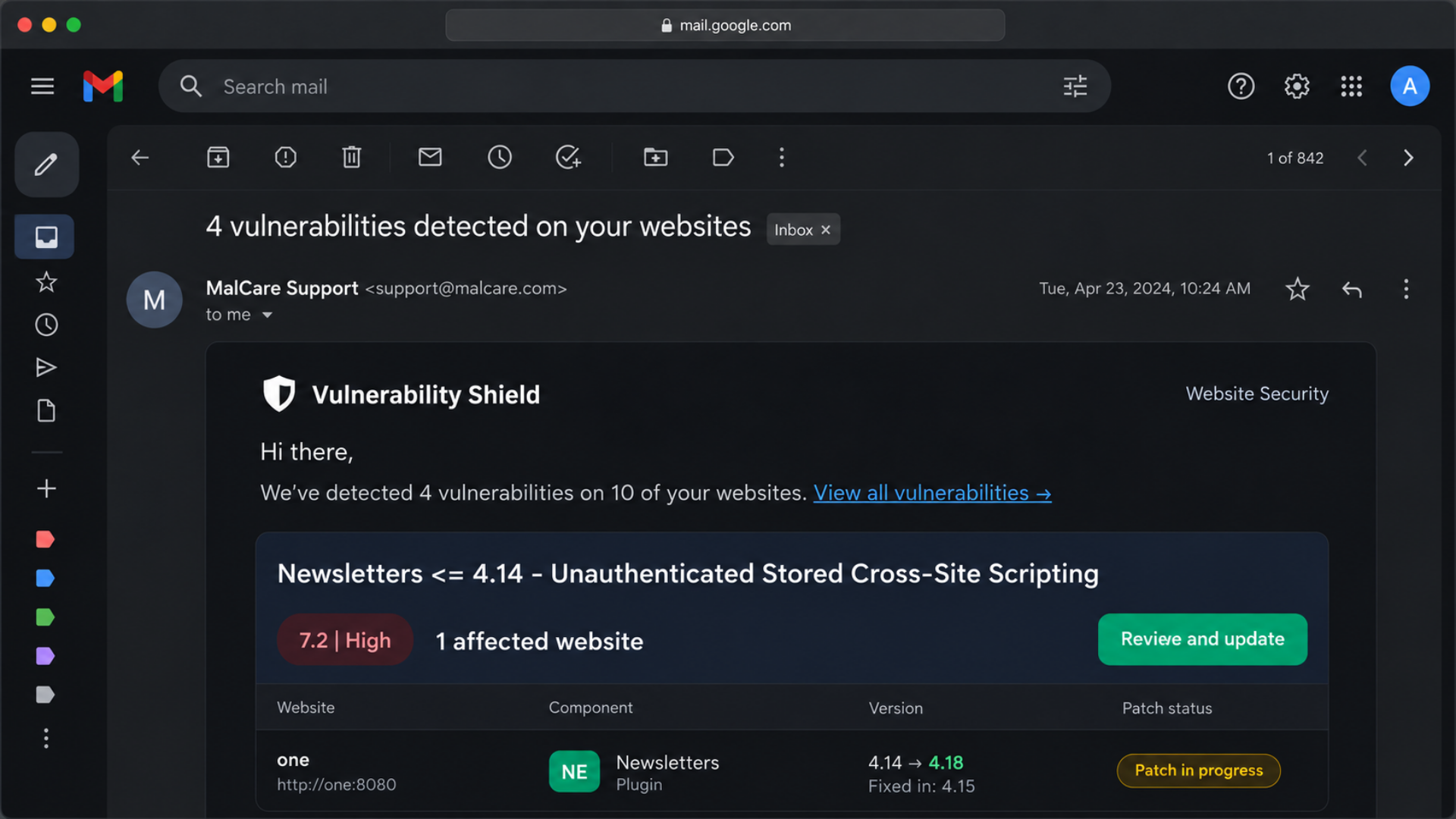
When one is detected, MalCare groups the affected sites under that specific vulnerability and sends a focused alert rather than waiting for the broader digest.
In our latest production run, affected users were notified in about ~30 minutes, compared with the previous notification window of roughly 4 hours.
And we’re not running this at full speed yet. The new system is still deliberately throttled while we ramp it up safely, so we expect that number to come down further.
More importantly, the alert is designed to answer the useful questions straight away. You can see which sites are affected and the current patch status without first digging through the dashboard.
It also uses your existing vulnerability notification recipients, so there is nothing new to configure.
Vulnerabilities get patched within minutes
Getting the alert quickly only solves half the problem.
Previously, even when we already had a virtual patch ready, it was usually picked up during the site’s regular daily sync. Depending on the timing, that could mean waiting close to 24 hours.
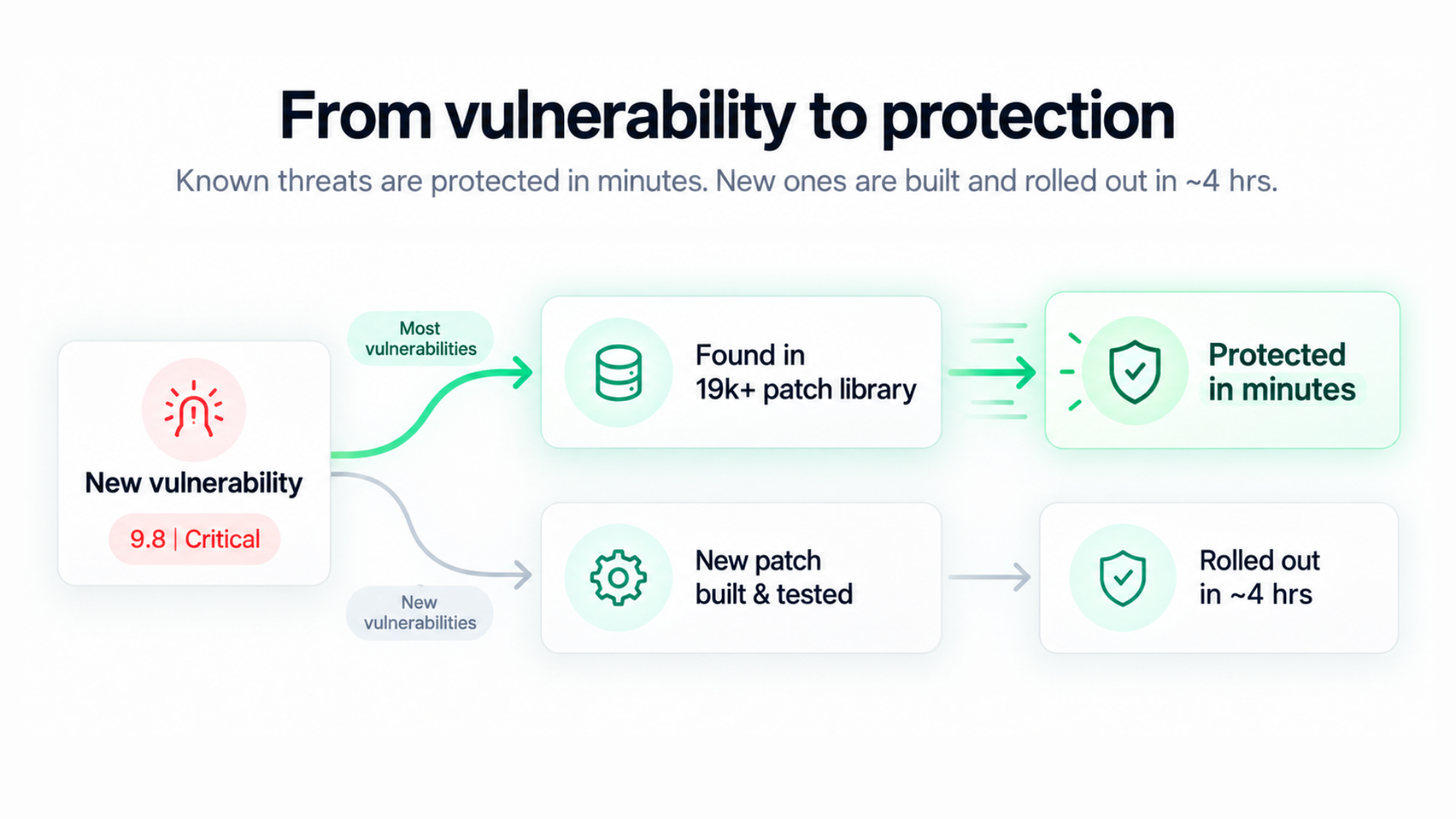
Now, Vulnerability Shield has a new rapid response system that deploys ready patches immediately to affected sites. Most vulnerabilities are patched automatically within minutes from our library of 19k patches.
For genuinely new vulnerabilities, we still build and test a new patch before rolling it out, but they still get deployed in industry-leading times of ~4 hours.
We did not want faster patching at the cost of taking more risks. The protection standard stays the same; we’ve made the machinery around it much faster.
New central dashboard for full control
Once an alert arrives, the next job is figuring out the scope.
If a plugin vulnerability affects seven of your sites, you shouldn’t have to open seven dashboards just to work out which versions are installed, whether they are patched, and where an update is available.
Vulnerability Shield now has an account-wide dashboard for that.
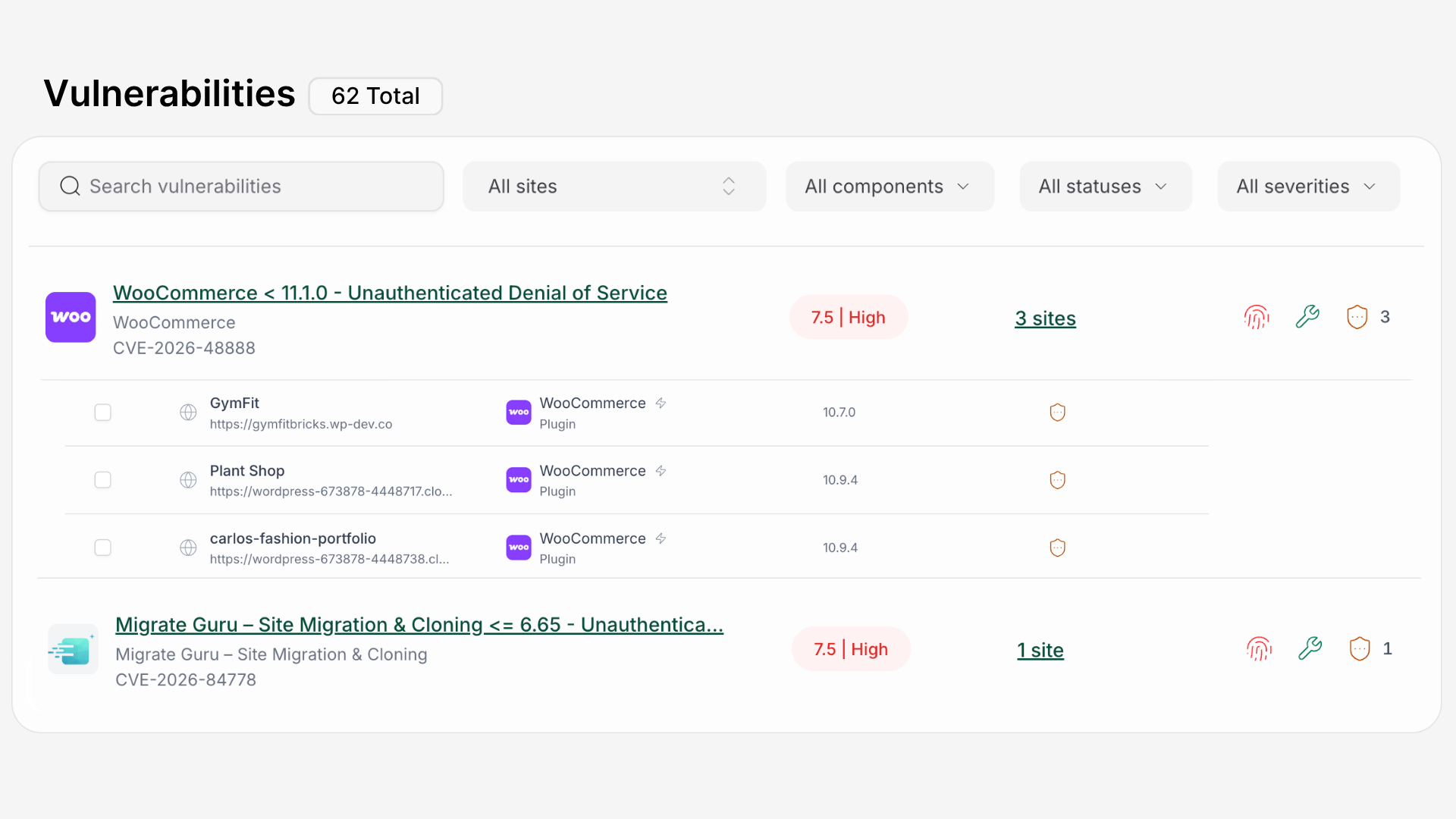
You can:
- Find a vulnerability by name, CVE/ID, plugin, theme, or WordPress Core.
- See every affected site along with its installed version, virtual-patch status, and available fix.
- Update affected sites from the same place instead of opening them one by one.
You can also filter by site, severity, risk, available fix, or patch status when you need to narrow things down.
So when a serious vulnerability appears, you can quickly get to an answer like: six sites are affected, four are already patched, and these two still need an update.
Better vulnerability handling experience overall
We also cleaned up something less flashy, but important.
Vulnerability information used to appear in several places: emails, the account dashboard, individual site views, Security Details, and the Vulnerability Shield screen itself.
Those screens did not always use the same summaries or take you to the same place.
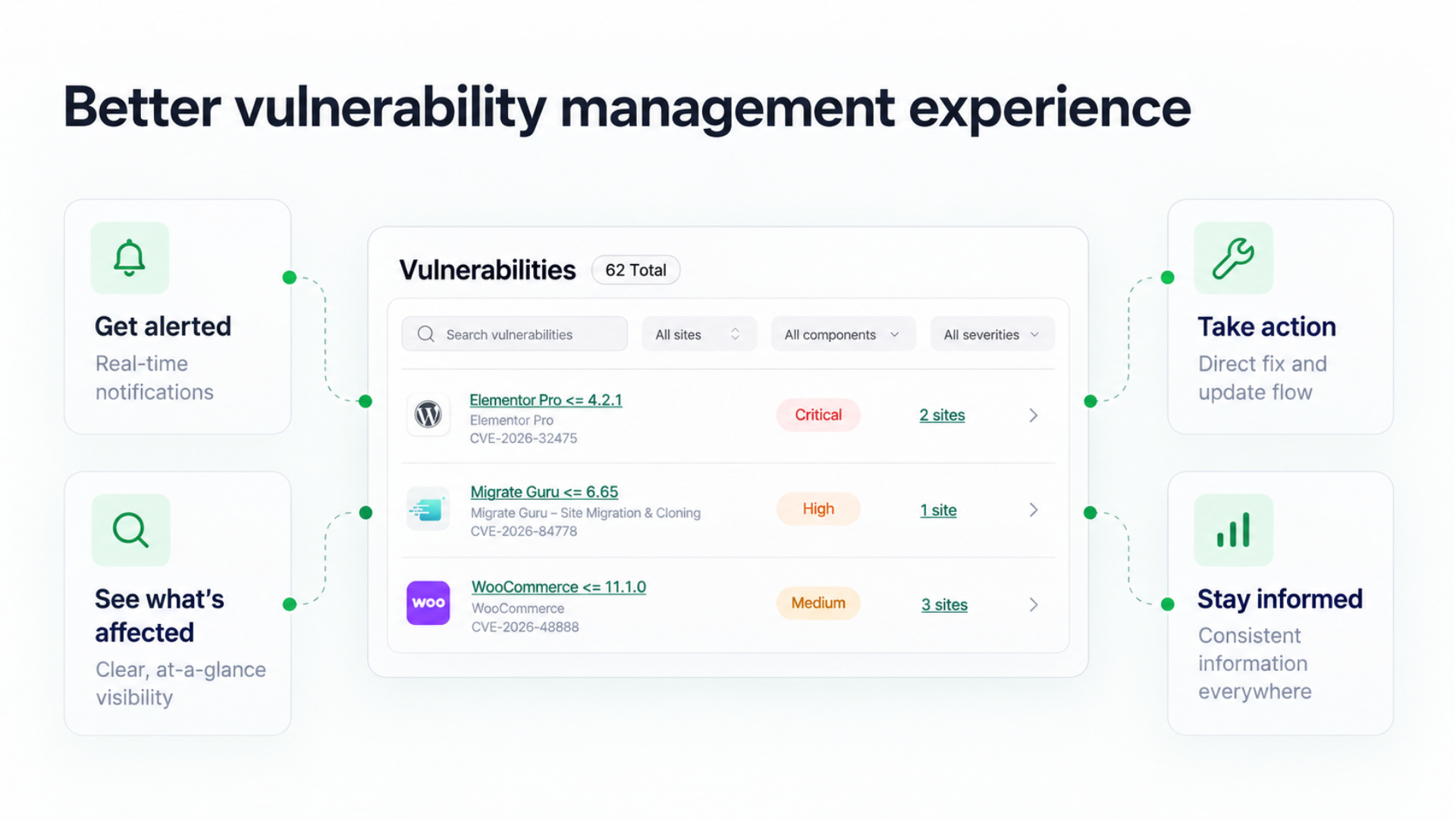
Now they do. Click a vulnerability alert, and it takes you directly to the relevant site’s Vulnerability tab. The account and site views use the same definitions for things like:
- active vulnerabilities
- applied patches
- available fixes
- highest risk
- affected websites
It sounds like a small change. But when you’re looking at a serious vulnerability, the last thing you need is uncertainty about the information in front of you.