Your WordPress site just went offline, or you’ve found a file you don’t remember creating, and the question on your mind is simple: did my host let this happen?
How does your web host affect your website security, exactly? Here’s the honest answer: your host runs the server and network your site lives on, but security itself is a shared job between your host and you, one that also depends on understanding how to secure your WordPress site at the application level.
By the end of this guide, you’ll know exactly which questions belong to your host and which ones are still yours to answer.
TL;DR: Choose a host that can clearly explain how it patches, isolates, monitors, filters, and restores its infrastructure. Then secure WordPress itself separately: keep everything updated, tighten access controls, run a security plugin for site-level monitoring, and backup your site independently with a backup plugin, rather than relying on your host’s copy alone.
What does your web host actually control?
Everything below your WordPress installation: the physical server, the network, the operating system, and the server software. These are the layers a request passes through before it ever reaches WordPress, and they shape both how exposed your site is and how well your provider can contain a problem if one starts.
A good host keeps that stack patched, strips out services it doesn’t need, restricts access to administrative interfaces, and watches for unusual activity.
On shared hosting specifically, it should also keep customer accounts properly isolated, so a problem on one site can’t wander over to the next site sharing that server.
The network layer sits in front of all this. A firewall filters traffic before it reaches the server, a web application firewall inspects the requests themselves more closely, and DDoS mitigation or a content delivery network can protect your site against DDoS attacks by absorbing malicious traffic at the edge.
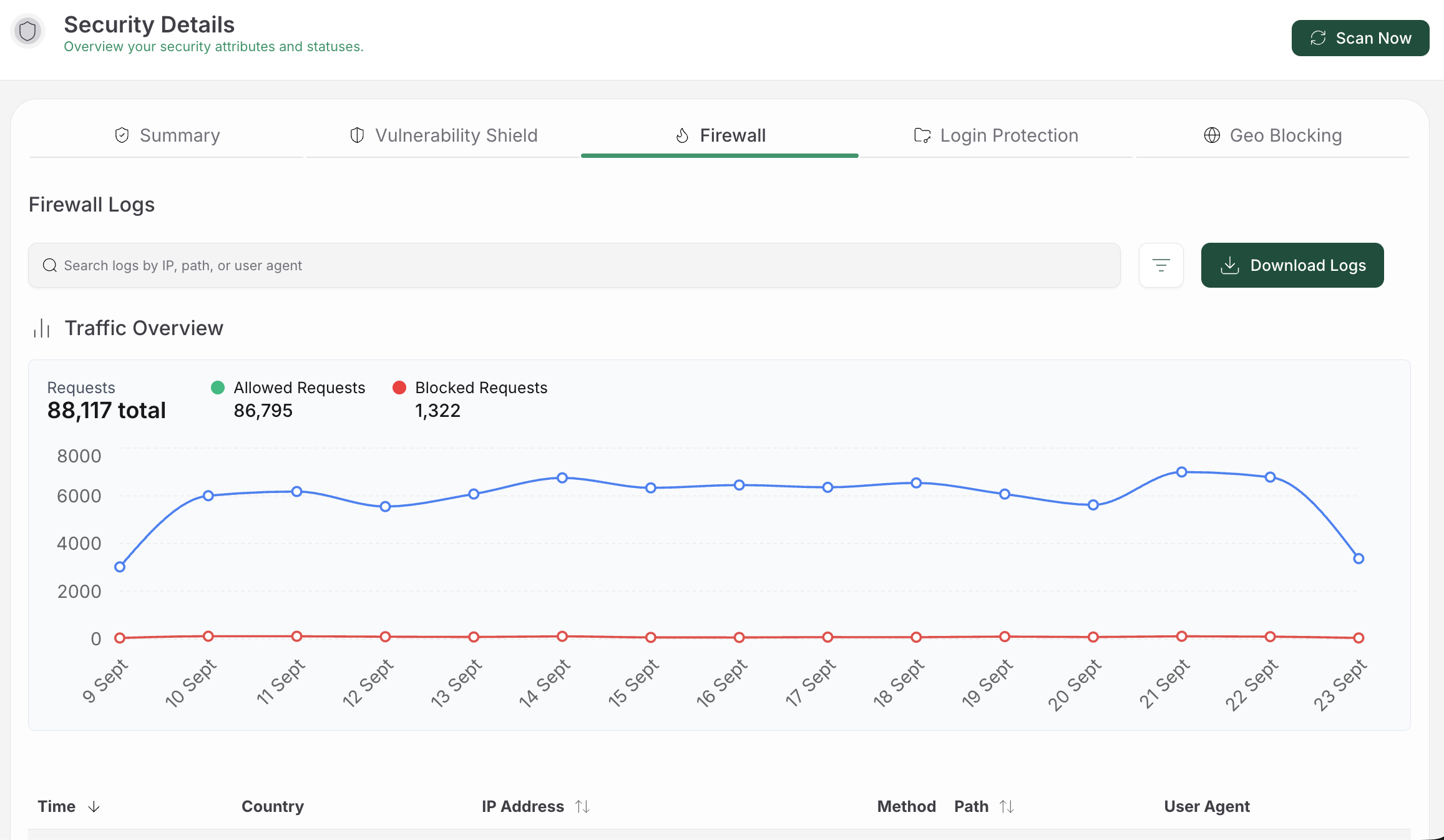
These are genuinely useful, but they’re not a substitute for a WordPress firewall and security tool, since a request can pass through every server-level control cleanly and still exploit a vulnerable plugin once it lands.
HTTPS belongs in this same category: it encrypts data in transit, which matters, but it does nothing to remove malware or stop someone who’s already gotten hold of an admin account.
What can’t your host secure for you?
The WordPress application itself, almost entirely. Your core installation, plugins, themes, settings, users, admin accounts, and credentials are your territory, not your host’s, unless your agreement says otherwise in writing.
A perfectly maintained server does nothing to make an outdated plugin safe, and this is worth taking seriously: Research consistently shows that many WordPress compromises originate at the application level through vulnerable WordPress plugins and themes, rather than through the server underneath them.
This is the mistake I see most often: assuming a secure server automatically means a secure site. The risks that sit on your side of that line are common and avoidable:
-
An unpatched plugin or theme can carry a vulnerability that lets someone change files or gain access outright
-
A reused or weak password can expose your site even when the server underneath is patched perfectly.Follow established WordPress password-security practices to reduce this risk.
-
An admin account with more permissions than it needs does more damage if it’s ever compromised. Regularly review WordPress users and their permissions.
-
Unused accounts, plugins, and themes sit around as forgotten entry points nobody’s watching
-
A misconfigured setting or an insecure file-transfer method quietly weakens the whole application layer
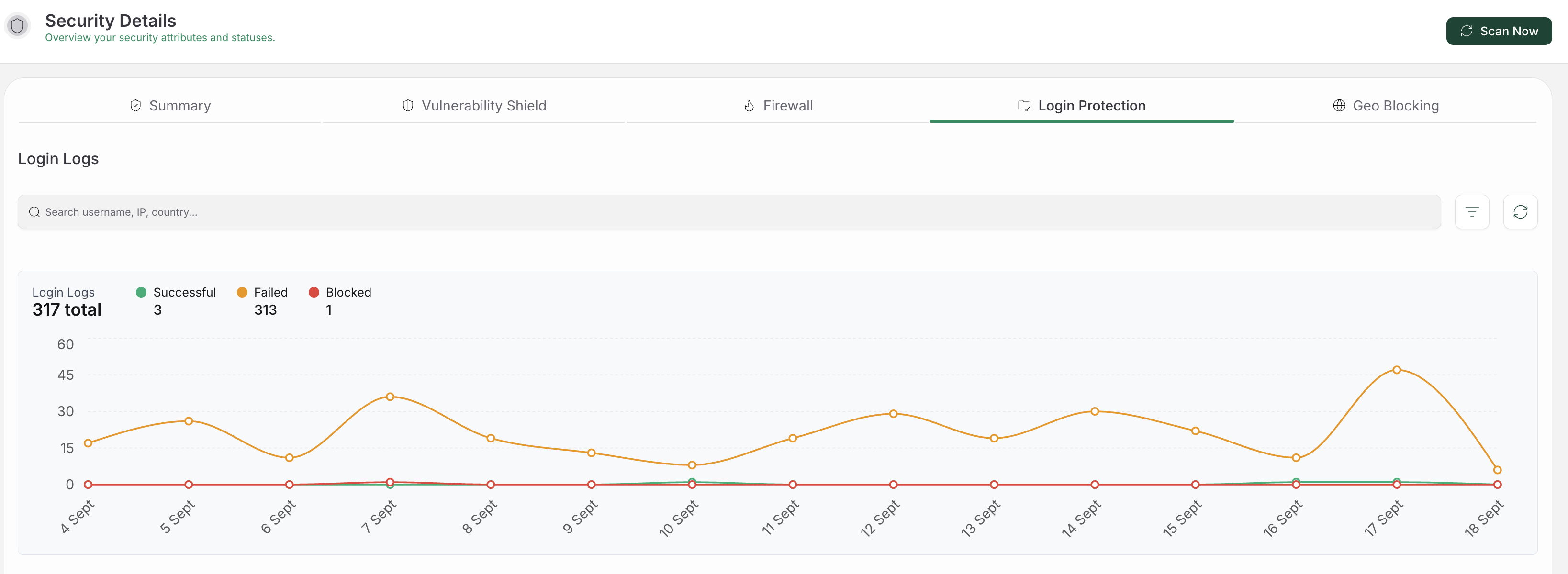
The fix isn’t complicated, just consistent. Use two-factor authentication wherever it’s offered, give each user only the access they need, update software promptly, remove what you’re no longer using, and keep logs that would actually help explain suspicious activity later. None of this replaces what your host does, and it works alongside it.
Does your hosting type change how much security work is on you?
Yes, but not the way the plan name suggests. A label tells you something about resources, isolation, or who handles day-to-day operations. It doesn’t, by itself, tell you whether your site is secure.
Shared hosting puts multiple sites on one server, and that’s not automatically dangerous. What matters is whether accounts are genuinely isolated, whether the provider patches promptly, and how it reacts when one account gets compromised. A budget plan isn’t proof of weak security, and a premium name isn’t proof of strong isolation.
VPS hosting gives you a more separated environment and real control over configuration, but that control comes with homework attached. Someone has to patch the OS, lock down services, and watch the server. A VPS becomes a liability fast when nobody’s actually doing that work.
Dedicated hosting hands you a whole physical server to yourself, cutting down on cross-account concerns, but it still doesn’t come with good patching or monitoring built in automatically.
Managed hosting describes who’s doing the operational lifting, not the isolation model underneath. It usually lightens your patching burden, but it still doesn’t guarantee every plugin, theme, or credential on your site is safe.
Which host security controls are actually worth asking about?
Ask for specific, concrete answers, not reassuring words like “secure” or “enterprise-grade.” Those terms sound good and mean almost nothing on their own. Here’s what a host should be able to walk you through:
-
Server patching and hardening. How is the operating system, web server, and database patched, and who handles an urgent patch when one’s needed?
-
Account and tenant isolation. On shared infrastructure, how is one customer kept separate from another, and what happens if a neighboring account gets infected?
-
Traffic filtering and DDoS response. Is firewall or web-application filtering included, and how is legitimate traffic restored if a filter blocks something it shouldn’t? Filtering controls traffic; it doesn’t clean an infection that’s already on the site.For application-level protection, you still need a firewall built specifically for WordPress.
-
Monitoring and malware scanning. What does the host actually scan, how often, and who investigates when something’s flagged? Coverage varies a lot between providers, so don’t treat a host scan as a complete security program.You should also scan WordPress for malware at the file and database levels.
-
Incident support. How does the provider handle an infected account or a suspected breach, and what logs do you actually get access to?
-
Backups and restoration.** How often do backups run, how long are they kept, and has the provider ever tested restoring one? A backup stored on the same server as your live site can vanish in the exact same incident that took your site down.
📝 Note: ‘Backups included’ and ‘recovery tested’ are two very different claims. Ask specifically for the second one, and keep a copy stored somewhere outside your host’s own failure domain.
Certifications like ISO 27001, SOC 2, or PCI-DSS can tell you a provider follows formal processes, but they don’t prove your specific site is secure. Read the actual plan details, especially the exclusions around backups and support.
A checklist for comparing hosts
Run any host you’re evaluating through these questions:
-
Who patches the server, operating system, database, and control panel, and how quickly
-
How accounts are isolated and what containment looks like if a neighboring site gets infected
-
What’s included for firewall protection, request filtering, CDN, and DDoS mitigation
-
What the malware scanner actually covers and what happens after it flags something
-
How incidents are reported and communicated back to you
-
Where backups live and when the last restore was actually tested
-
Which WordPress-side tasks remain entirely yours
-
Read the exclusions in the plan itself, rather than trusting a badge or an uptime number
The right host depends on your site’s risk level and how much your team can realistically operate yourselves. A small site often benefits from a provider that absorbs more server-level work. A technical team might prefer the control a VPS offers.
Either way, the safer choice is whichever one has clear ownership, real isolation, and a recovery process that’s actually been tested, not just promised.
What should you do if your site is hacked?
Don’t assume switching hosts will remove an infection. A migration can carry compromised files or database entries directly to the new server. Follow a proper hacked WordPress recovery process before doing anything drastic.
Contact your host and ask directly whether they’ve detected server abuse or unusual traffic. Preserve whatever logs you can, and note exactly what’s changed.
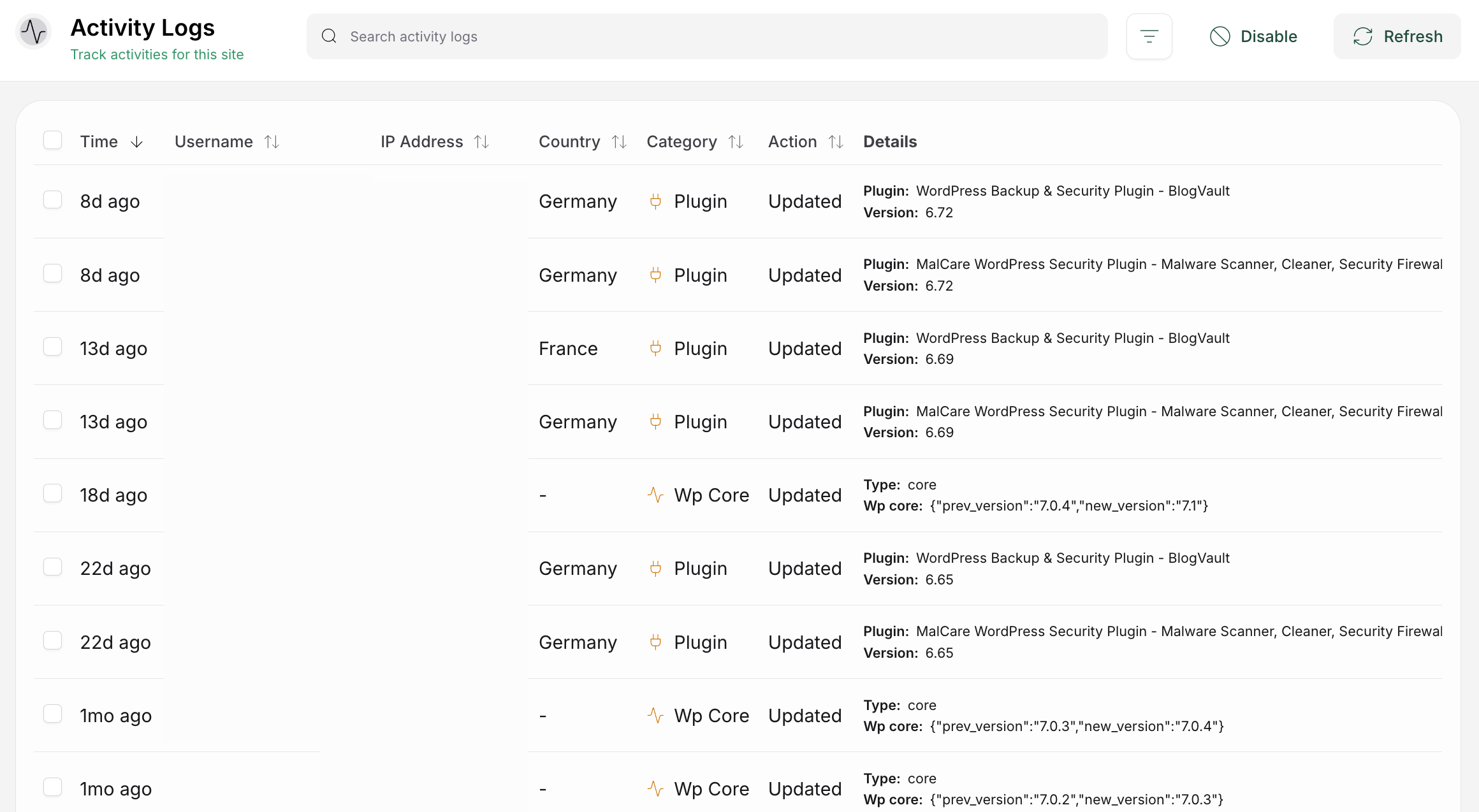
Secure your admin, hosting, database, and file-transfer credentials from a device you trust to be clean. Then review WordPress user accounts and permissions and remove any unknown or unnecessary access.
If you’re restoring from a backup, check first when the compromise actually started and what that backup contains, since restoring an infected backup just hands the problem back to yourself.
Once you’re back online, update WordPress and every plugin and theme you’re keeping, remove anything unused, and establish an ongoing WordPress security-maintenance routine.
Keep an independent, clean backup going forward, and watch the site closely once it’s live again.
This is where a dedicated WordPress security layer earns its keep. MalCare adds malware scanning, firewall protection, alerting, and cleanup at the application level, covering exactly the risks a host typically doesn’t see or own.
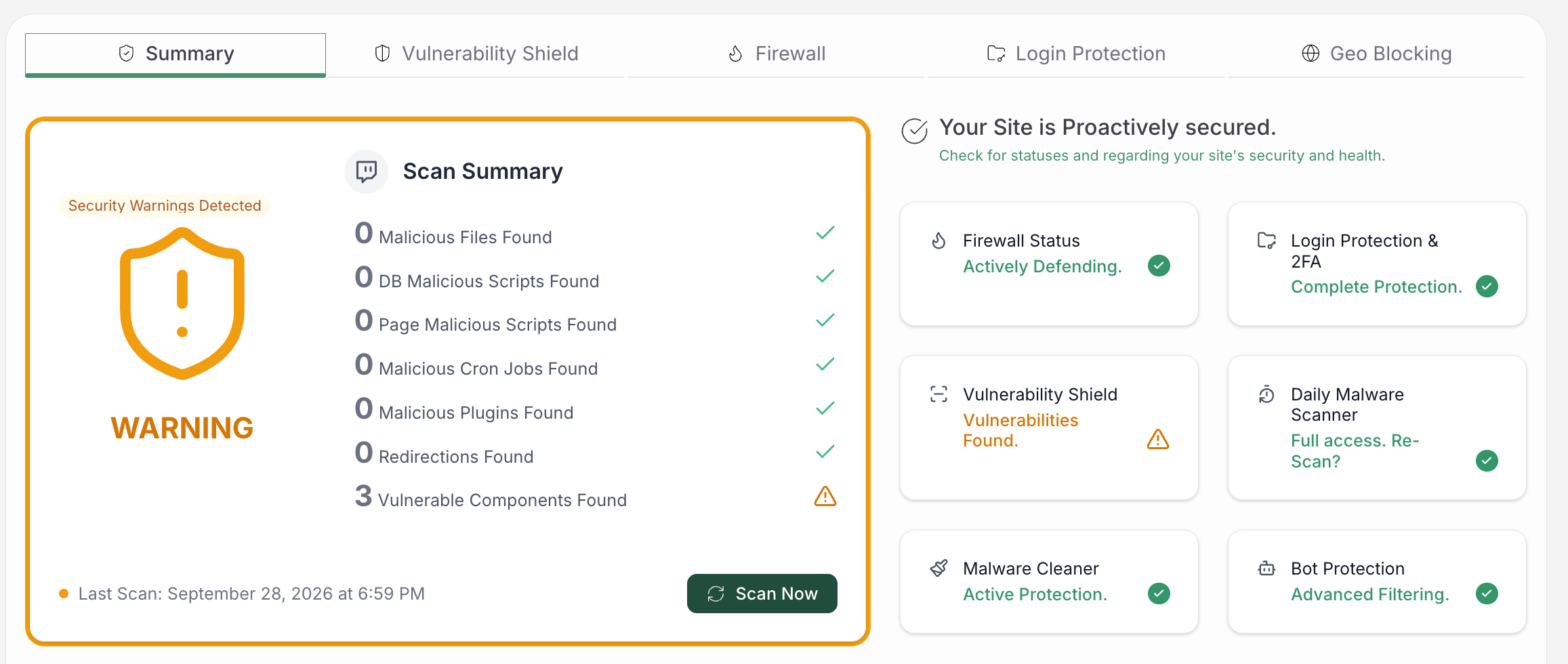
It’s not a replacement for a well-patched host, HTTPS, or independent backups, but as a complement sitting on your side of the line, it fills a real gap.
FAQs
Does a web host affect website security?
Yes. It controls infrastructure and network layers like server patching, traffic filtering, account isolation, monitoring, and often backups. It can’t secure vulnerable WordPress code, weak credentials, or unsafe site settings, all of which stay under your control.
Is my web host responsible for WordPress malware?
It depends on the source. A host can contribute if its software is vulnerable or its isolation is weak, but most infections come in through vulnerable plugins, compromised credentials, or misconfigured settings on the site owner’s side. Investigate both layers rather than assuming it’s automatically one or the other.
Is shared hosting bad for security?
Not automatically. It just makes tenant isolation and abuse monitoring especially important, since multiple sites share the same environment. Judge the host’s actual practices, not the “shared” label by itself.
What should a genuinely secure host be able to tell me?
It should walk you through its patching process, account isolation, traffic controls, monitoring, support process, and backup retention and restore testing, and be upfront about which tasks remain your responsibility.
Are my host’s backups enough to recover my site on their own?
Not by themselves. Host backups can share the same failure domain as your live site or come with limited retention. Keep an independent backup and actually test restoring it, so you know your files and database can come back.
Conclusion
Your web host genuinely affects your site’s security, but it was never going to secure the whole thing alone. Evaluate its patching, isolation, and recovery process honestly, and use a WordPress security checklist to close the application-level gaps that remain your responsibility.
Take the checklist above to your current host and see how many questions they can actually answer with specifics rather than reassurance. Wherever the gaps land, close the ones that are yours to close.